Kanban View
Overview
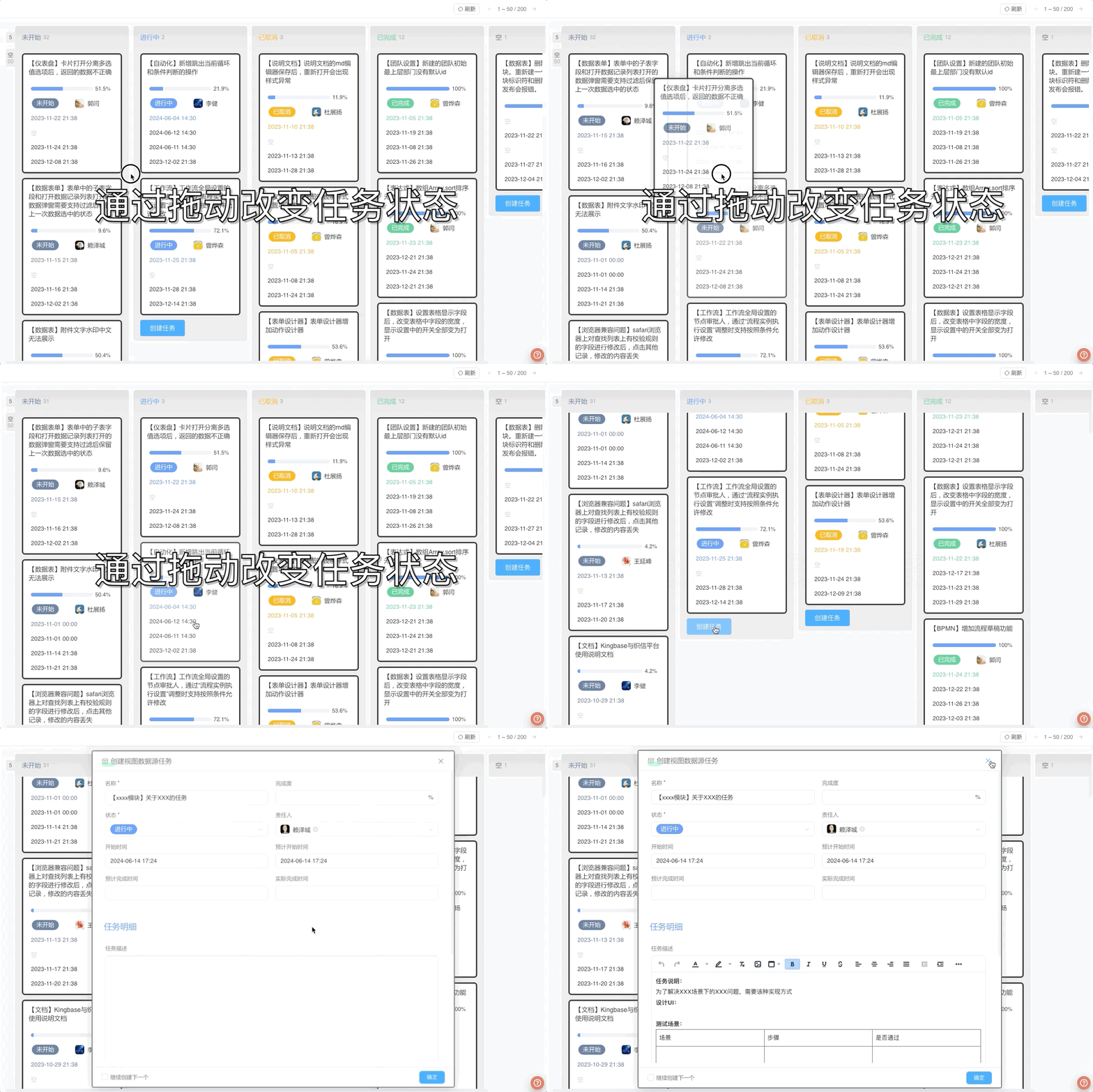
Kanban View is a way to display data by grouping it and listing the data in card style under each group.
Application Scenarios
Kanban View is mostly used in scenarios with classified data such as task management, customer management, etc.:
Task Management: Classify and display in order according to the current status of tasks Customer Management: Classify and display according to the customer's region or customer status
Settings
| Setting | Description |
|---|---|
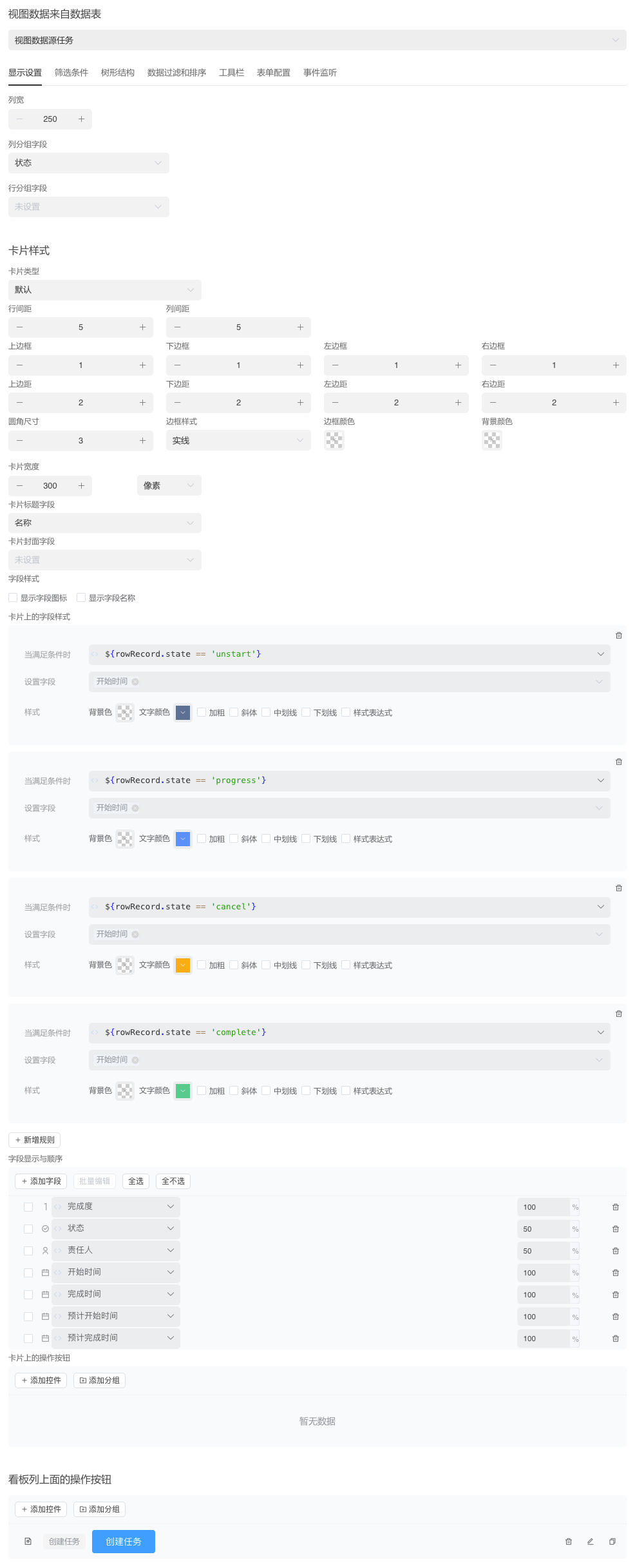
| Column Width | Set the width of kanban columns |
| Column Grouping Field | Group by field data and display as kanban columns in the view |
| Row Grouping Field | Group by field data and display as kanban rows in the view. Optional |
TIP
After dragging data to another group, the value of the grouping field in the data will be automatically changed
Card Style
Style settings for the card part of the view, supporting multiple card rendering methods.
Since other views also use this configuration, it is uniformly explained in the Card Style chapter.
Example
The following takes task management as an example to demonstrate the use of kanban