Single Text
A single-line text input box where users need to fill in the corresponding content in the input box based on the title.
Description
| Item | Content |
|---|---|
| Category | Text Type |
| Sortable | Yes |
| Filterable | Yes |
| Supported Filter Types | Contains, Does Not Contain, Equal To, Not Equal To, Is Empty, Is Not Empty, Starts With, Ends With, In List, Not In List |
Settings
| Setting | Description |
|---|---|
| Allow Empty | Set whether the field is required |
| Placeholder When Empty in Form | Text displayed in the input box when no information is entered in the field |
| Length Limit | Set the string length limit for the field (default 0~200). The input limit depends on the Storage length. |
| Storage Length | Data storage length (default 200). Can be adjusted according to scenario needs. |
| Default Value | Can set the default value for the field |
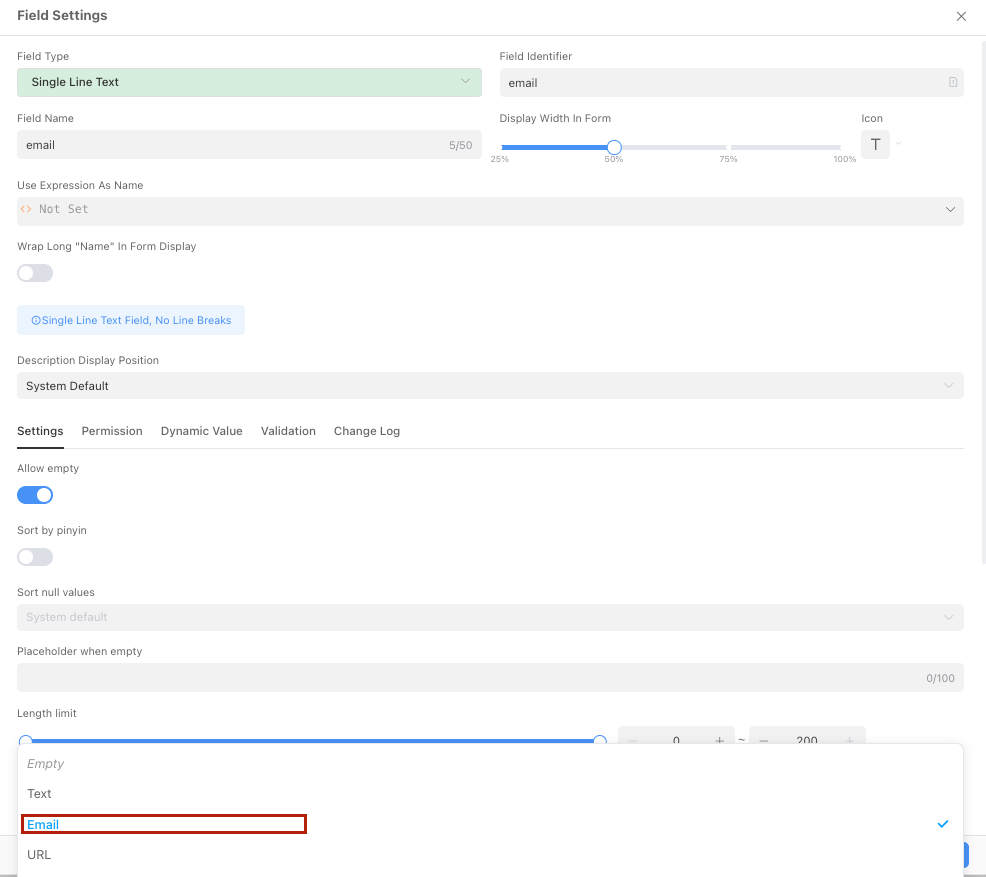
| Format | Set the format of the field. Different formats have different restriction rules. Options: Text, Email, URL, Phone Number, ID Card Number |
| Sort by Pinyin | When enabled, an auto-complete list will be displayed when users enter content |
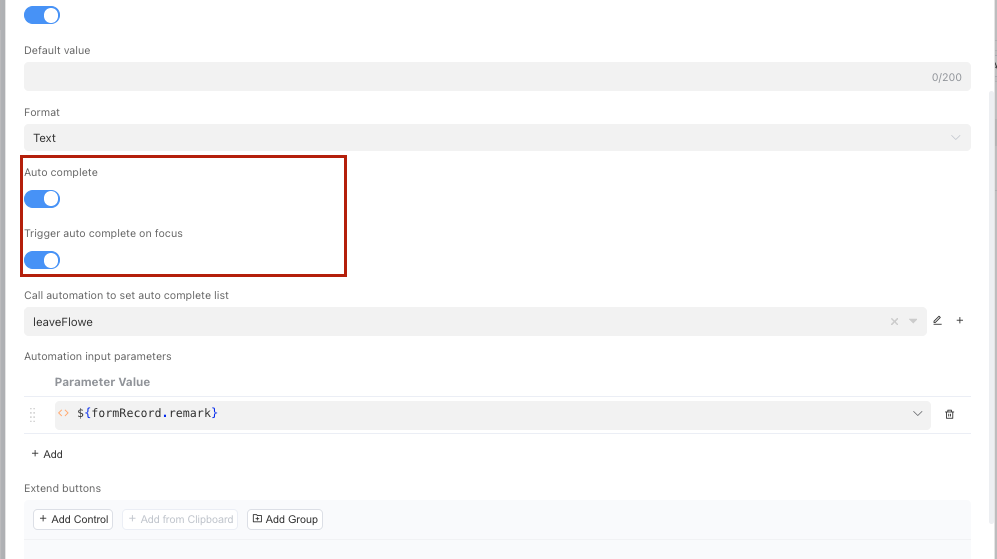
| Auto-Complete | When enabled, an auto-complete list will be displayed when users enter content |
| Trigger Auto-Complete After Focus | When auto-complete is enabled, whether to automatically trigger completion when the input box gains focus |
| Call Automation to Set Auto-Complete List | When auto-complete is enabled, the automation that returns the completion list |
| Automation Input Parameters | When auto-complete is enabled, the data parameters passed when calling the completion automation. Dynamic input parameters can be passed using expressions |
| Extension Button | Can add custom controls to the field. Added controls will appear on the right side of the field input box |
Sort by Pinyin
In different character sets, the encoding of Chinese characters may be different, such as UTF8 and GBK. Among them, GBK is encoded in pinyin order, while UTF8 is not. Therefore, if the database uses UTF8 encoding, when sorting Chinese fields, the result may not be sorted by pinyin. In PostgreSQL, the encodings for sorting Chinese by pinyin include GB18030, EUC_CN, GBK, BIG5, EUC_TW, etc. For details, please refer to Postgres Supported Character Sets
TIP
After enabling Sort by Pinyin, the field will be converted to GB18030 encoding using the convert_to function for sorting.
Auto-Complete
In some scenarios, it is expected to automatically provide an available list of completion options for users to choose based on the content entered by the user.
Auto-Complete
Trigger Auto-Complete After Focus
When enabled, if
queryStringis used in the completion automation, it needs to be set to optional in the input parameters of the automation.Return Value of Completion Automation
The auto-complete list needs to be obtained by calling automation, and the return value of the automation must be
Array<String>.
Storage Format in Database
| Field Type | Description |
|---|---|
| varchar(200) | Variable-length string, maximum 200 characters |