Lookup Rollup
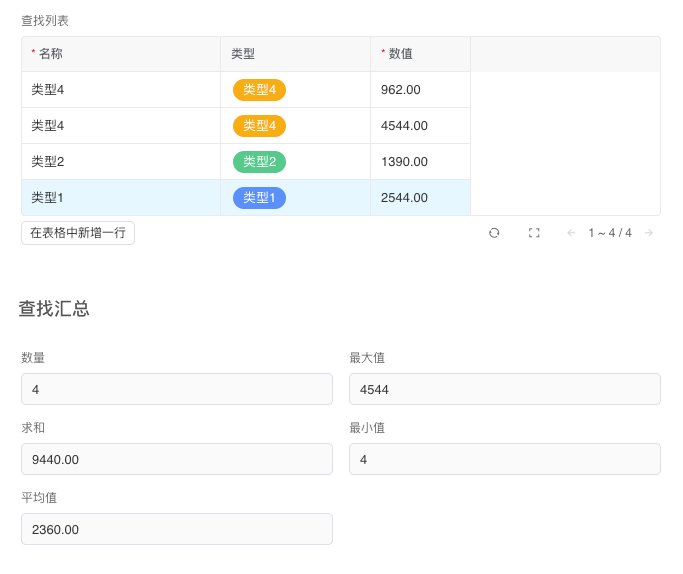
Lookup Rollup uses aggregation functions Count, Sum, Average, Maximum, Minimum to aggregate and calculate specific fields in sub-tables.
Description
| Item | Content |
|---|---|
| Category | Association Relationships |
| Sortable | Yes |
| Filterable | Yes |
| Supported Filter Types | Equal, Not Equal, Empty, Not Empty, Less Than, Greater Than, Less Than or Equal, Greater Than or Equal, In Range, Not In Range |
Settings
| Setting | Description |
|---|---|
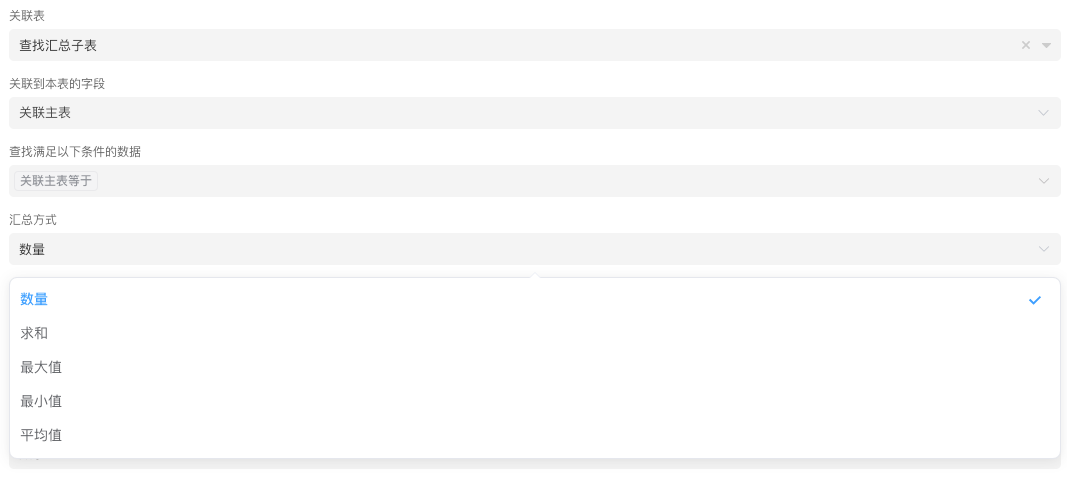
| Associated Table | Select a data table module in the current application as a sub-table of this table |
| Field Associated to This Table | Select the field of association record type in the sub-table that is associated to this table |
| Look for Data Matching These Conditions | Use expressions to set conditions for finding data, only look for data that meets the conditions |
| Aggregation Method | Set the aggregation method. Options: Count, Sum, Maximum, Minimum, Average |
| Aggregation Field | Select a field in the associated list for aggregation. This configuration item is not displayed when the aggregation method is Sum Available field types: Integer, Decimal, Rating, Function, Relation List Aggregation, Lookup Rollup |
| Format Prefix | Set the prefix of the field |
| Format Suffix | Set the suffix of the field |
| Precision | Set the display precision of aggregation results. Options: Display Integer Part Only, 0.1, 0.01, 0.001, 0.0001, 0.00001 |
| Display Method | Set the display style of integers. Options: Number, Currency, Progress Bar |
Database Storage Format
| Field Type | Description |
|---|---|
| float8 | Double-precision floating point number (8 bytes) |
Aggregation Principle
The calculation of lookup list aggregation is triggered by changes in records in the sub-table, which is correct in most cases. However, when there are time-related filtering conditions in the sub-table's filtering conditions, the system cannot update the aggregated data in a timely manner.
For example, if the filtering condition of the sub-table is orders this month, and the sub-table aggregation field is to aggregate the number of orders this month, the lookup aggregation data will not be updated in a timely manner when the time reaches the second month.
In this case, you can add a scheduled task to update it daily through the Update Lookup Rollup Field Value step in automation, or refresh it through the script informat.table.refreshLookupRollup.
Note
When the aggregation field is a function-type field, the problem mentioned above may also occur, and the handling method is similar.
Usage Examples
Lookup rollup supports five aggregation methods: Count, Sum, Maximum, Minimum, Average.
Display Effect