Auto Complete
Overview
The auto-complete feature for tasks can significantly improve efficiency, reduce the need for manual intervention, and ensure the continuity and consistency of processes.
Process Diagram
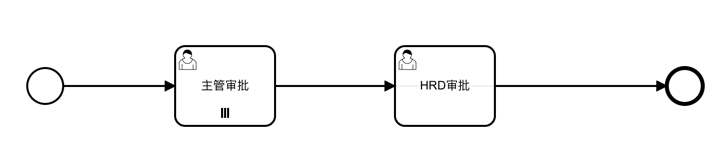
The example process diagram is as follows:
Data Table
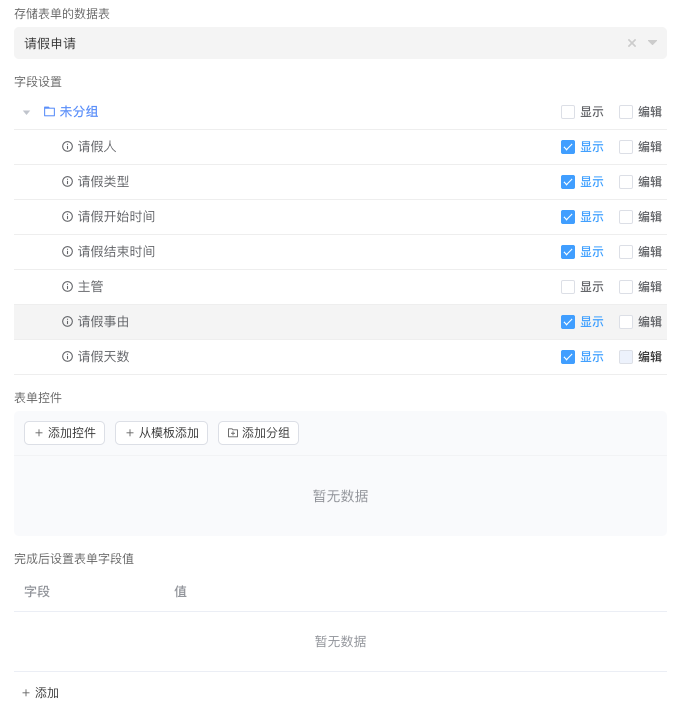
The data table structure is as follows:
| Field | Type | Description |
|---|---|---|
| user | User Selection | Leave Applicant |
| leaveType | List Selection | Leave Type, options include: Annual Leave, Sick Leave, Personal Leave, Compensatory Leave |
| startDate | Date | Leave Start Time |
| endDate | Date | Leave End Time |
| reason | Multi-line Text | Reason for Leave |
| durations | Function | Leave Days. The specific configuration content is: DATE(endDate) - DATE(startDate) + 1 |
durations configuration content:
DATE(endDate) - DATE(startDate) + 1When auto-completing with the same approver, there are two scenarios:
- Upward Collection: When a node in the configuration item is before the current node and has the same approver, the current node will be automatically completed
- Downward Collection: When a node in the configuration item is after the current node and has the same approver, the current node will be automatically completed
Auto Complete When Approvers Are the Same (Upward Collection)
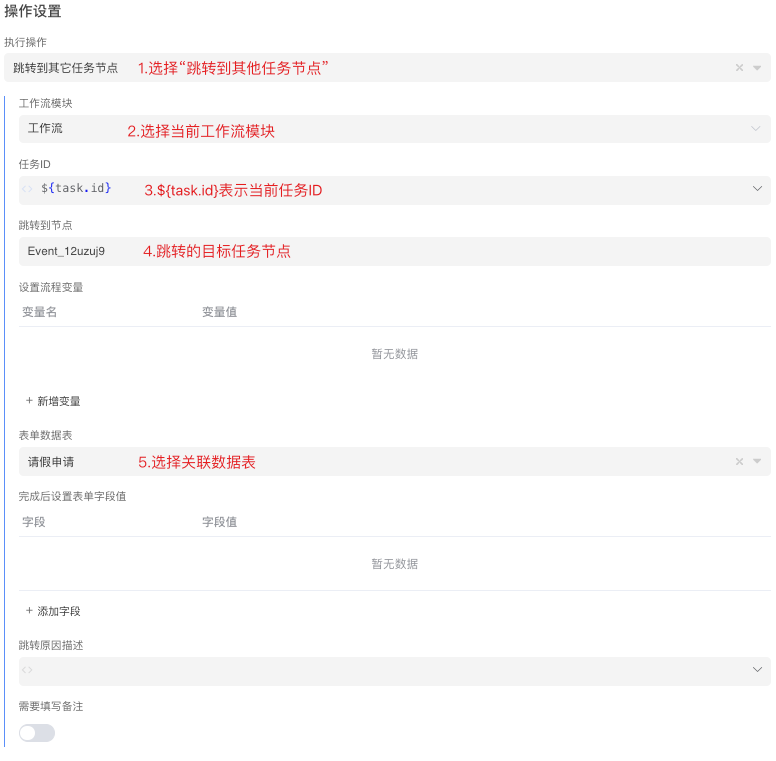
When a node in the configuration item is before the current node and has the same approver, the current node will be automatically completed. The following is the specific configuration of the workflow:
Global Settings
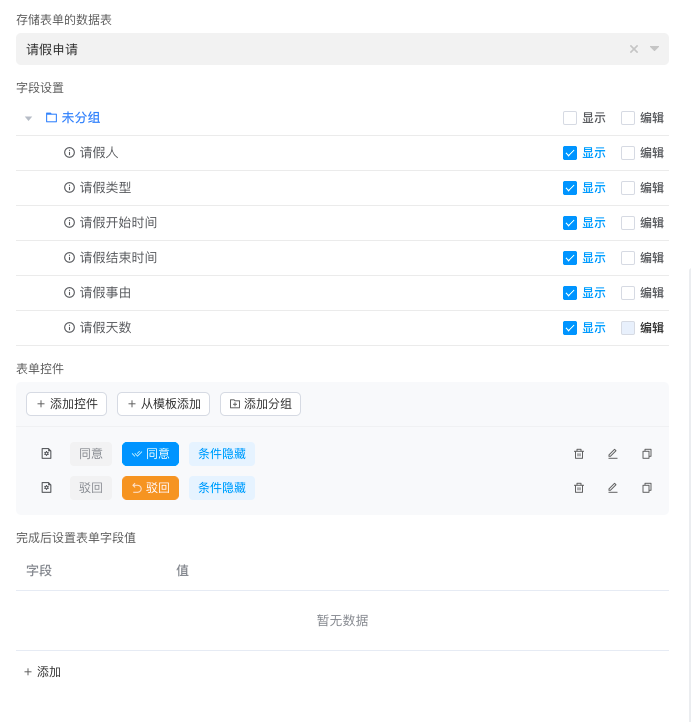
Add a start form for the initiator to fill in leave application information. 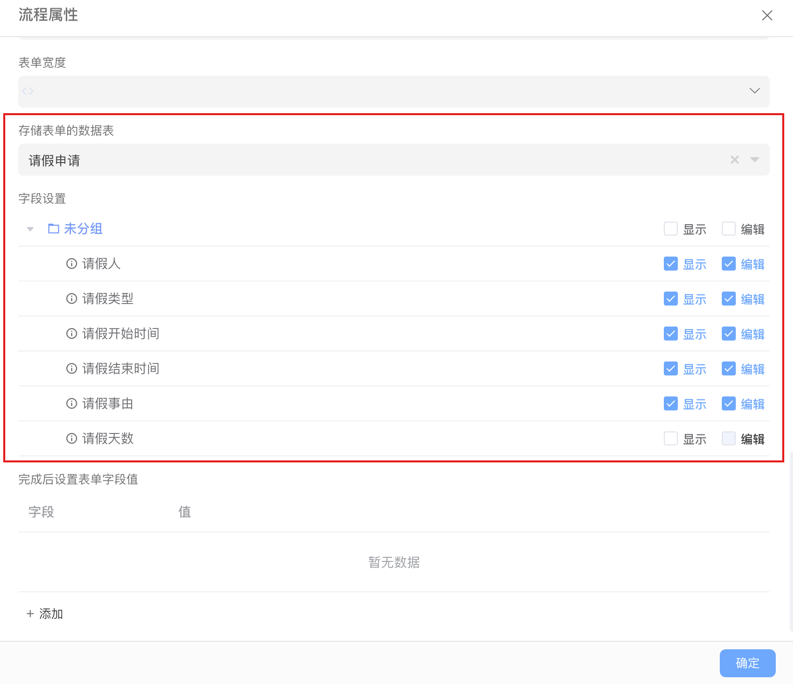
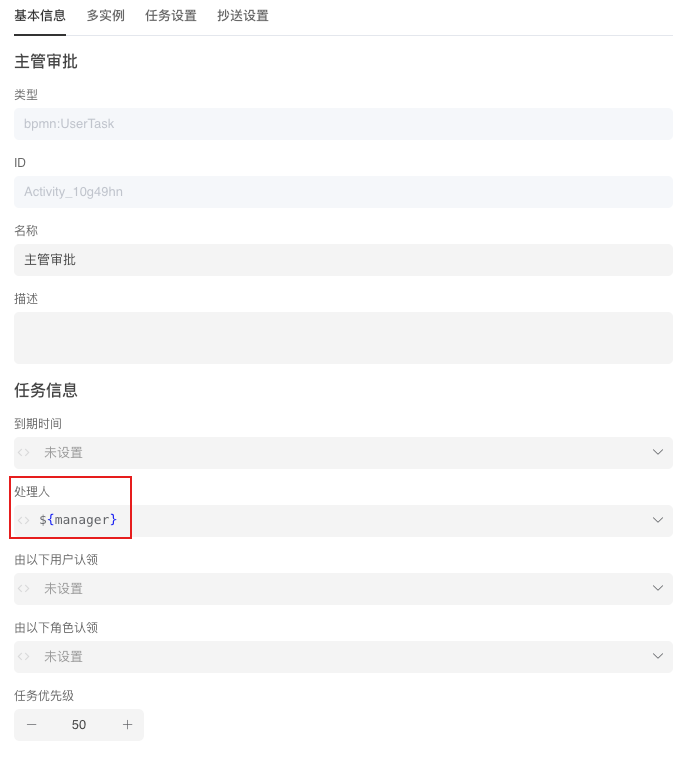
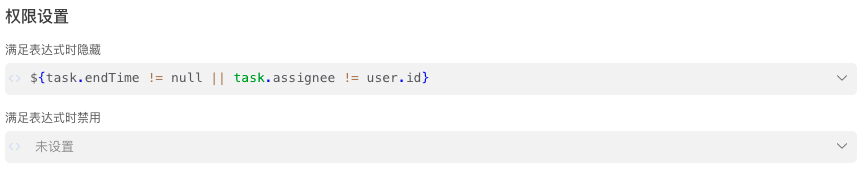
Supervisor Approval Node
Configure the handler as the supervisor role




HRD Approval Node
Configure the handler as the HRD role.
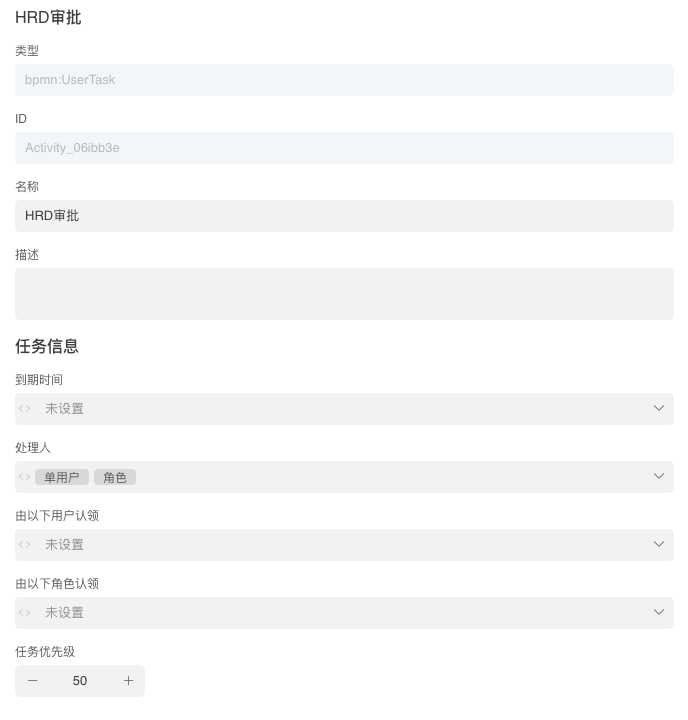 Handler:


Effect Diagrams
Application Form: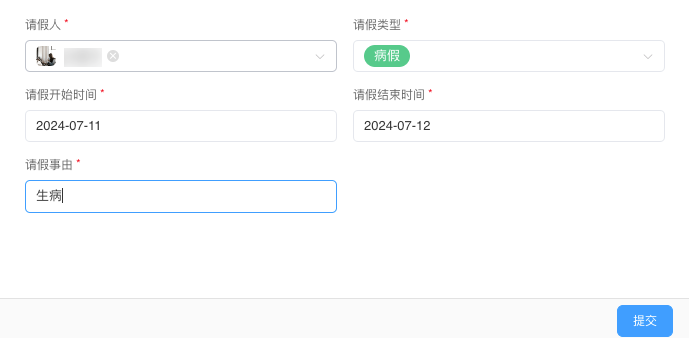 Process Information:
Auto Complete When Approvers Are the Same (Downward Collection)
When a node in the configuration item is after the current node and has the same approver, the current node will be automatically completed. The following is the specific configuration of the workflow:
Global Settings
Add a start form for the initiator to fill in leave application information.
Supervisor Approval Node
Configure the handler as the supervisor role

HRD Approval Node
Configure the handler as the HRD role.
Effect Diagrams
Application Form:Process Information:
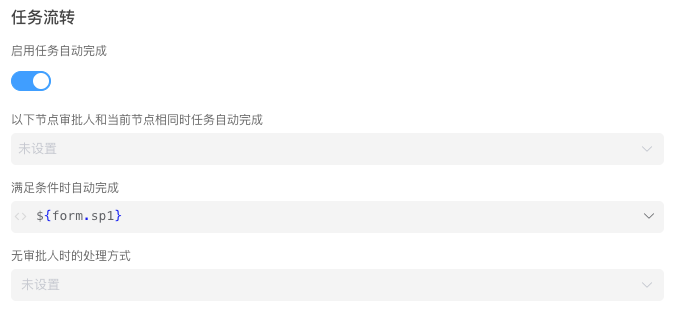
Auto Complete When Conditions Are Met
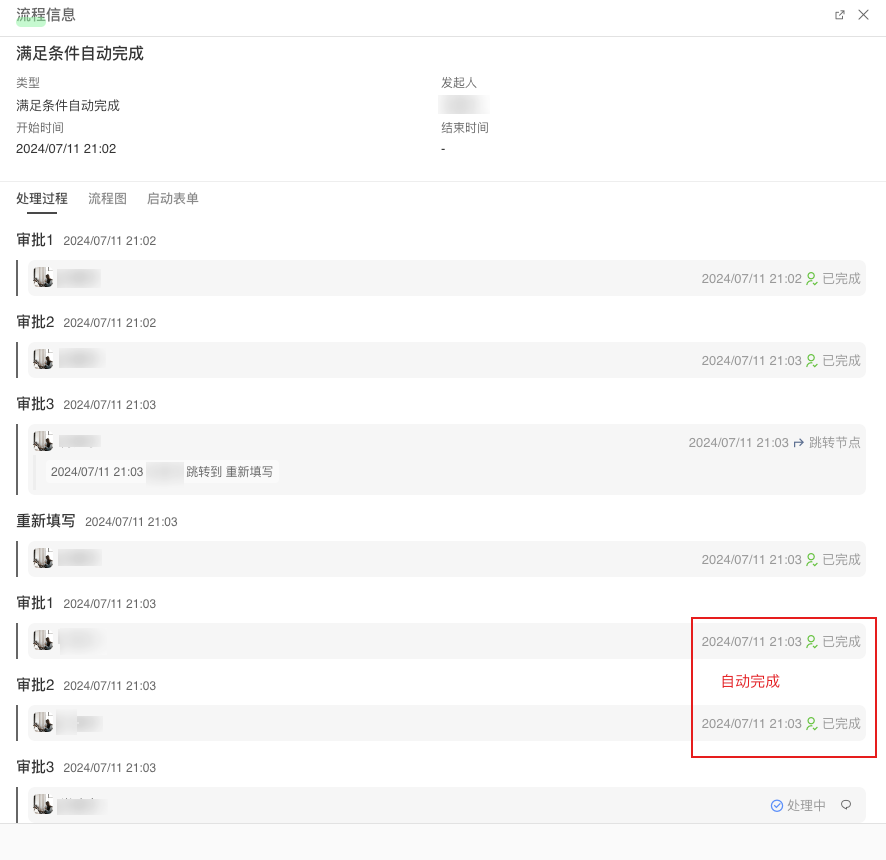
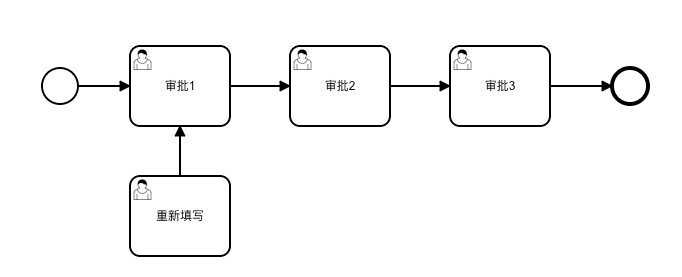
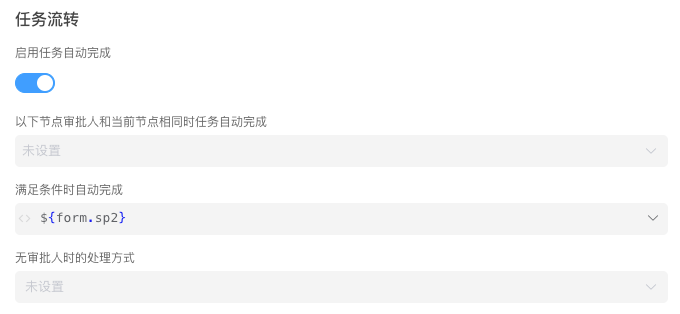
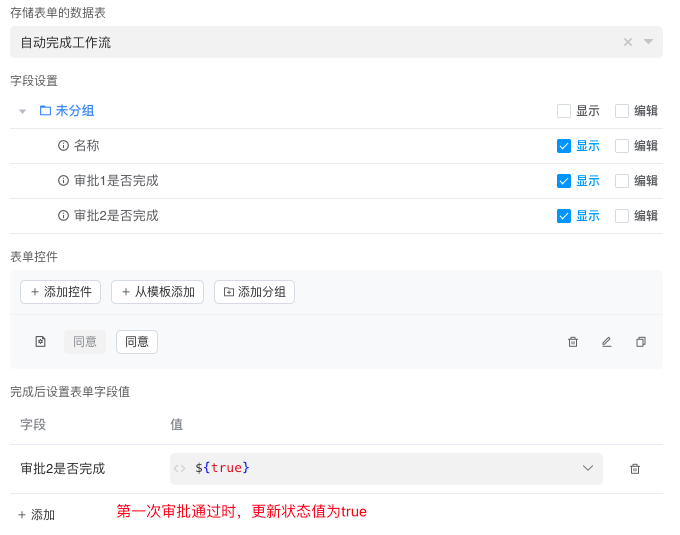
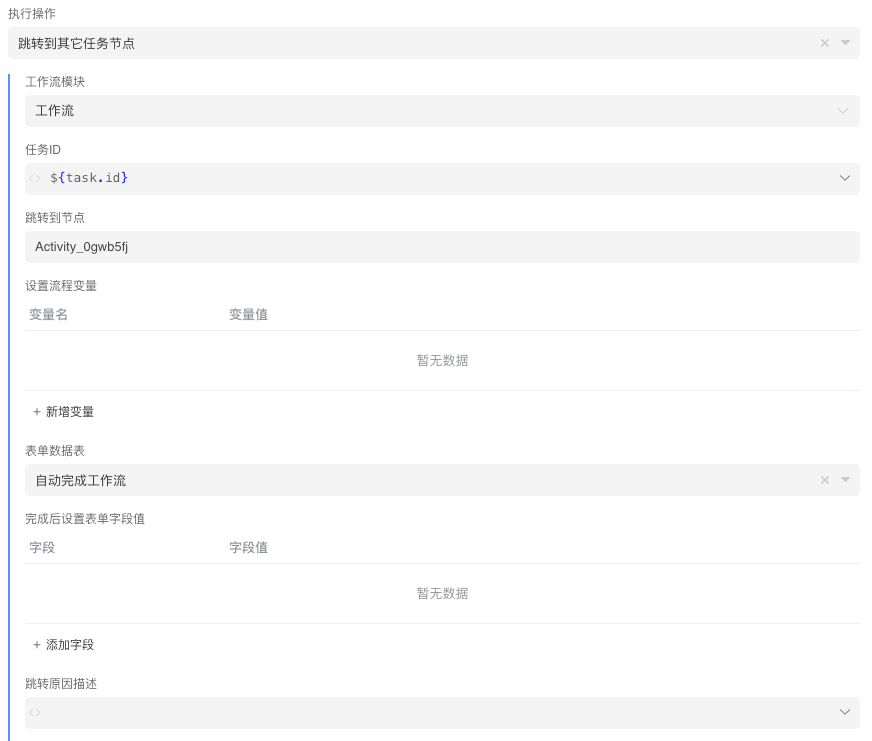
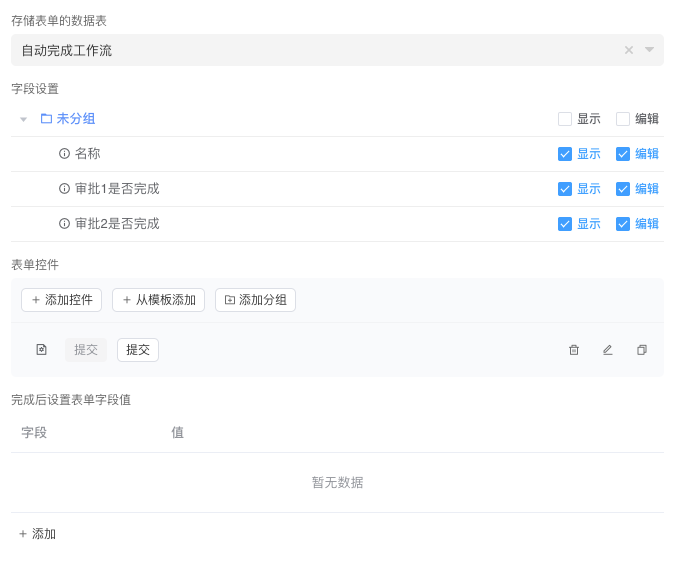
In this process, the initiator needs to fill out the application form and then go through three approval nodes: Approval 1, Approval 2, and Approval 3. If Approval 3 node is rejected, the previously approved Approval 1 and Approval 2 will be automatically completed. The following is the specific configuration of the workflow:
Process Diagram
Data Table
| Field | Type | Description |
|---|---|---|
| name | Single-line Text | Name |
| sp1 | Checkbox or Switch | Whether Approval 1 is completed |
| sp2 | Checkbox or Switch | Whether Approval 2 is completed |
Global Settings
Add a start form for the initiator to fill in application information. 
Approval 1 Node



Approval 2 Node
Approval 3 Node

Resubmission Node
Effect Diagrams
Application Form:Process Information: