

System Architecture
Overview
Informat AI Low-Code Platform is a comprehensive platform integrating application design, operation and management. It provides rich functional modules to help users quickly build, deploy and maintain applications. Informat AI Low-Code Platform provides users with an efficient, flexible and secure application development and management platform through integrating rich functional modules. Whether it is the development of enterprise-level applications or the management of daily business processes, Informat AI Low-Code Platform can provide comprehensive support and guarantee.
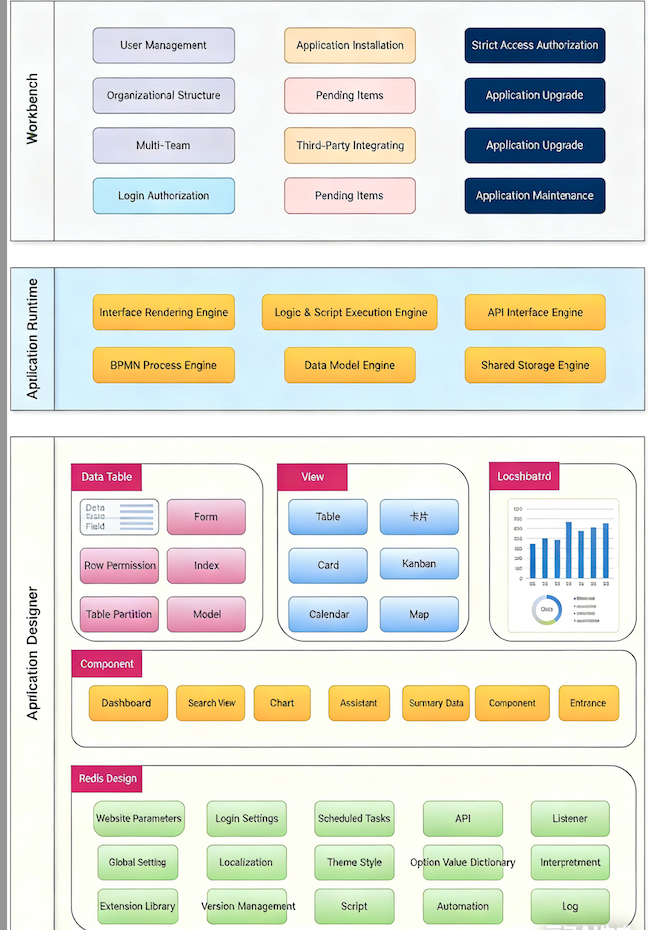
Workbench
The workbench is the entry page of Informat, where users can manage team organizational structure, personnel, and handle to-do items.
- User Management Manages the creation, deletion, and permission assignment of platform users.
- Organizational Structure Supports the management of enterprise organizational structure, including the setting and adjustment of departments and positions.
- Multi-team Supports the creation and management of multiple teams, facilitating collaboration and resource sharing between teams.
- Strict Authorized Access Provides a fine-grained permission control mechanism to ensure secure access to data and functions.
- Login Authorization Manages user login methods and permission verification to ensure system security.
- To-do Items Provides task management functions to help users track and process to-do items.
- Third-party Integration Supports integration with third-party services to extend platform functions.
- Application Installation Provides application installation, configuration and management functions.
- Application Authorization Manages application usage permissions to ensure only authorized users can access.
- Application Monitoring Monitors application running status in real time to discover and solve problems in time.
- Application Upgrade Supports application version upgrade to ensure applications are always in the latest state.
- Application Maintenance Provides daily application maintenance functions to ensure stable operation of applications.
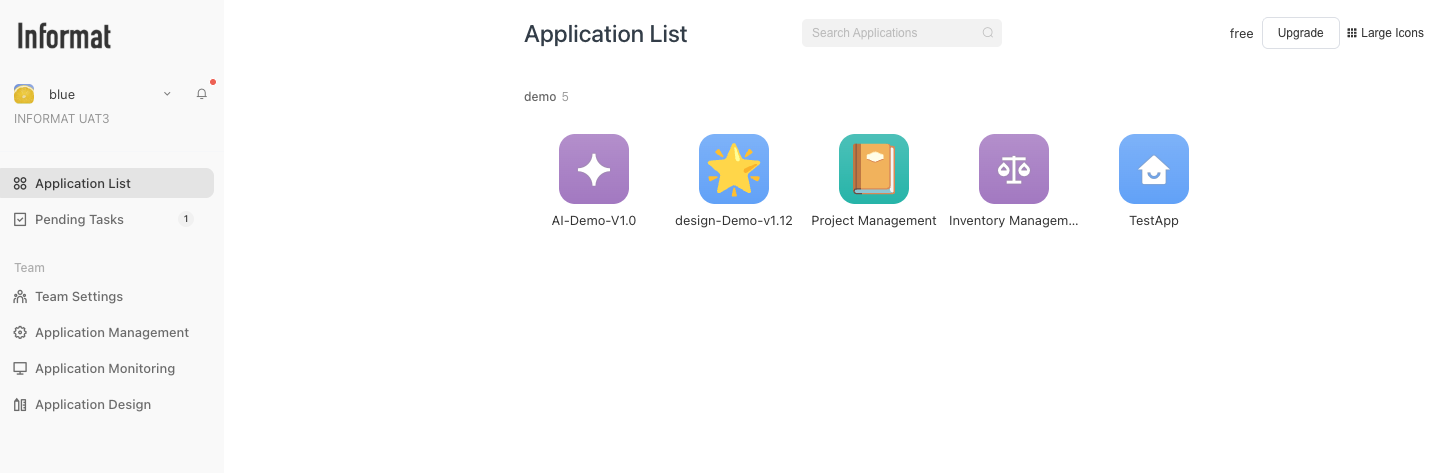
Application Runtime
The application runtime renders applications according to the configuration items in the designer. It is the main interface for user operations.
- Interface Rendering Engine Responsible for rendering and displaying application interfaces to ensure smooth user experience.
- Logic and Script Execution Engine Executes business logic and scripts in applications to ensure correct implementation of functions.
- API Interface Engine Manages and calls application API interfaces to implement interaction with external systems.
- BPMN Process Engine Supports the design and execution of business processes to improve the automation degree of business processes.
- Data Model Engine Manages application data models to ensure data accuracy and consistency.
- Shared Storage Engine Provides shared storage functions to achieve efficient storage and access of files.
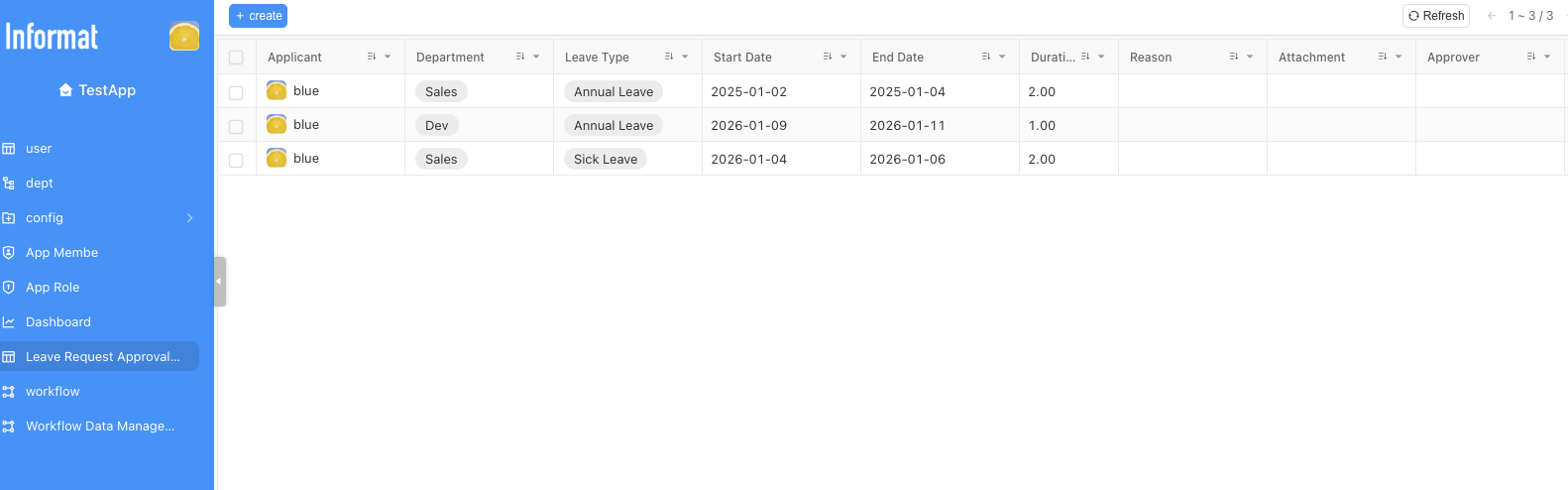
Application Designer
Low-code developers develop applications through the application designer, and complete application construction through functions such as model design, interface design, and logic design in the designer.
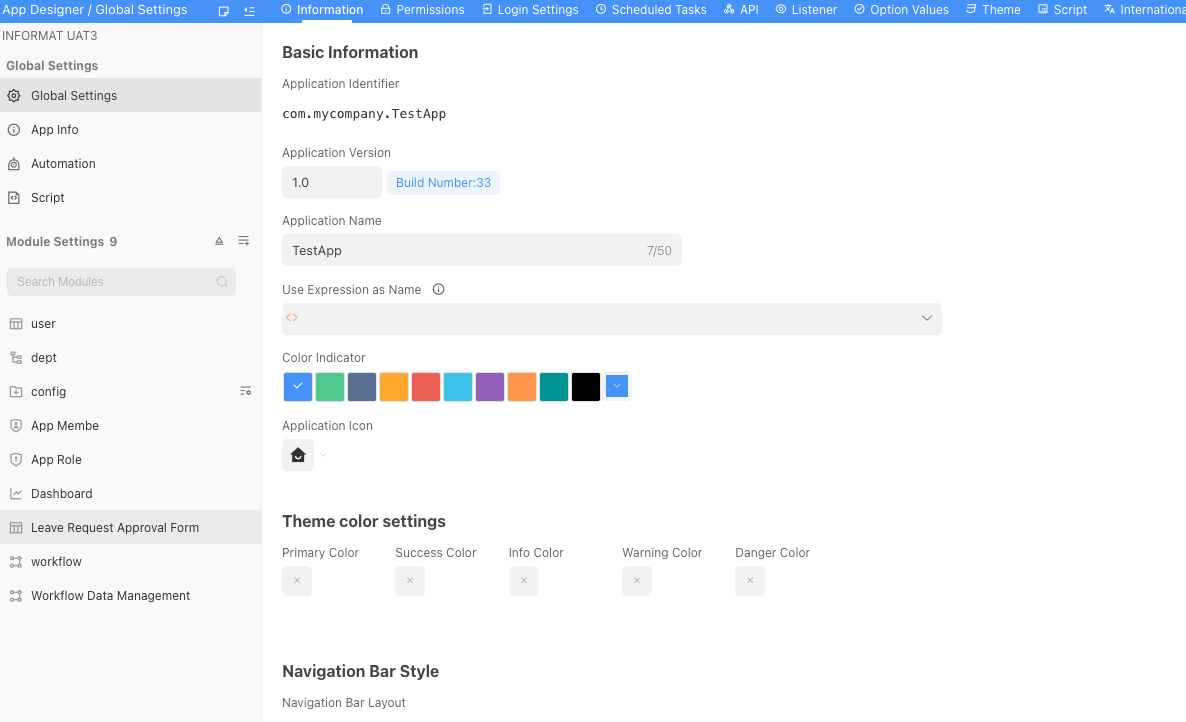
Data Table
- Form: Creates and manages data forms.
- Field: Defines field attributes of data forms.
- Row Permission: Sets row-level permission control for data tables.
- Index: Manages data table indexes to improve query efficiency.
- Table Partition: Performs partition management for data tables.
- Model: Defines data models and standardizes data structures.
View
- Table: Creates and manages data table views.
- Card: Designs and displays card views.
- Kanban: Provides kanban views for convenient task management.
- Gantt Chart: Supports gantt chart views for project progress management.
- Calendar: Provides calendar views for time and task management.
- Map: Supports map views for displaying geographic information.
Dashboard
- Chart: Creates and manages various charts.
- Pivot Table: Provides pivot table views for data analysis.
- Summary Data: Displays summary information of data.
Components
- BPMN Workflow: Designs and manages business processes.
- Search Engine: Provides powerful search functions.
- AI Assistant: Integrates AI assistants to improve user experience.
- Questionnaire Survey: Creates and manages questionnaires.
- Component Designer: Designs and customizes various components.
- Message Queue: Manages message queues to implement asynchronous communication.
- Recycle Bin: Manages deleted data and files.
Global Settings
- Role Permission: Manages system roles and permissions.
- Option Dictionary: Defines and manages option dictionaries.
- Extension Library: Manages extension libraries to extend system functions.
- Version Management: Manages system versions to ensure system stability.
- Login Settings: Configures user login methods and security policies.
- Theme Style: Customizes system themes and styles.
- Internationalization: Supports multiple languages to improve international user experience.
- Script: Manages and executes scripts to improve system flexibility.
- Scheduled Task: Sets and manages scheduled tasks.
- API: Manages and calls system API interfaces.
- Dependencies Between Applications: Manages dependencies between applications.
- Automation: Implements system automation operations.
- Listener: Configures listeners to implement event-driven functionality.
- Environment Variables: Manages system environment variables.
- Log: Records system logs for convenient problem troubleshooting.
Deployment Logic
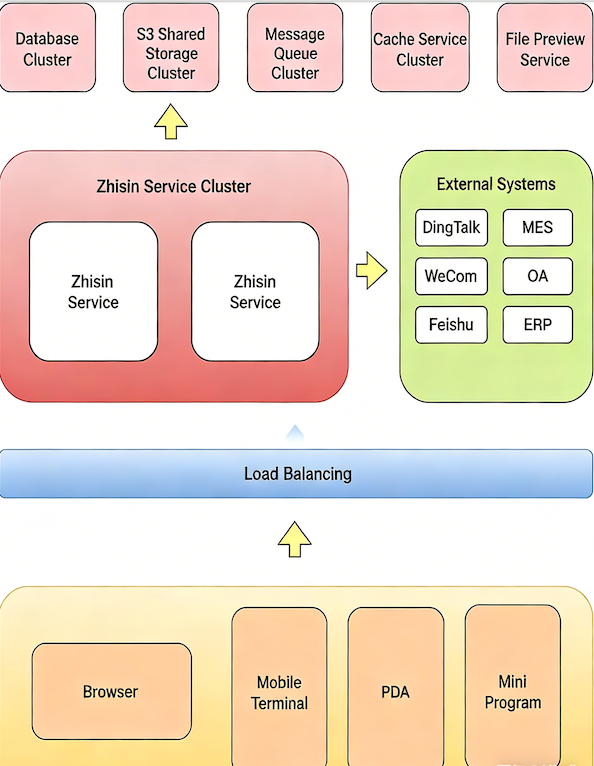
The core of Informat services is the Informat service cluster, which is responsible for handling main business logic and data interaction. The Informat service cluster exchanges data and integrates with multiple external systems (such as DingTalk, WeCom, Feishu, MES, OA, ERP, etc.).
Above the Informat service cluster, there are multiple supporting service clusters, including database cluster, S3 shared storage cluster, message queue cluster, cache service cluster and file preview service, which provide necessary storage, communication and cache support for Informat services.
Users access the system through multiple terminal devices (such as browsers, mobile terminals, PDAs and mini-programs). All requests first pass through the load balancing layer to ensure the high availability and performance of the system.
The system architecture design focuses on high availability, scalability and integration with external systems, providing users with multi-terminal access support and stable service experience.
Generated Code
Informat AI Low-Code Platform does not generate code. The Informat runtime renders by reading configuration files generated by the designer.
Development Process
Based on Informat AI Low-Code Platform, visual application development can be carried out quickly. Here is a typical development process:
- Complete application design in the application designer
- Model design
- Page design (data tables, dashboards, custom components)
- Logic design (scripts, automation, API)
- Export the application as an imr (InforMat aRchive) installation file. The imr installation file contains all configuration items of the application.
- Install the application in the test environment and conduct testing
- Install the application in the stage environment and conduct testing
- Go online in the production environment
Suggestions for Low-Code Development Teams
For simple application scenarios, such as task management requirements, if the application does not involve complex logical calculation operations, the application designer can be served by a product manager. The configuration process of such applications can be completed through graphical methods.
For complex large-scale applications, such as ERP, MES and other requirements, we recommend that the application design team consists of the following roles:
- Product Manager Responsible for requirement sorting, model design, page design, interaction design and permission design
- Developer Responsible for automation construction, script writing and expression writing in the process of model design, page design, interaction design and permission design
- Tester Conducts functional testing on the system. This is similar to traditional development models, but the number of personnel will be greatly reduced based on the rich functions provided by Informat.