

Resubmit Process
Feature Description
Resubmit a process using the form data from an existing process.
Parameter Settings
| Configuration Item | Description |
|---|---|
| Workflow Module | The module to which the workflow belongs |
| Process Instance ID | The original process instance ID for resubmitting the process |
Example
In a data table, if we need to directly resubmit a process through a button, we can achieve this by adding a button with an execution action of Resubmit Process. As shown in the figure below, in the leave application module, we store the process instance ID of the initiated leave process in the Process ID field, and directly resubmit the process through the resubmit button.
Example Figure
Configuration Instructions
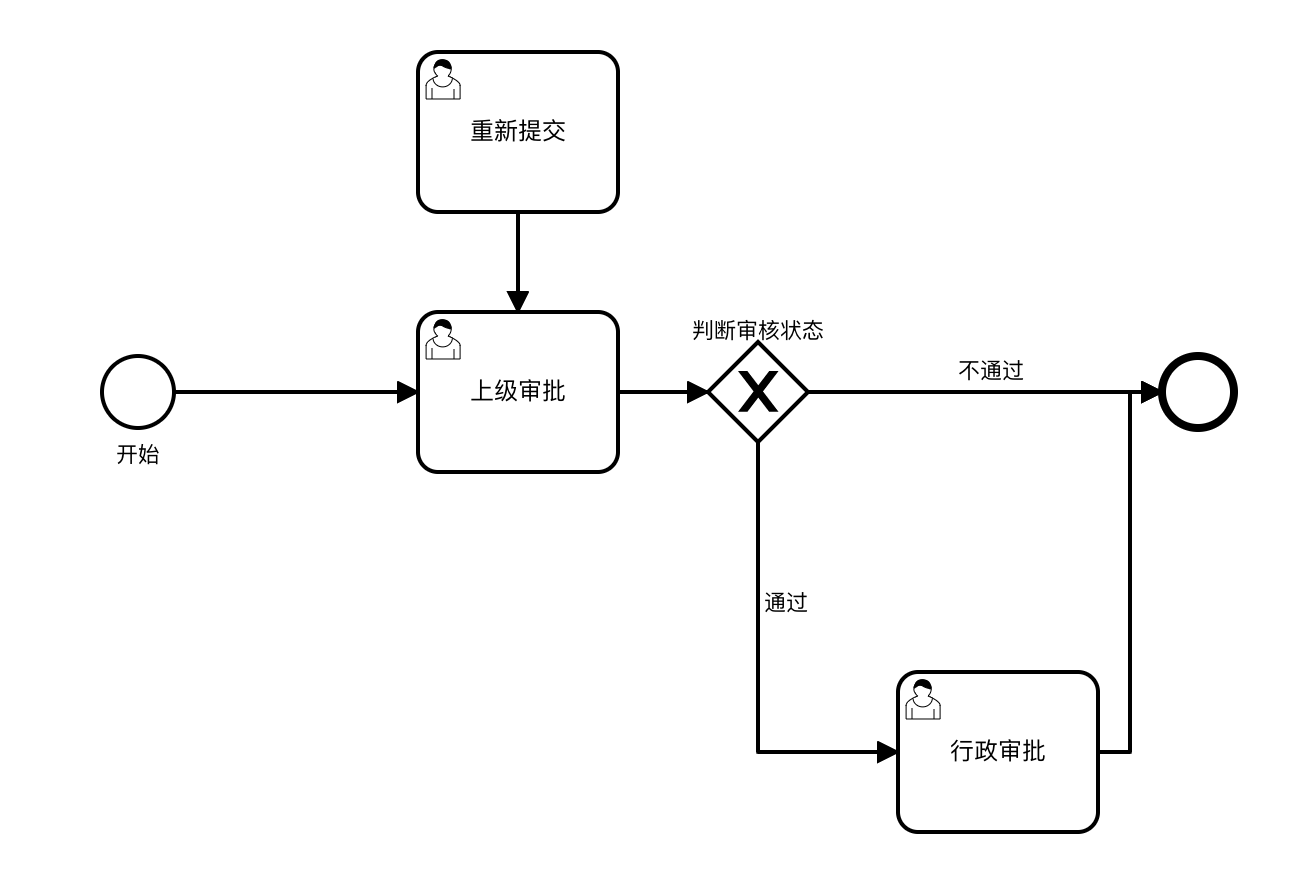
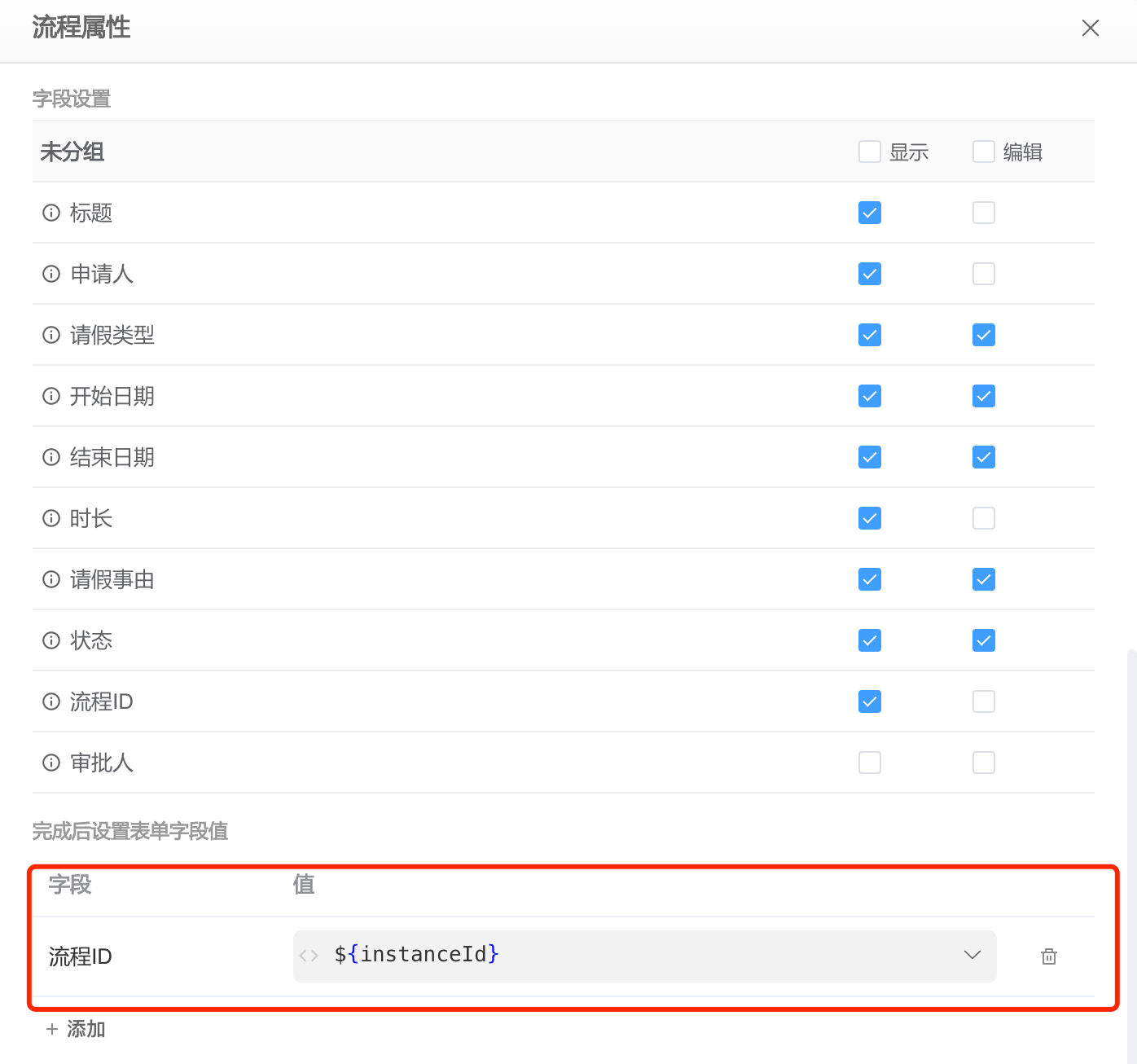
Suppose there is a simple Leave Application process. After the process is initiated, the process instance ID is saved in the Leave Application data table.
The structure of the Leave Application data table that stores form data is as follows:
| Field | Type | Description |
|---|---|---|
| applicant | User Selection | Applicant |
| leaveType | List Selection | Leave Type, with options Annual Leave, Sick Leave, Personal Leave |
| startDate | Date | Start Date |
| endDate | Date | End Date |
| reason | Multi-line Text | Reason for Leave |
| status | List Selection | Status, with options Pending Approval, Approved, Rejected |
| approver | User Selection | Approver |
| instanceId | Single-line Text | Process ID |
The process flow diagram is as follows:
The process startup settings are as follows:
Control configuration is as follows: