Questionnaire Survey
Overview
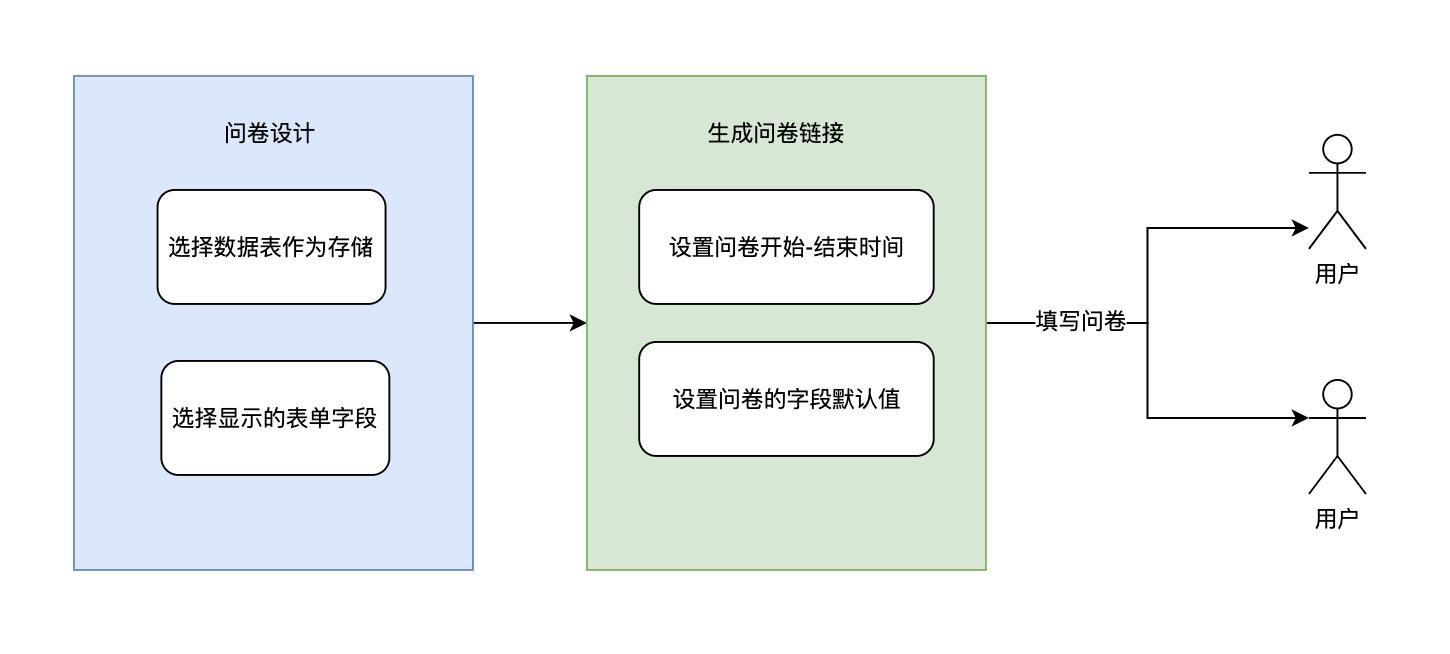
Questionnaire surveys are typically used for data collection. Their main features include support for no authentication mode and the ability to collect data from external team members. A questionnaire survey generates a form based on a data table, allowing selection of specific fields to display in the form.
Concept Explanation
Questionnaire Design
The design process involves building the questionnaire form, selecting the source data table, and setting the form content and display style. This process only generates questionnaire configurations; questionnaire distribution must go through Questionnaire Creation
Questionnaire Creation
Create questionnaire instances for designed questionnaires. One questionnaire design can have multiple questionnaire instances. Different questionnaire instances can set different default form data, as well as start and end times for the questionnaire.
Usage Scenarios
- Customer feedback collection
- Employee satisfaction surveys
- Training effectiveness evaluation
- Market information collection
- Product or service quality assessment
- Business opportunity collection
Settings
Configuration Instructions
| Setting Item | Description |
|---|---|
| Associated Data Table | Data table where questionnaire survey data is stored |
| Name | Name of the questionnaire survey |
| Identifier | Internal identifier of the questionnaire survey |
| Description | Remarks |
| Prompt Text Displayed After Submission | Text displayed to users after they submit the questionnaire |
| Call Automation When Opened | Call automation when users open the questionnaire, passing context SurveyContext |
| Call Automation After Submission | Call automation when users submit the questionnaire, passing context SurveyContext |
| Authentication Method | No Authentication System Account Authentication |
| Language | Supports setting the language environment used when opening the questionnaire, for use with internationalization. If not selected, the current language environment is used by default. Options: Simplified Chinese, English |
TIP
When selecting System Account Authentication, users need to log in with their Informat account before filling out the questionnaire, and user information will be recorded in the Creator field.
Call Automation When Opened
You can use automation to set automation return values to return form structure data as dynamic default values for the questionnaire form.
Usage Example
Suppose
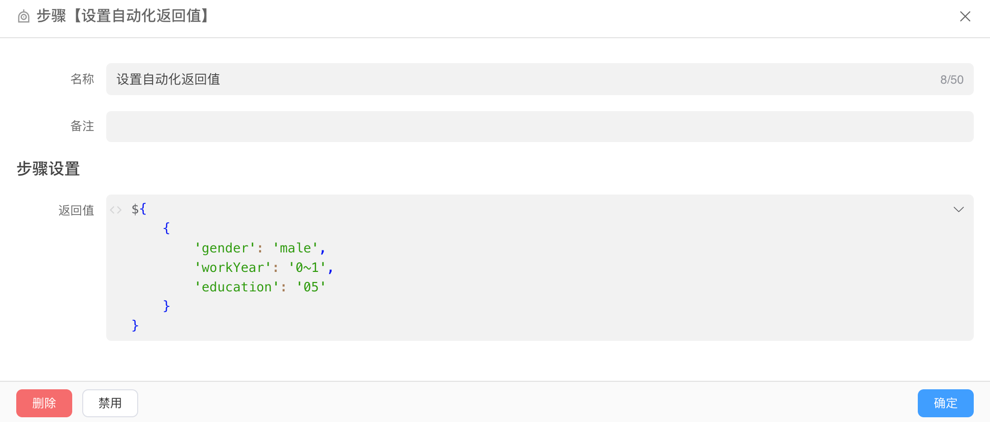
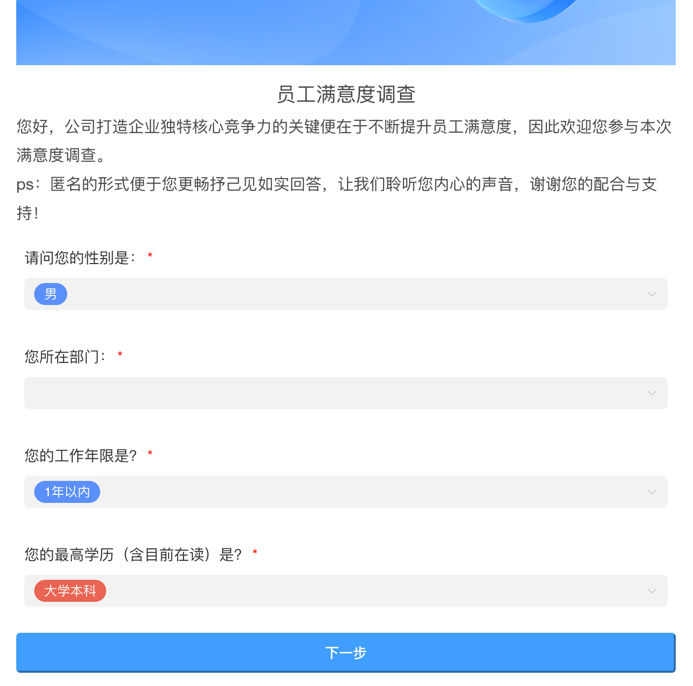
Or you can pass parameters through the questionnaire link and set default values through Call Automation When Opened.
Example
Call Automation After Submission
You can implement page jump actions by setting return values in the called automation. Here is an example of the return value structure:
{
  "redirectType": "blank",
  "redirectUrl": "https://ai.ainformat.com//doc/index.html#/"
}Return Value Description
| Field | Type | Description |
|---|---|---|
| redirectType | String | Jump type: reload the page reload, open in new window blank, default is current window |
| redirectUrl | String | Jump URL |
Notes
- When redirectType is
reload, theredirectUrlparameter will be ignored - When redirectType is
blank, the address set inredirectUrlwill open in a new window - If redirectType is not passed or the value is not
reloadorblank, the address set inredirectUrlwill open in the current window
Design
Basic Components
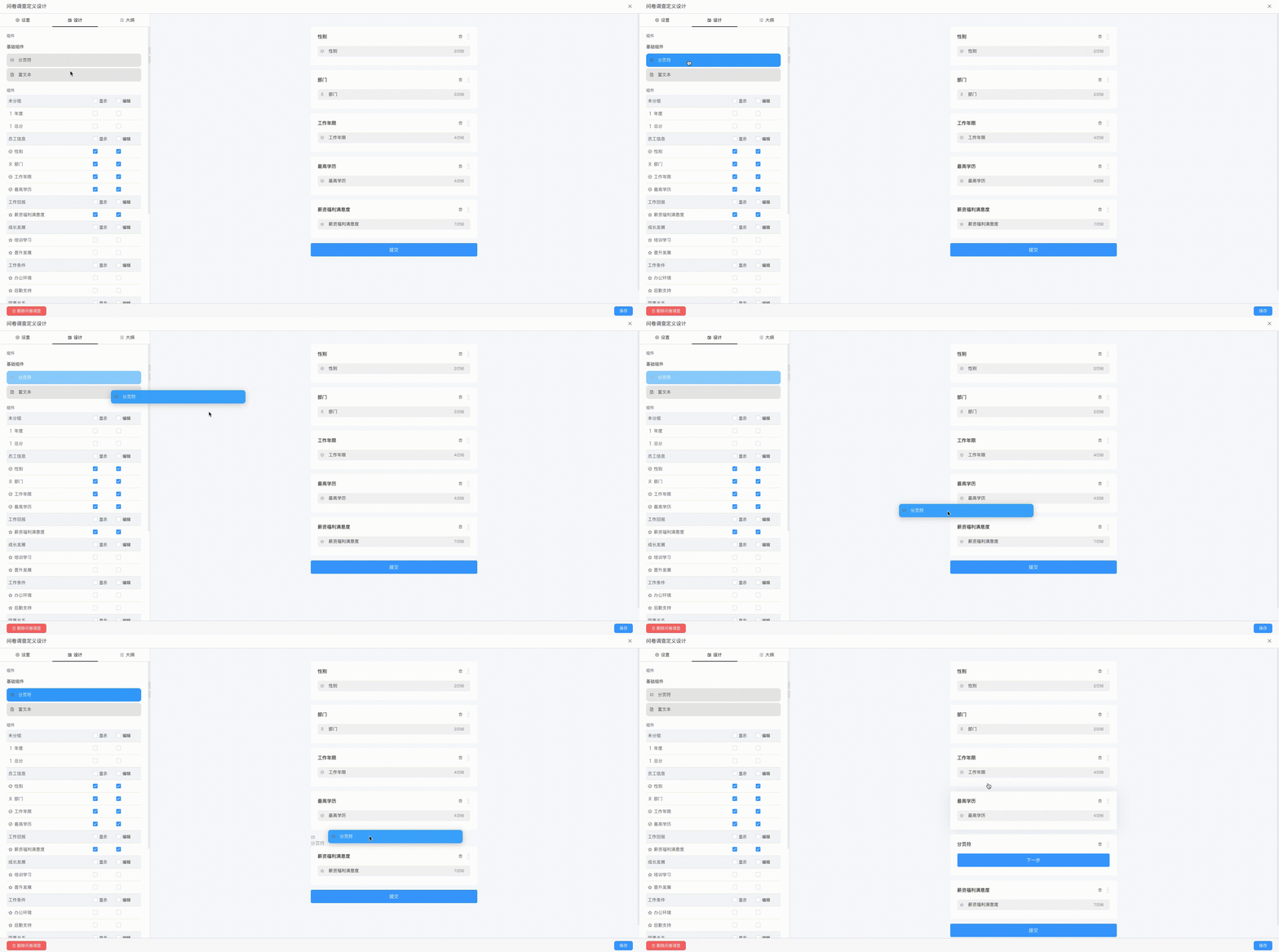
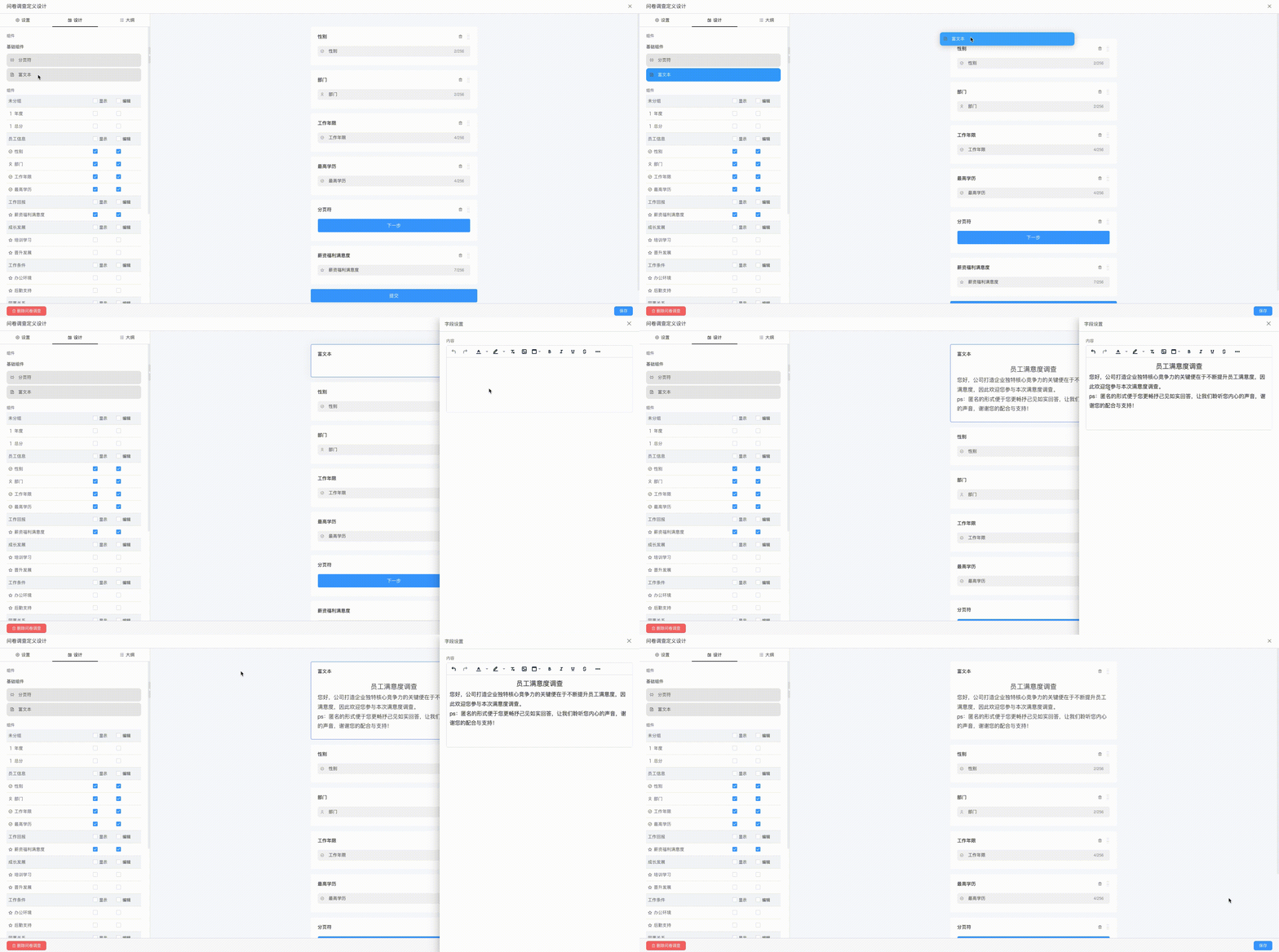
Components
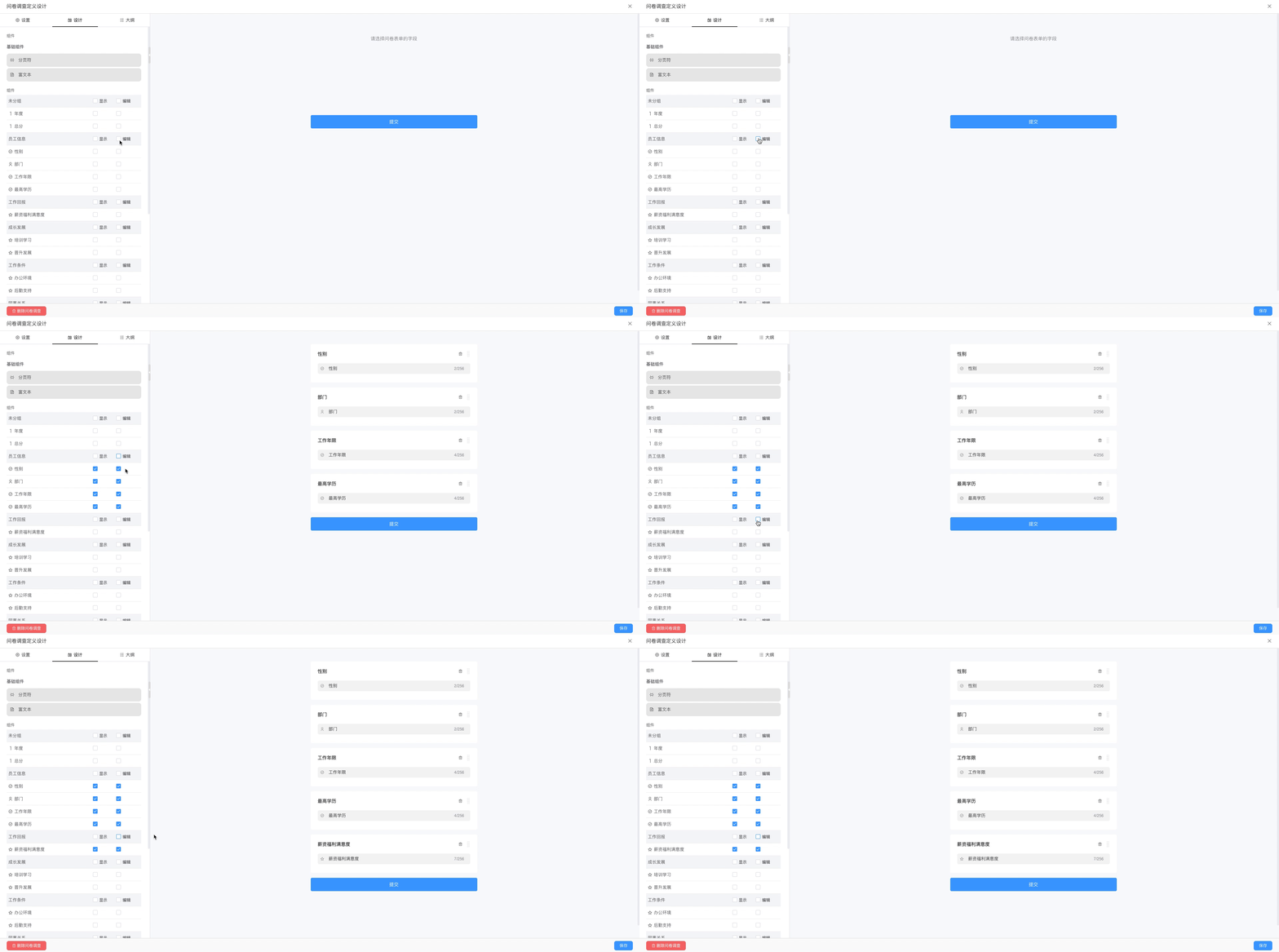
Consist of fields from the associated data table. By clicking the Display and Edit checkboxes, read-only or editable components are automatically generated in the questionnaire.
Outline
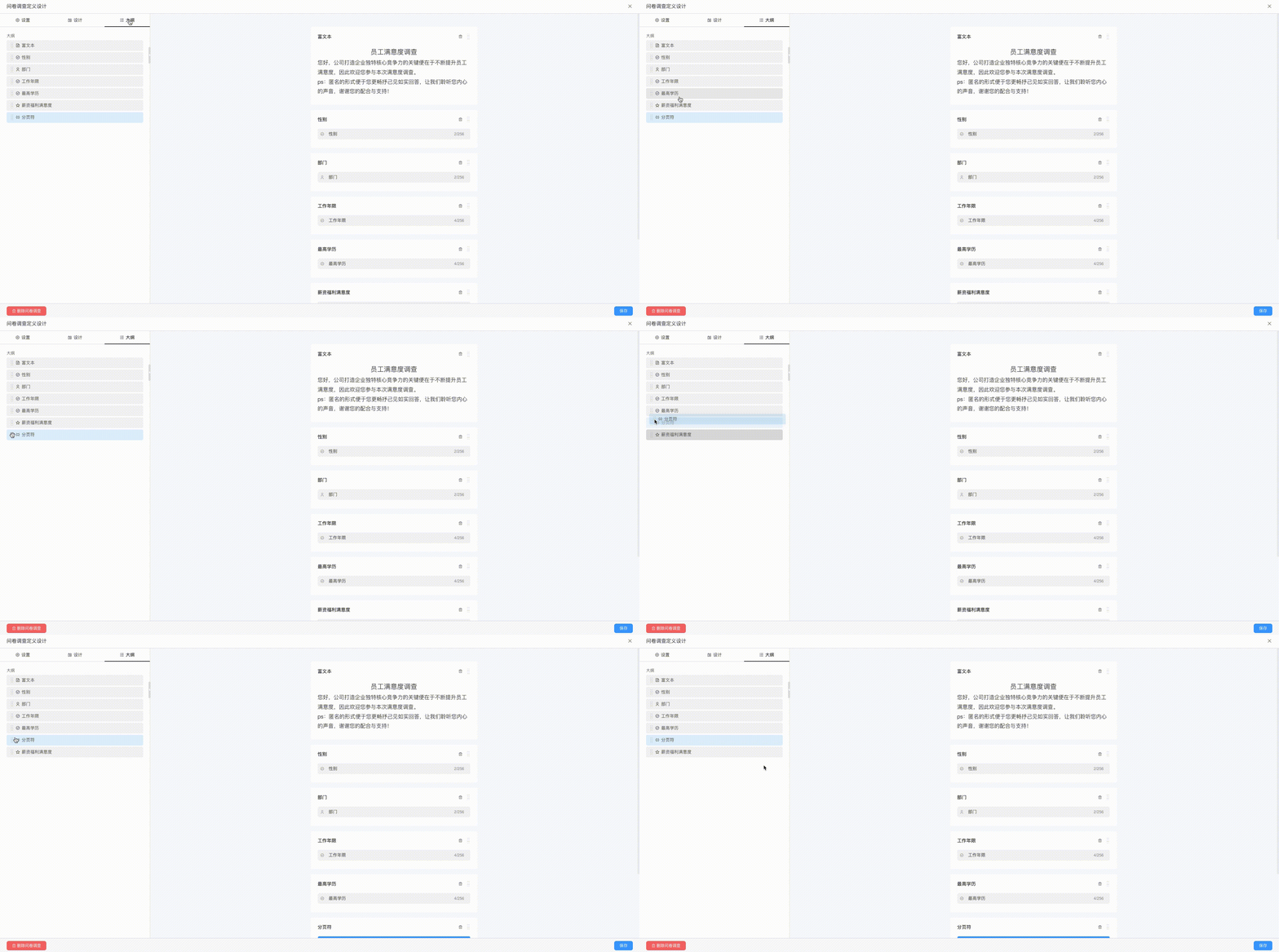
In the outline, you can drag to arrange the order of components.