

Dynamic Pages (SSR)
The system integrates the thymeleaf template engine and supports server-side rendering of HTML pages in static resources by calling automation or scripts to obtain internal platform data.
Settings
| Configuration Item | Content |
|---|---|
| Name | Dynamic page name |
| Path | Access path for the dynamic page Page path supports characters that comply with compound URL specifications such as /, ., letters, numbers, etc. |
| Template Engine | Engine used for page rendering, currently only thymeleaf is supported |
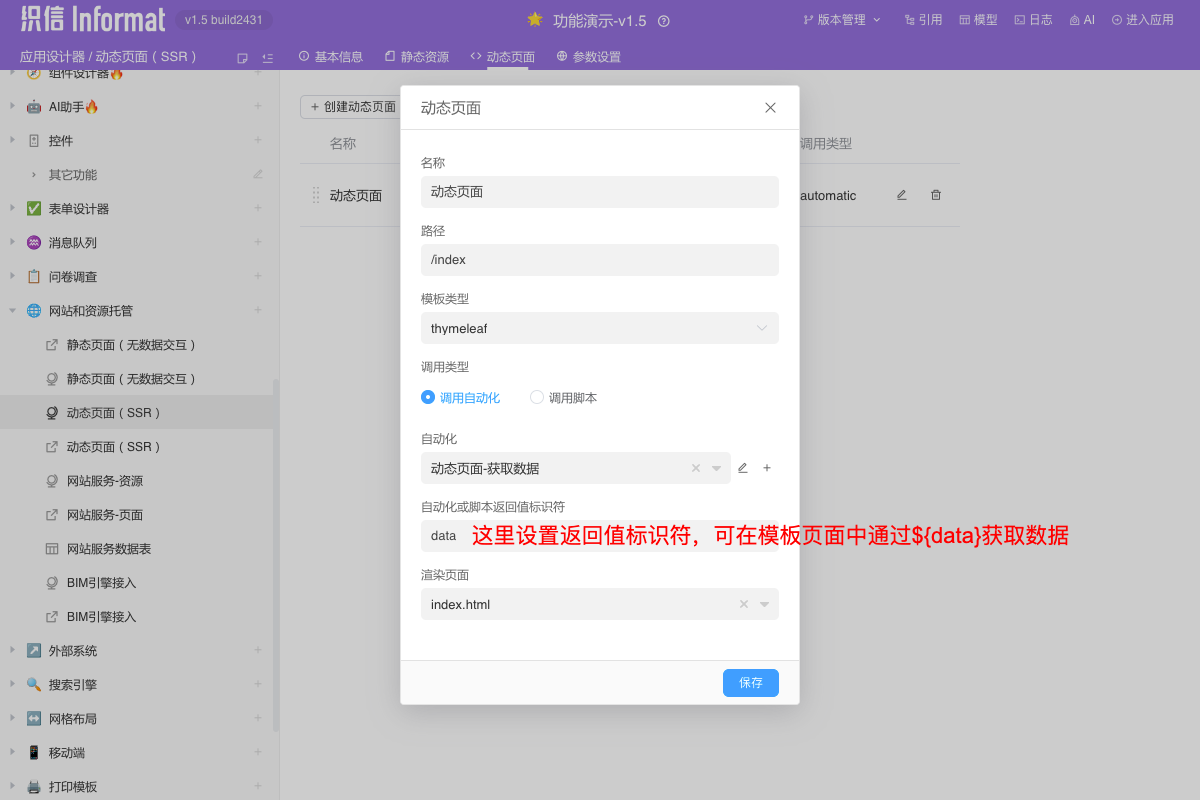
| Call Type | Data source used for dynamic page rendering |
| Automation | When Automation is selected as the call type, set the automation for the data source of page rendering |
| Script | When Script is selected as the call type, set the script for the data source of page rendering |
| Script Function | When Script is selected as the call type, the function in the script to be called |
| Automation or Script Return Value Identifier | After calling the data source to return data, the identifier context for the data. This identifier is the root attribute for obtaining data in the page template For example: if set to data, then use ${data.attribute} in the page to get the value |
| Rendering Page | Select a page from static resources as the rendering template |
Quick Start
Create a dynamic page and set up automation as the data source for the dynamic page
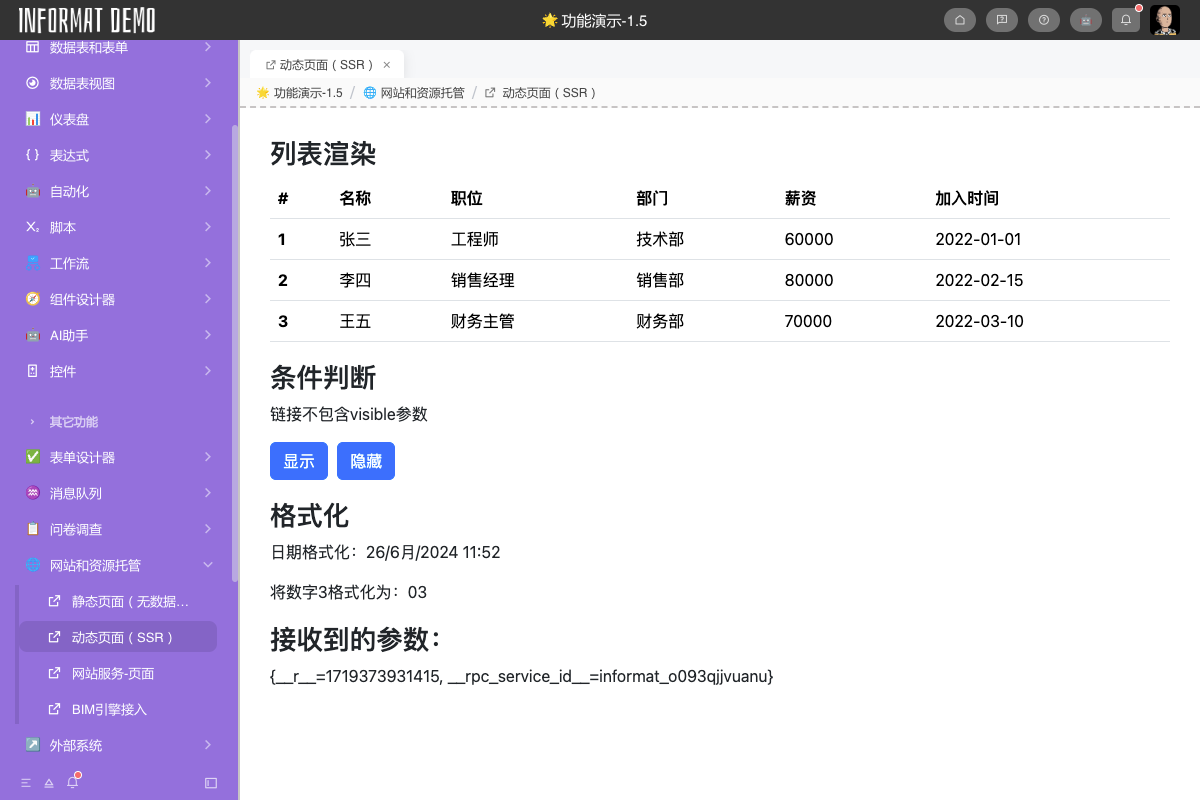
Basic Syntax
The following lists the basic syntax of the thymeleaf template engine. For other usages, please refer to the thymeleaf official documentation
Text Binding
Bind the text content of the current element through the th:text attribute. If special characters are encountered, they will be converted to strings.
Unescaped Text Binding
When we want the output text content to be HTML source code, we can bind unescaped text through th:utext
Logical Judgment
We can use th:if to control the rendering of elements where the return result is true, and th:unless does the opposite.
Loop
We can iterate through array objects through th:each to render elements in a loop.
Functions
thymeleaf provides rich utility classes to support object operations within templates. The following demonstrates the basic usage of functions.