Left Tree Right Table Linkage
This function allows users to select nodes in the left tree structure, and the corresponding node data will be displayed in the right table. Taking the organizational structure tree on the left as an example, when a node is clicked, the right table will filter and display the member information under that department.
Function Description
The left tree right table linkage function consists of the following parts:
Department Table
| Field Name | Identifier | Type | Description |
|---|---|---|---|
| Number | code | Number | Automatically generated number based on the expression SZZX${String.lpad(seq,5,'0')} |
| Organization Name | name | Single Line Text | |
| Sub-department | children | Sub-object | Build tree structure through this field |
Member Table
| Field Name | Identifier | Type | Description |
|---|---|---|---|
| Name | name | Single Line Text | |
| Department | dept | Associated Record | Associated with Department Table for filtering member information |
| Position | post | Single Line Text | Ledger field, only stores ledger information, not involved in business logic |
| Entry Date | entryDate | Date | Ledger field, only stores ledger information, not involved in business logic |
Interaction Instructions
- Left Tree Structure: Use the
Sidebarmodule to load theDepartment Tablemodule and build the organizational structure tree. - Right Data Table: Directly use the
Member Tablemodule. - Linkage Effect: When the user clicks a department on the left, an automation is triggered through the Click Record type Table Event listener added to the
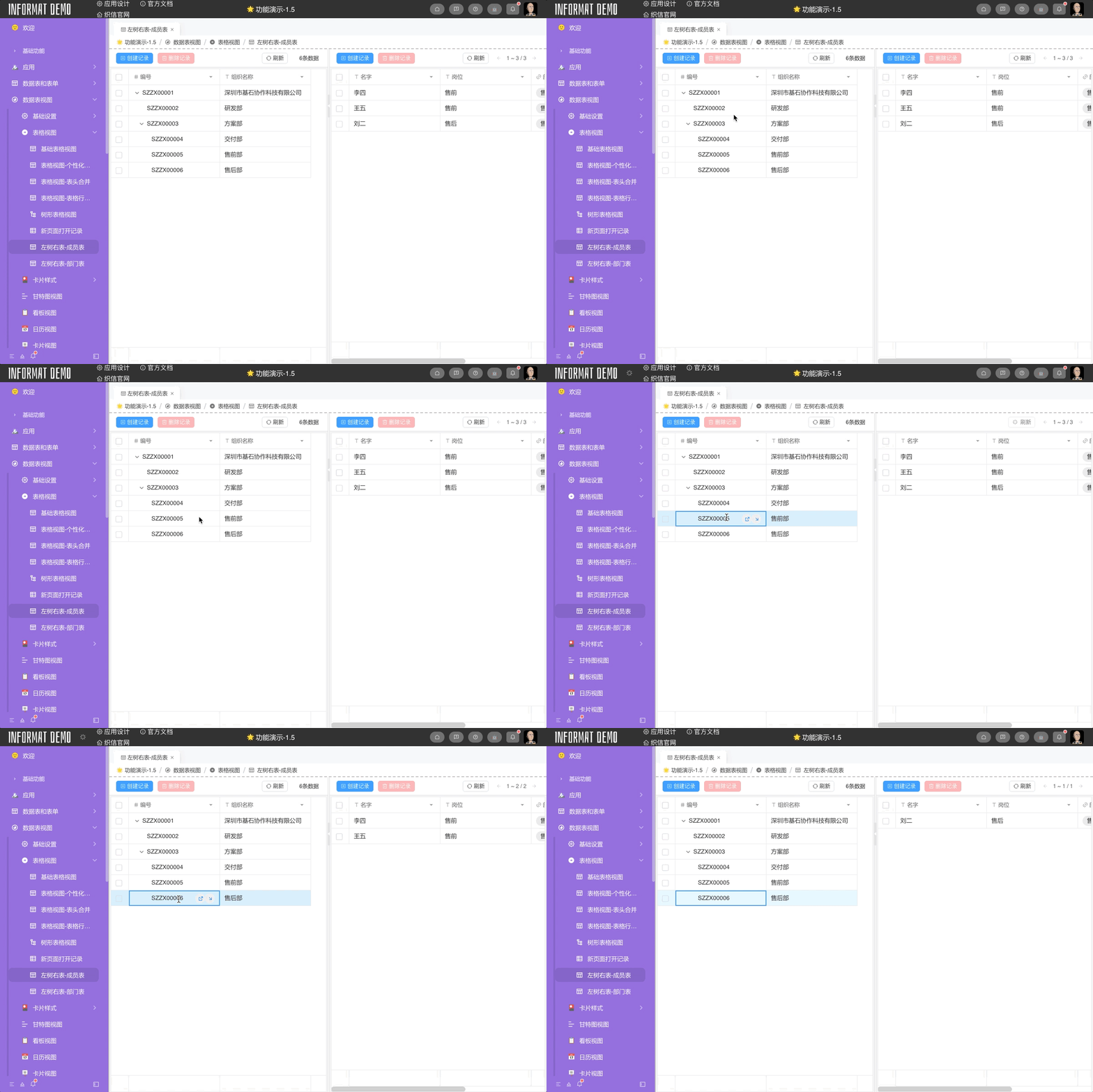
Department Table, setting the filter conditions for theMember Tablemodule, achieving the function of clicking a record and displaying the corresponding department member data in the right table.
Effect
Department Table Event Listening - Click Record
- Pass in parameter
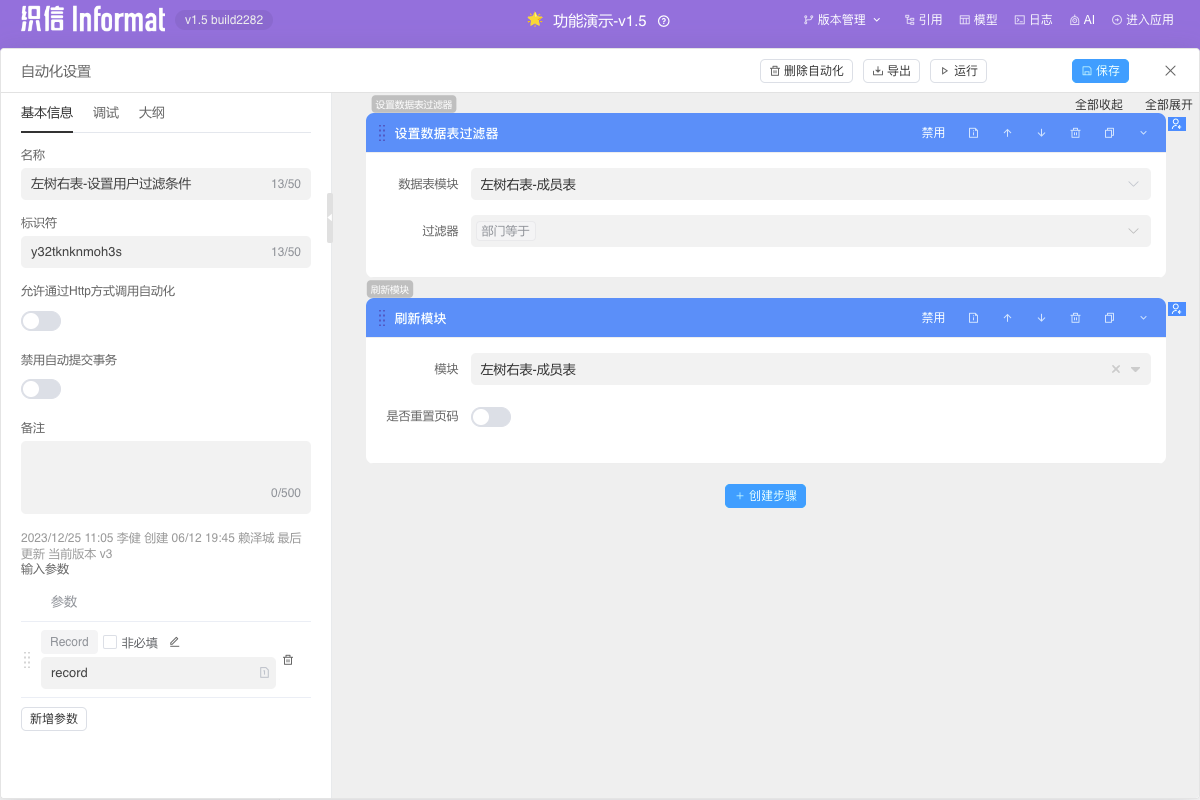
${clickRecord} - Set up automation to set user filter conditions, the specific automation definition is as follows
Department Table Event Listening Automation
Input parameters:
| Parameter | Type | Required |
|---|---|---|
| record | Record | Yes |
Add step [Set Data Table Filter]
Parameter Value Data Table Module Member TableFilter Department equals ${record.id}Refresh module, module is
Member Table