Add Sign
Overview
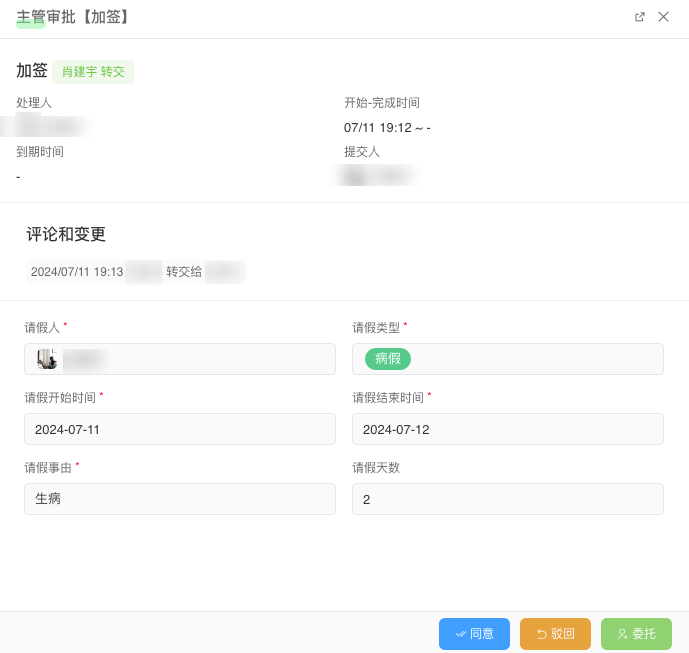
Add Sign refers to adding one or more approvers during the current approval process when certain conditions are met.
Process Admin Add Sign
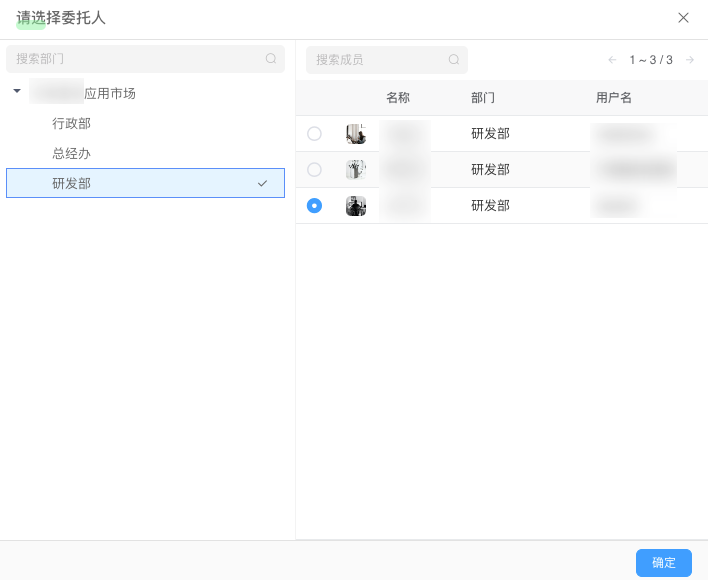
Add sign scenarios can be implemented by process administrators through the delegation function under "Workflow Data Management Module => Task Data". 
Current Approver Add Sign
The current approver can delegate the task to others through button interaction.
Flowchart
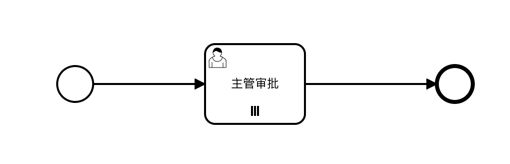
Flowchart is as follows:
Data Table
Data table structure is as follows:
| Field | Type | Description |
|---|---|---|
| user | User Select | Applicant |
| leaveType | List Select | Leave type, options include: annual leave, sick leave, personal leave, time off |
| startDate | Date | Start time |
| endDate | Date | End time |
| reason | Multi-line Text | Leave reason |
| days | Number | Leave days, calculated by formula: moment(endDate).diff(moment(startDate), 'days') + 1 |
durations:
DATE(endDate) - DATE(startDate) + 1Workflow Configuration
In the Leave Application process, the initiator needs to fill out the leave application form, and the task can be completed after any supervisor approves it.
Below are the specific configurations of the workflow:
Global Settings
Add a startup form for the initiator to fill in leave application information. 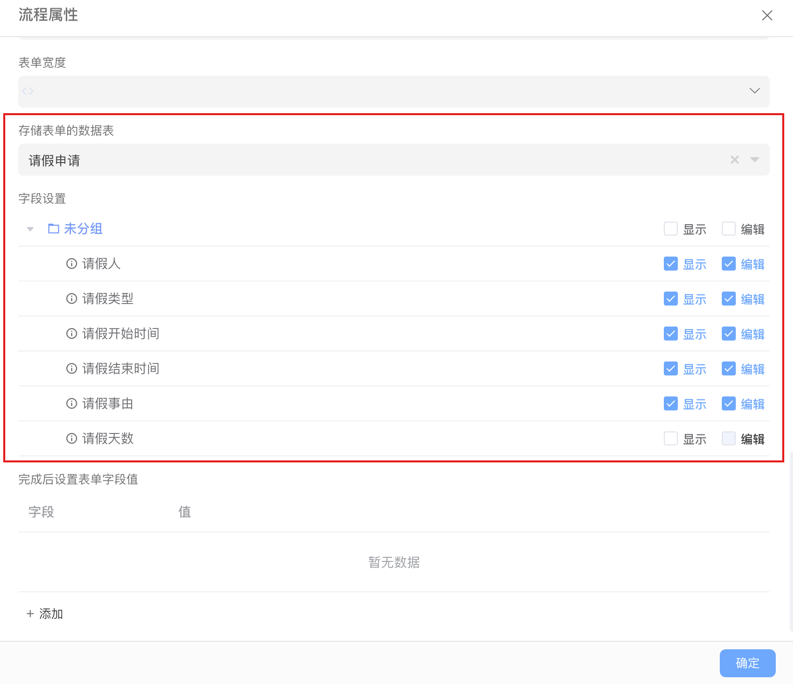
Supervisor Approval Node
Configure the handler as supervisor role
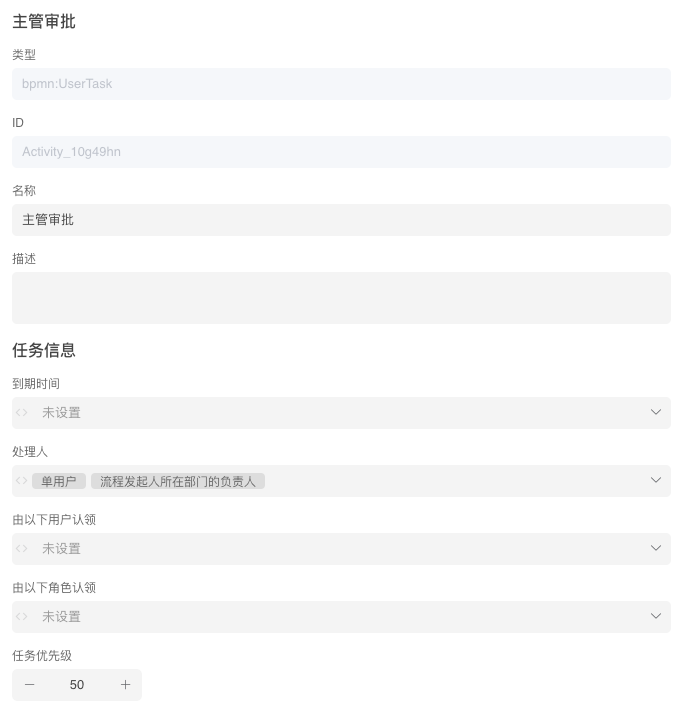 Handler Configuration: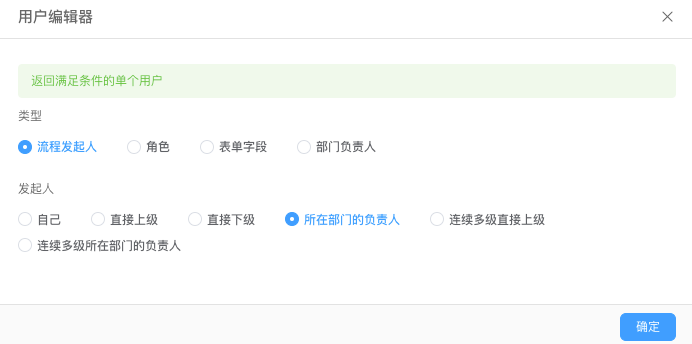
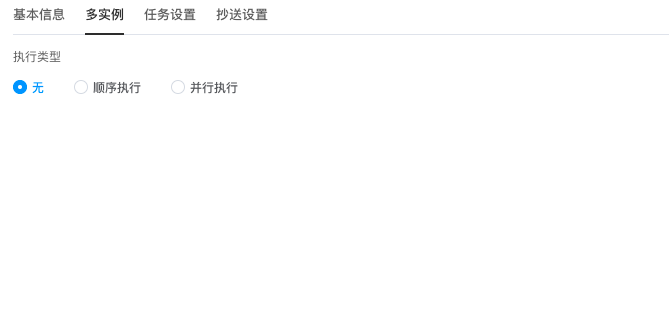
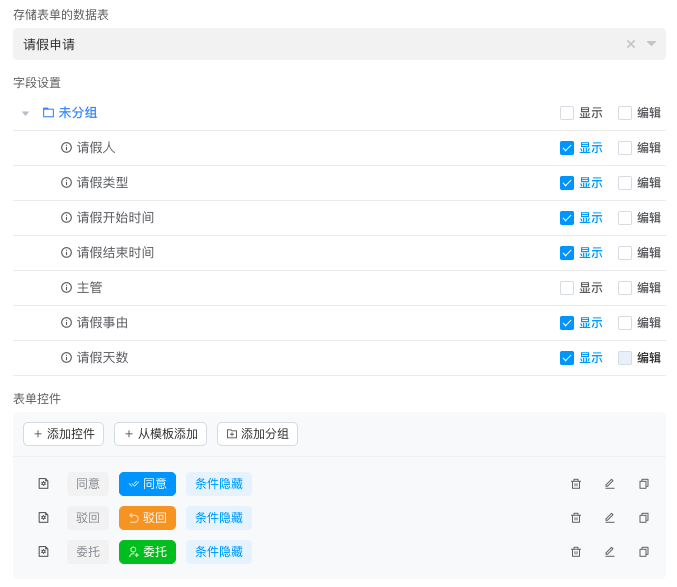
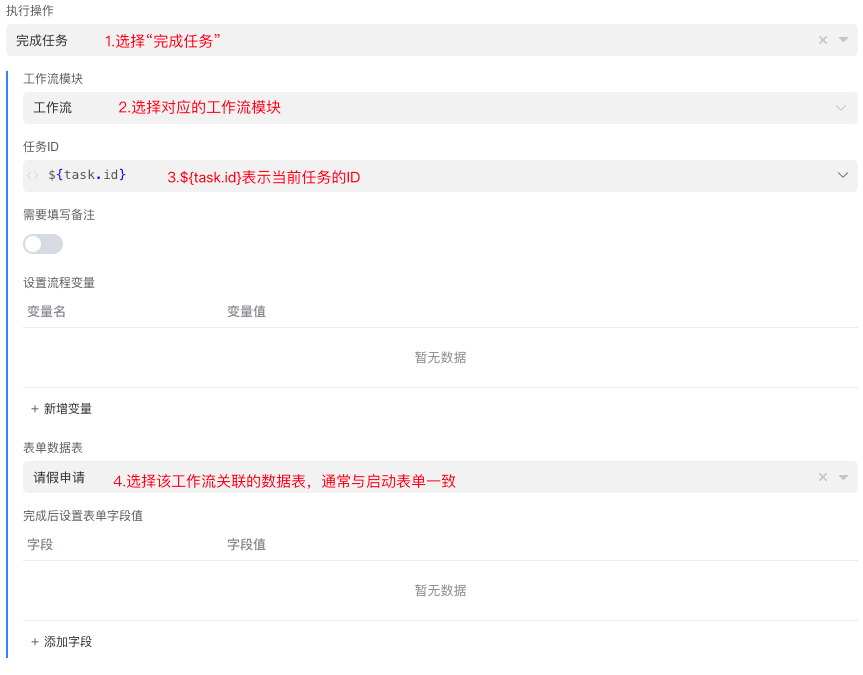
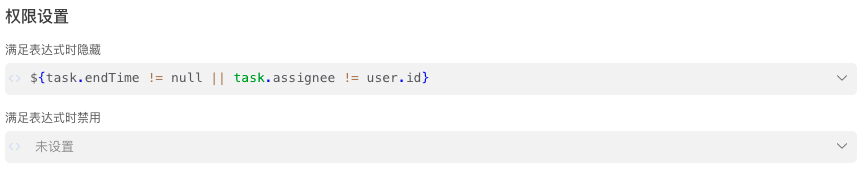
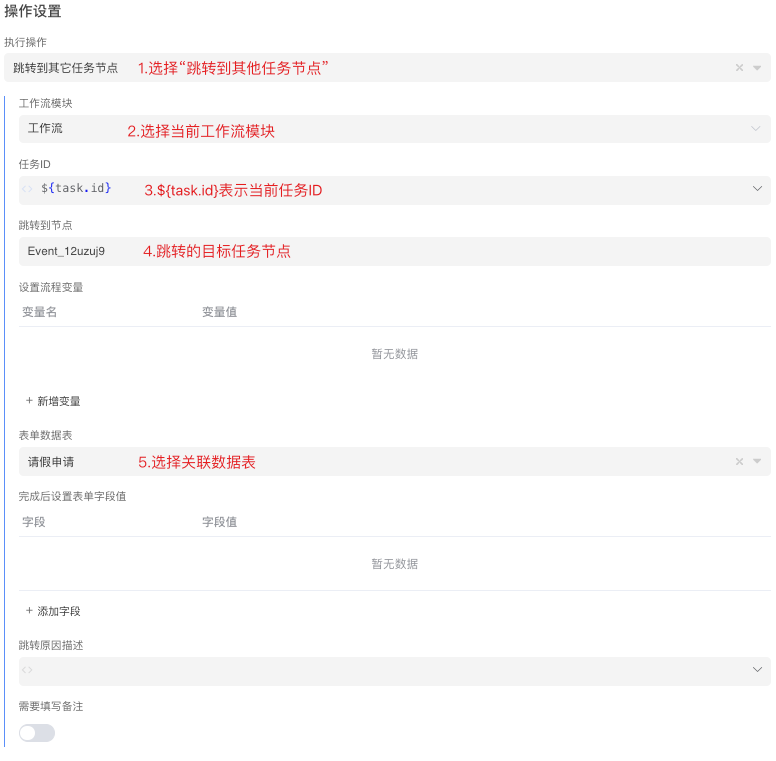
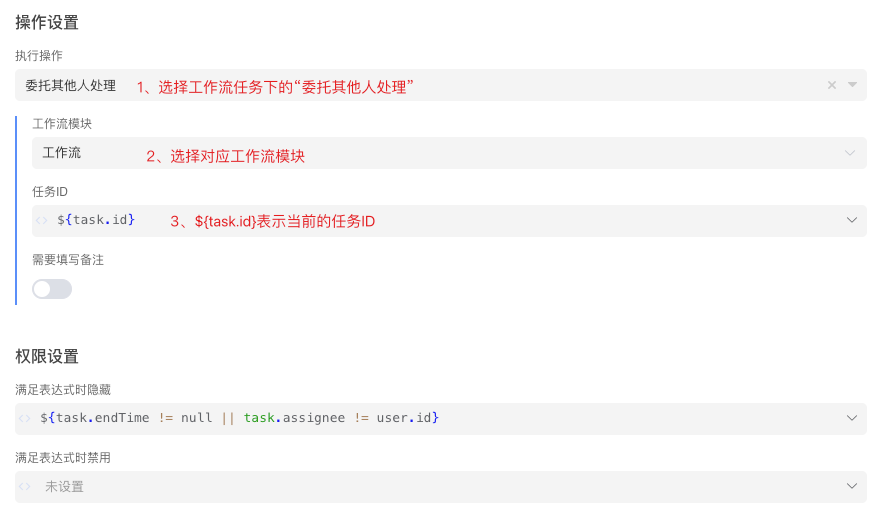
Effect Diagram
Application Form: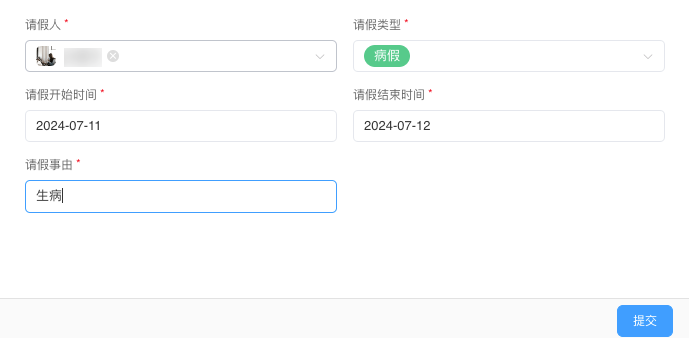 Supervisor Task: