

Web Installer Upgrade
Run Installation Program
TIP
The installation program was already installed during the first installation
shell
$ cd informat_next_installer
$ ./start.sh
:: Spring Boot ::
INFO 4699 --- [           main] c.i.i.InformatNextInstallerApplication   : Starting InformatNextInstallerApplication v1.0.0 using Java 11.0.7 on localhost.localdomain with PID 4699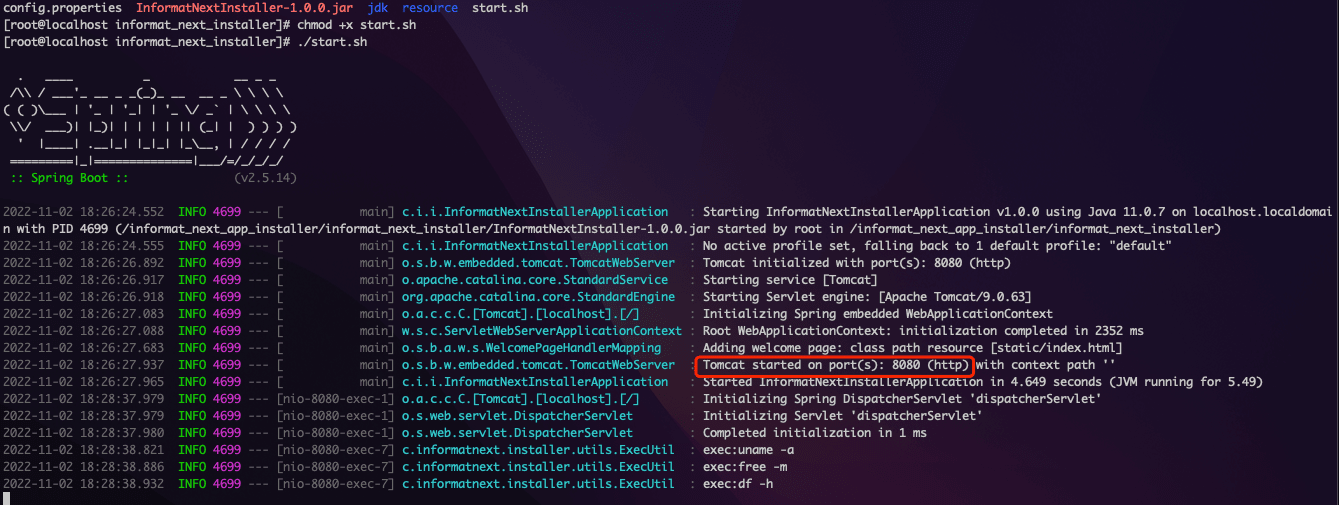
Access Installation Program via Browser
Default URL: http://server-ip:8080
Download Informat Installation Package
Download the installation package from the Informat Installation Package Source Address
Upload Installation Package
Click on the "Installation Upgrade" menu, select the file to upload, and start uploading.
After uploading is complete, click 'Next' to enter the 'Confirm Installation Information' step. 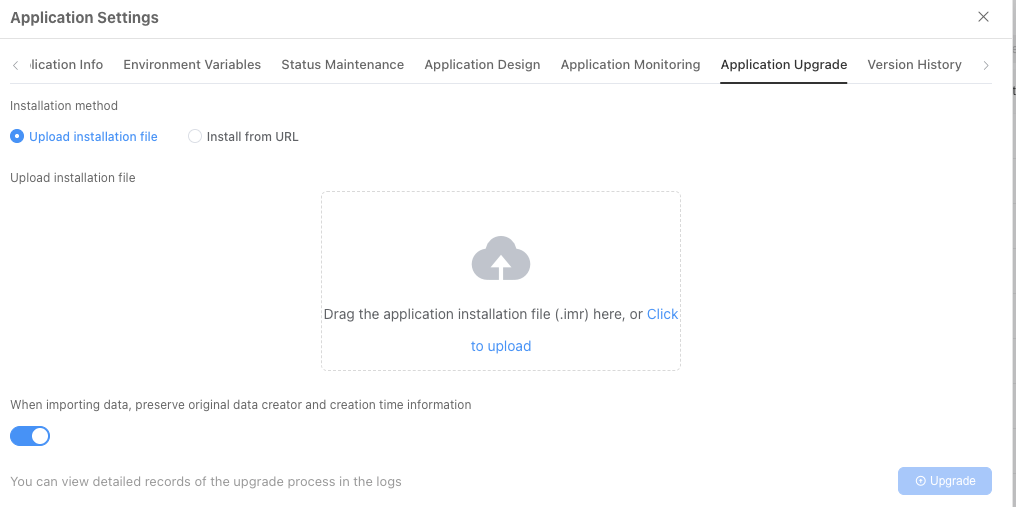
Confirm Installation Information
Click 'Next' to enter the 'Select Installation Path' step.
Select Installation Path
Click 'Next' to enter the 'Execute Installation Program' step.
TIP
Select the path where Informat was previously installed
Execute Upgrade Program
After confirming everything is correct, click the 'Confirm Upgrade' button.