

AI Quick Data Table Creation
Overview
In some legacy systems, there are already a large number of database table structures that still need to be used. To quickly map these data tables to the Informat platform, we provide an AI-based quick creation method that ensures the table structure remains consistent while directly using the original database tables.
Prerequisites
Before using AI to quickly create data tables, please ensure you have completed the following settings:
- Enter the Informat Management Background, navigate to "Parameter Settings" >> "AI".
- Enable the AI Function.
- Configure the OpenAI URL and API Key.
1 Connect to Legacy System Database and Screenshot Table Structure
First, use a database client to open the legacy system database, enter the data table design interface, and screenshot the table structure information. 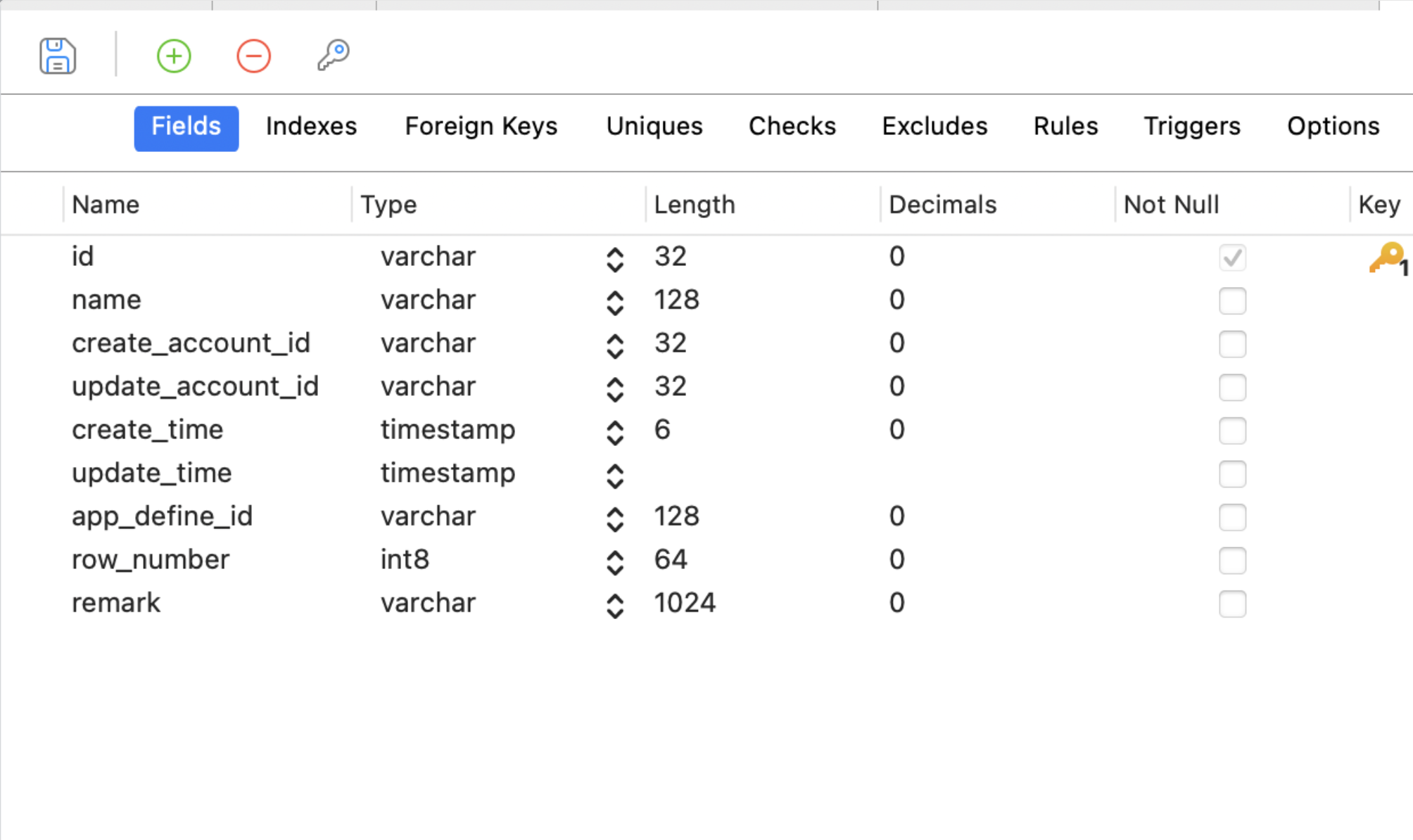
2 Create Data Table on Informat Platform
2.1 Enter Data Table Field Management Page
- On the Informat platform, open the field management page of the target data table
- Click the "AI" button in the toolbar at the top right corner
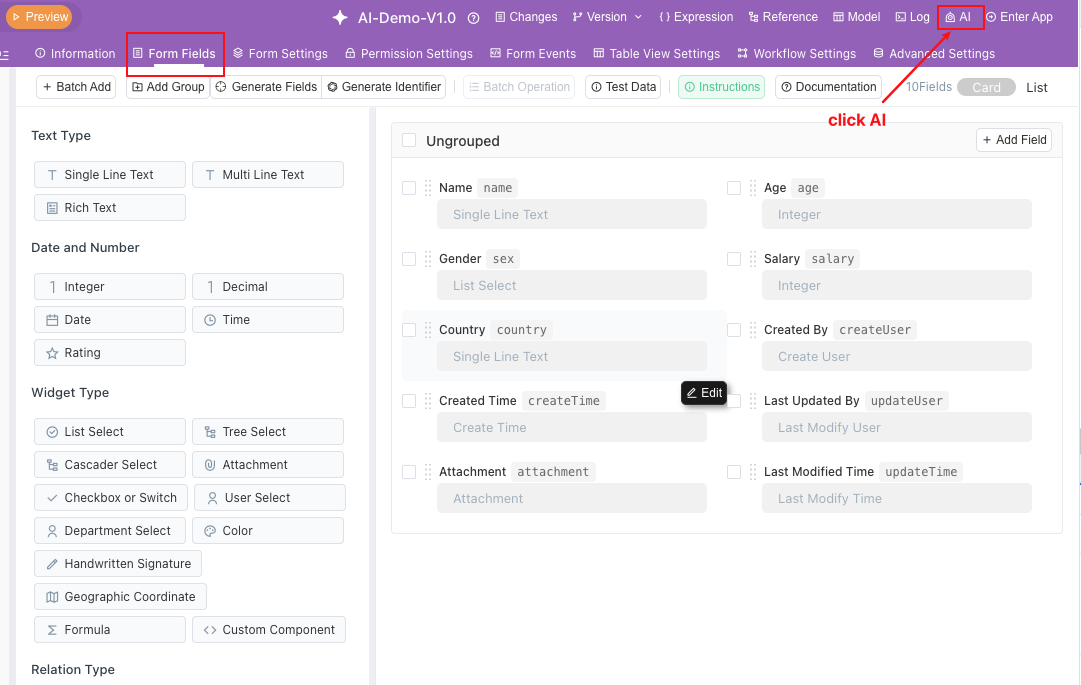
2.2 Submit Screenshot and Enter Instructions
- In the AI Low-Code Assistant chat window, paste the table structure screenshot from step 1.
- Enter the prompt in the input box: "Create a data table based on the attached image, using camelCase for identifiers"
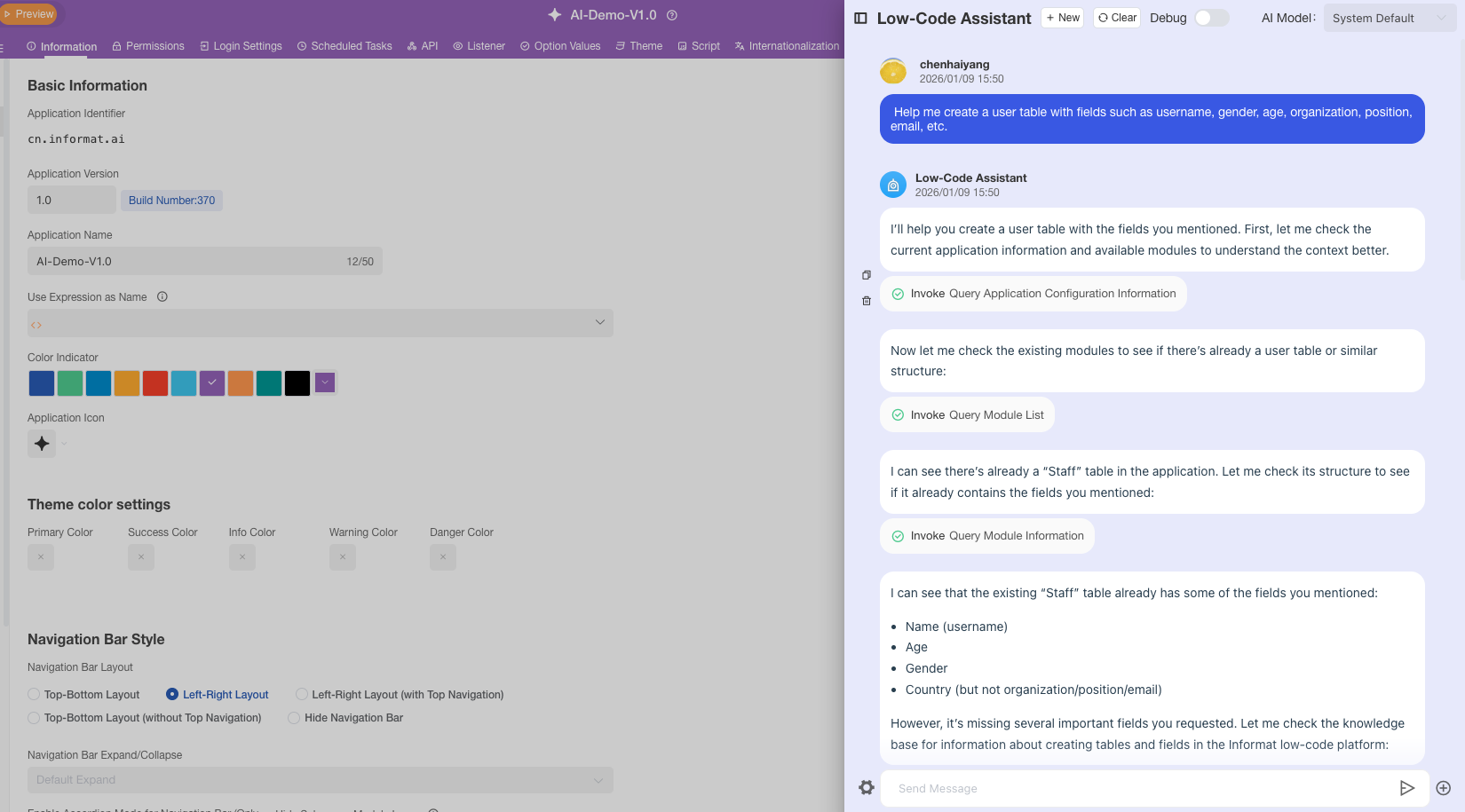
2.3 AI Automatically Parses and Generates Fields
- The AI Low-Code Assistant will read the screenshot content and automatically parse the table structure.
- Subsequently, the system will open the Batch Add Fields page and convert the field information in the image into data table fields on the Informat platform.
2.4 One-Click Save to Complete Creation
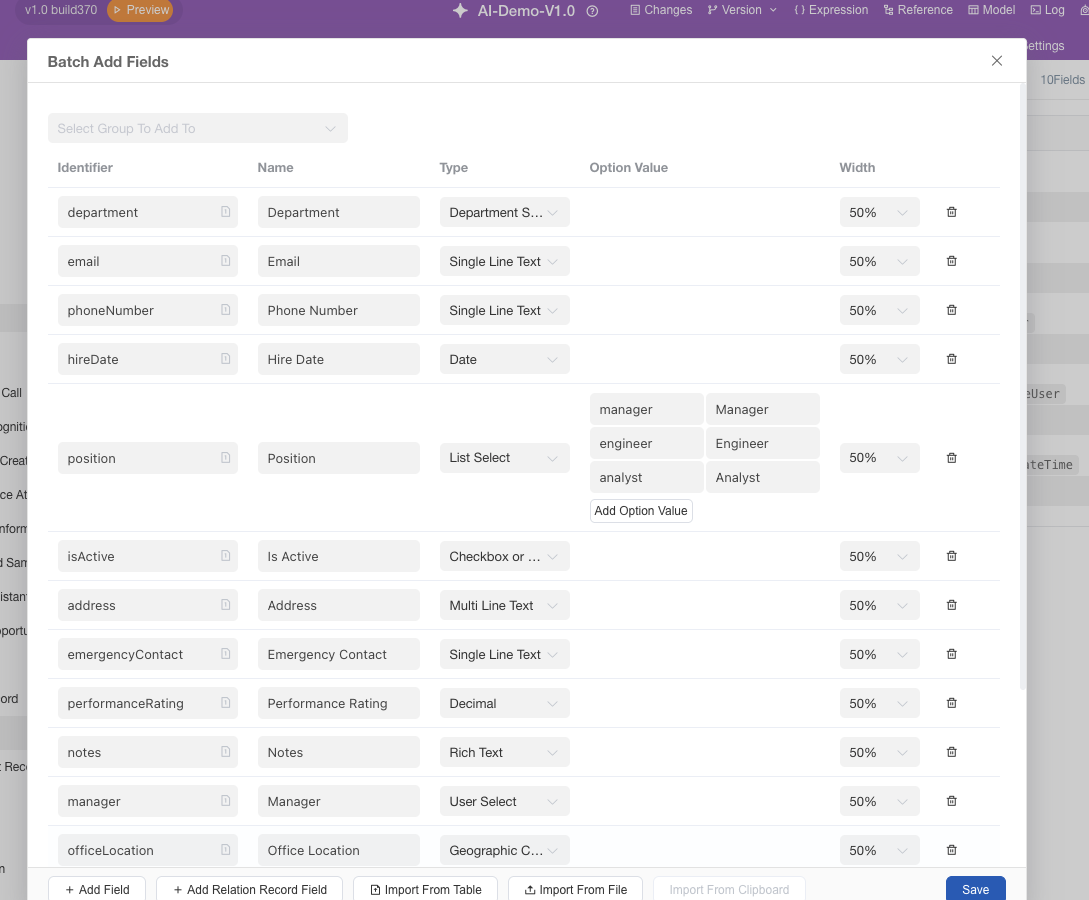
- Click Save to batch add fields and complete the quick creation of the data table.
Notes
idfield does not need to be manually added, the Informat platform will automatically generateidas the primary key
This process greatly improves data table migration efficiency and seamlessly connects legacy system databases with the Informat platform. 🚀