

Global Settings
Basic Settings
Used to set the display name and description of the process
| Property | Description |
|---|---|
| ID | ID |
| Name | Display name of the process |
| Description | Detailed description of the process |
Startup Settings
Function settings when the process is initiated
| Property | Description |
|---|---|
| Use the following expression as the process name | Name of the process instance |
| Use the following expression as the name of the process draft | Name of the process instance draft |
| Process information page controls | Controls displayed on the process information page |
| Startup variables | Process variables at startup, multiple can be added |
| Process approver | Global variable for approver, used in Assignee and Claim by the following users in subsequent task settings |
| Comment editor style | Default: Multi-line text edit boxRich text editor: Rich text edit box |
| Startup form | Form that needs to be filled before starting the process after opening |
| Process startup page controls | Controls for the process startup page, need to open Startup form |
| Form identifier | Identifier of the form, can be used to obtain form data, need to open Startup form |
| Form type | Fill in data table form: Use data table as process form storageForm designer page: Use custom form Need to open Startup form |
| Form width | Set the width of the form |
| Data table for storing form | Data table for storing form, form type needs to be Fill in data table form |
| Field settings | Set display and edit permissions for fields in the form, form type needs to be Fill in data table form |
| Set form field values after completion | Set form values after process startup, form type needs to be Fill in data table form |
| Form designer module | Select form designer module, form type needs to be Form designer page |
| Form designer page | Select form designer page, form type needs to be Form designer page |
Example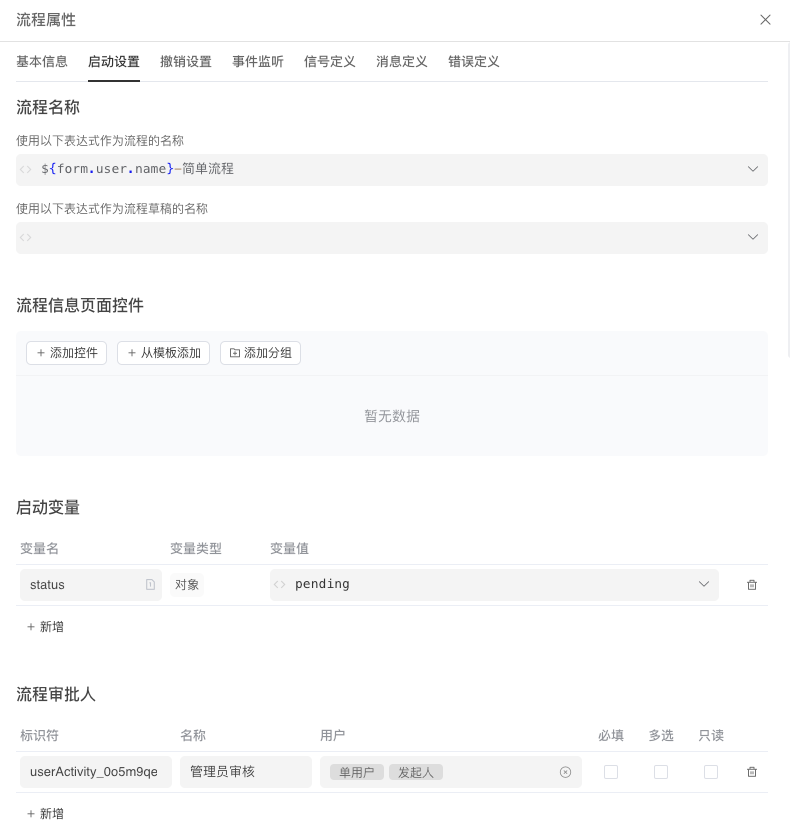

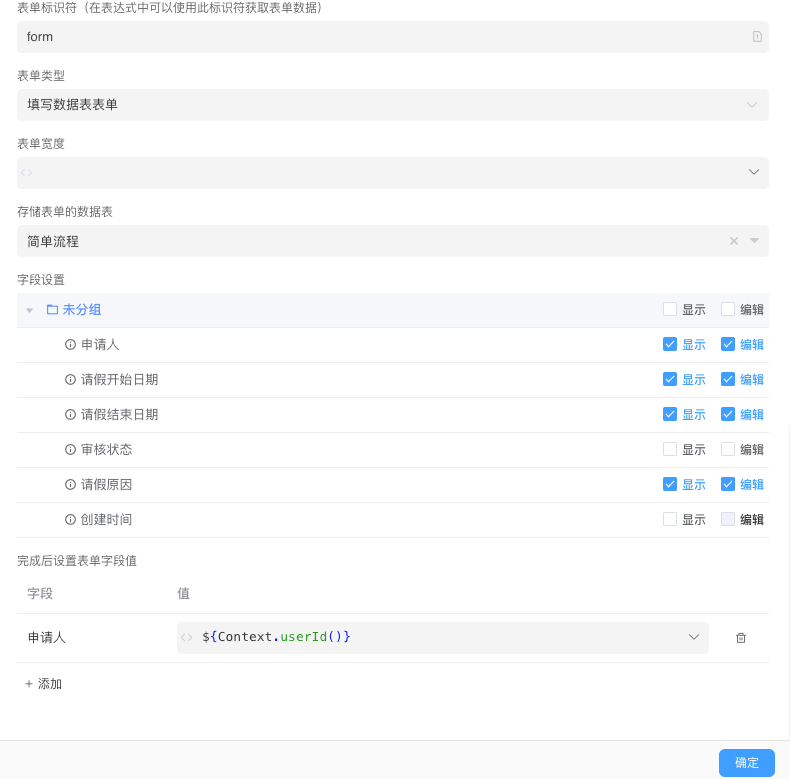
INFO
Startup form is not mandatory, the process will automatically execute to the first task node after startup if not set
Revocation Settings
Multiple revocation rules can be configured
| Property | Description |
|---|---|
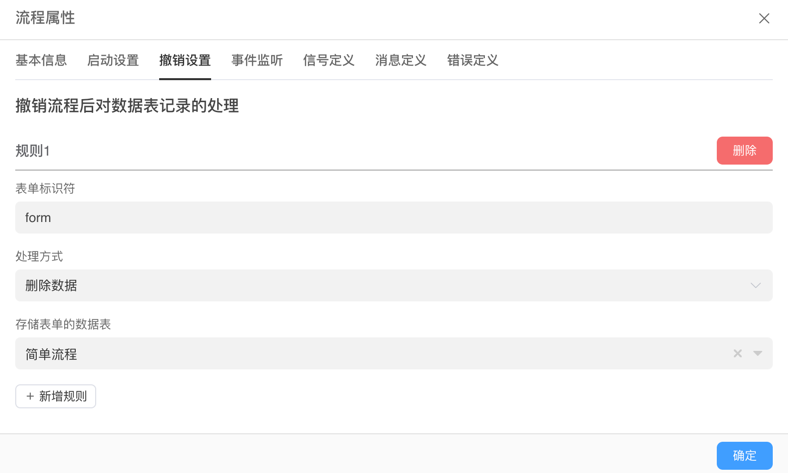
| Form identifier | Form identifier |
| Processing method | Delete dataUpdate data |
| Data table for storing form | Data table that needs to be operated |
| Update field values | Fields and values that need to be updated |
Example
Event Listening
| Property | Description |
|---|---|
| Name | Listener name |
| Description | Listener description |
| Enabled | Enable switch |
| Listen events | Events that can be listened: After task creationAfter task assignmentAfter task completionAfter task owner changeAfter task due time changeAfter node startAfter node completionAfter node cancellationAfter multi-instance node startAfter multi-instance node completionAfter multi-instance node meets condition completionAfter multi-instance node cancellationAfter process creationAfter process startAfter process completionAfter process cancellation |
| Execute automation | Trigger automation when listening |
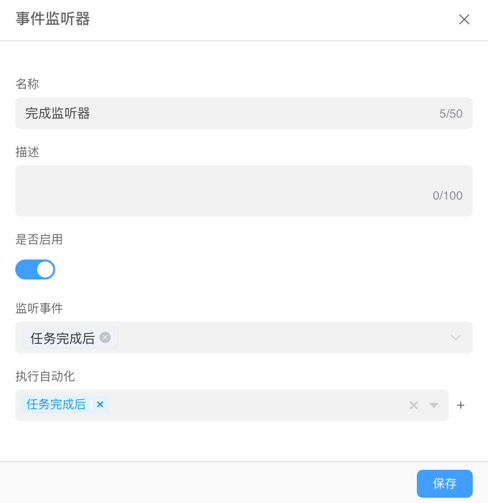
Example
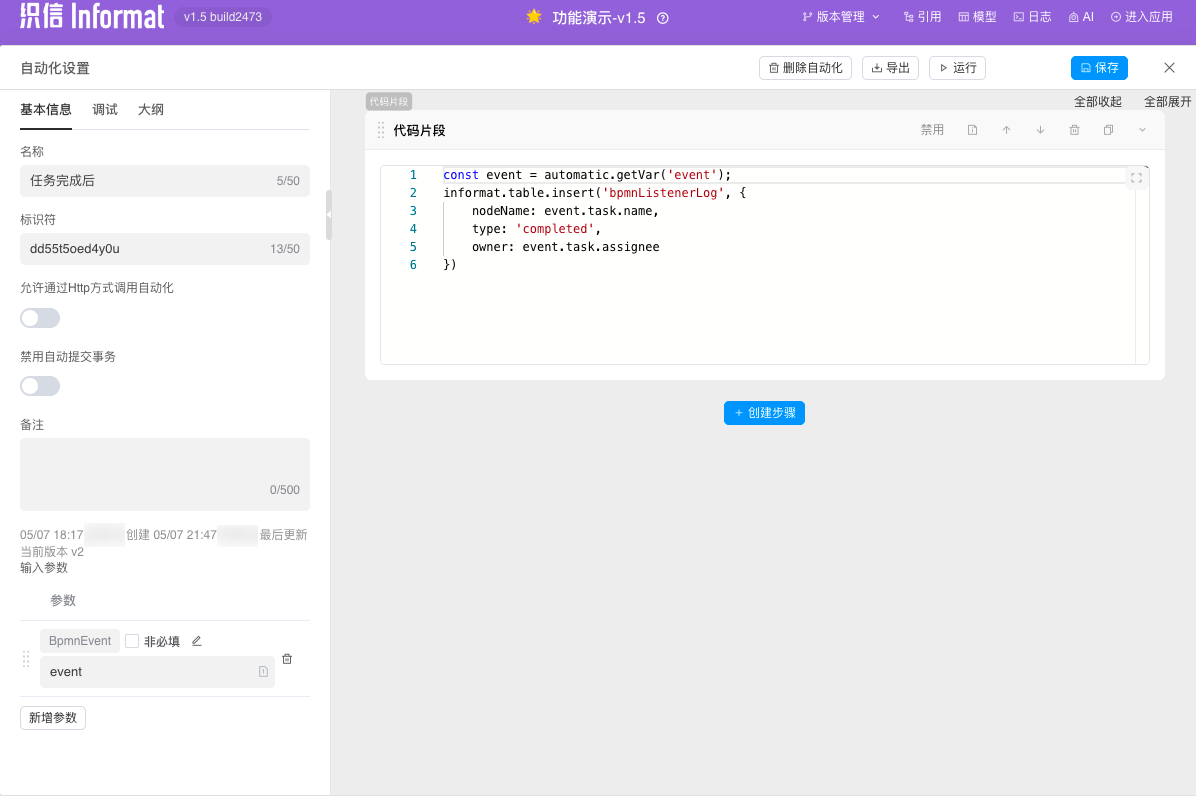
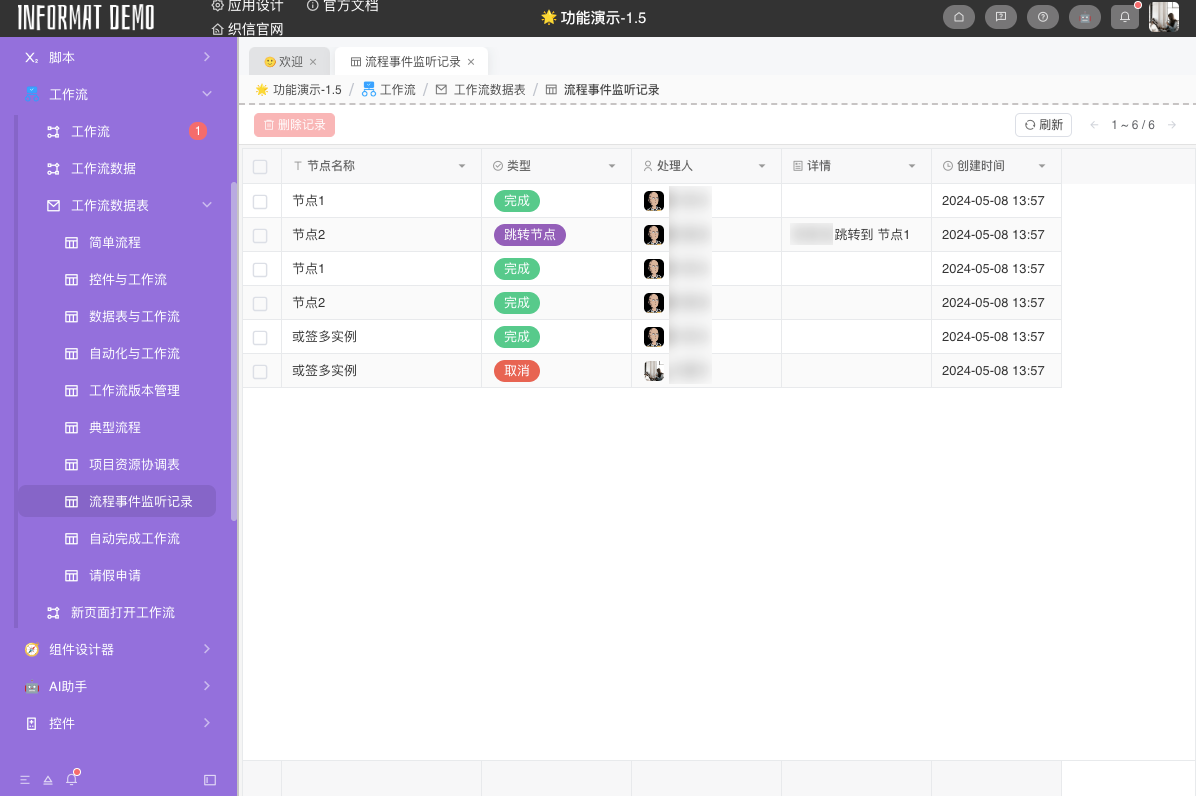
When the task node is completed, trigger the event listener to call automation to insert a record in the table.
Signal Definition
In the flow chart, signal-related events such as signal intermediate catch event, signal start event, signal boundary event need to be used
| Property | Description |
|---|---|
| ID | Signal ID |
| Name | Signal name |
| Scope | GlobalProcess instance |
INFO
Need to be used with events and script informat.bpmn.sendSignal
Example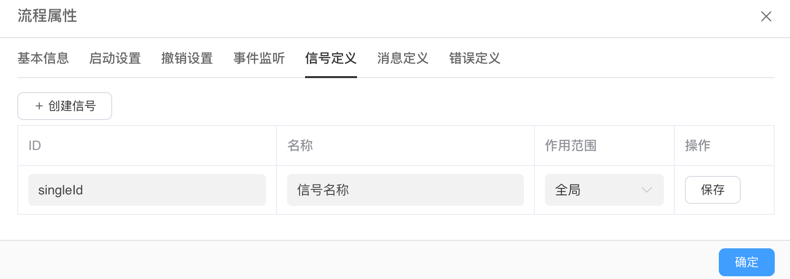
Message Definition
In the flow chart, message-related events such as message intermediate catch event, message start event, message boundary event need to be used
| Property | Description |
|---|---|
| ID | Message ID |
| Name | Message name |
INFO
Need to be used with events and script informat.bpmn.sendMessage
Example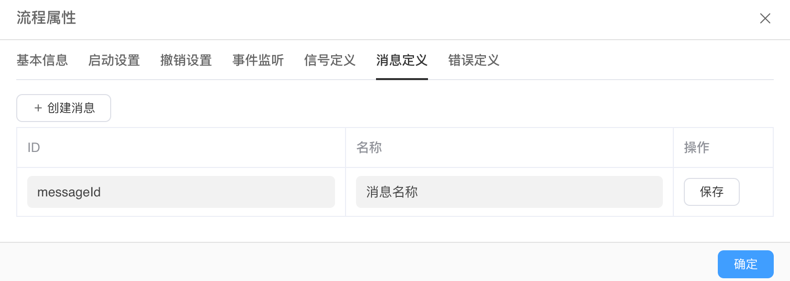
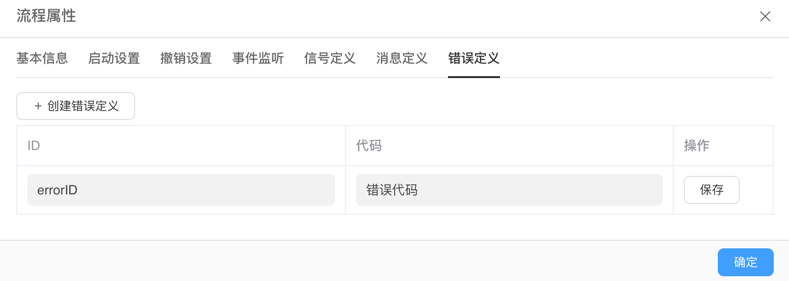
Error Definition
In the flow chart, error-related events such as error intermediate catch event, error start event, error boundary event need to be used
| Property | Description |
|---|---|
| ID | Error ID |
| Code | Error code |
Example
Interface Settings
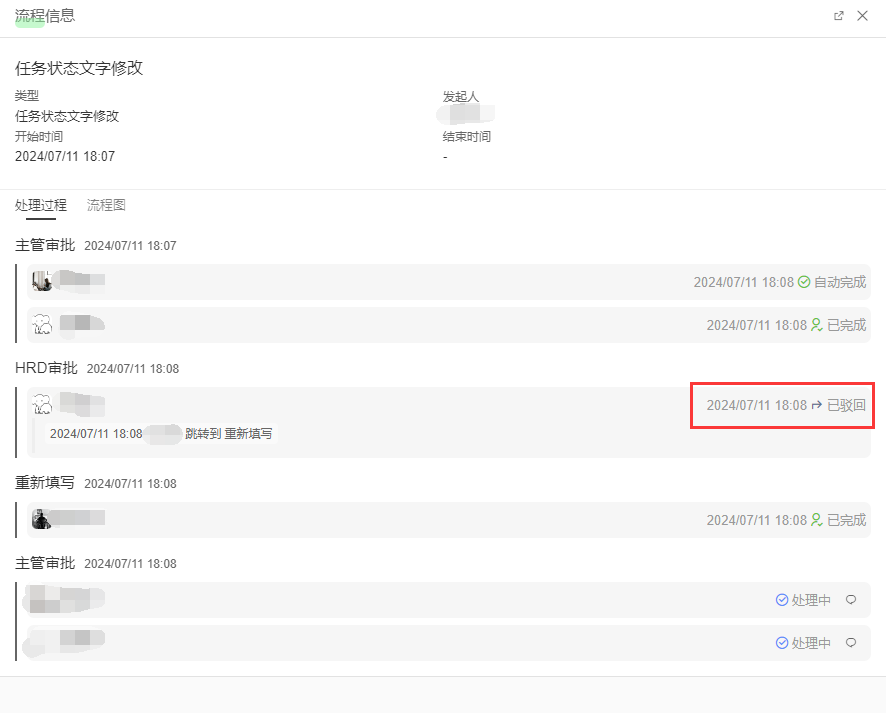
There are default task statuses in the system: Processing, Completed, Automatically Completed, Deleted, Jump Node, Rejected, Rejected, Multi-instance Jump Node, Rejected, Rejected, Automatic Jump.
If you want to modify the names, you can set them here. For example, change Jump Node to Rejected
Example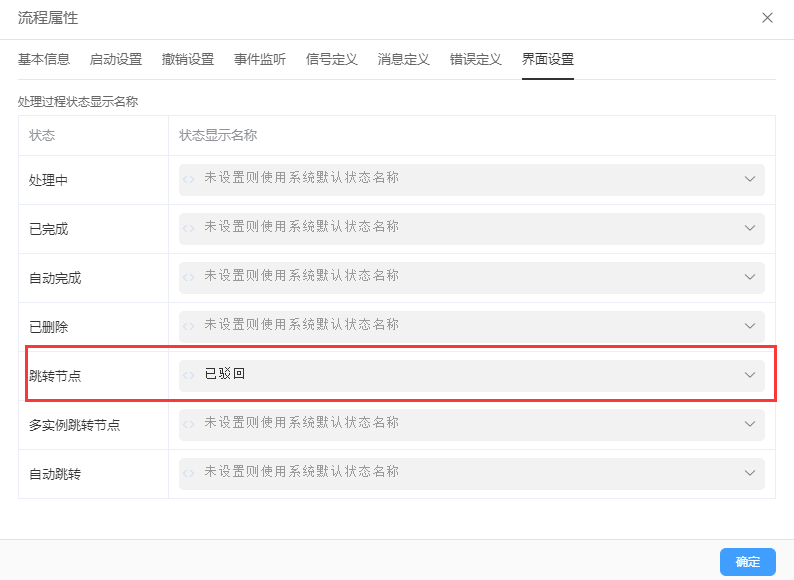
Process Publication
After modifying the process configuration, you need to publish the application to make the latest process take effect. For processes that are running and not yet ended, the newly published version will not affect the operation of the original process. If you want to test the modified configuration, you need to re-initiate a new process instance.