

Admin Management
Access Management Interface
Access the management interface through http://<private IP or domain>:15672. The username and password can be viewed in system configuration.
Access Address
http://<private IP or domain>:15672System Configuration Path
{Informat installation directory}/instance/informat-account/application.yml
{Informat installation directory}/instance/informat-biz/application.ymlMain Features
The RabbitMQ admin management system provides many functions, including but not limited to:
Overview
- Displays the status and statistical information of the current RabbitMQ node.
- Shows the number of connections, channels, queues, exchanges, etc.
Diagram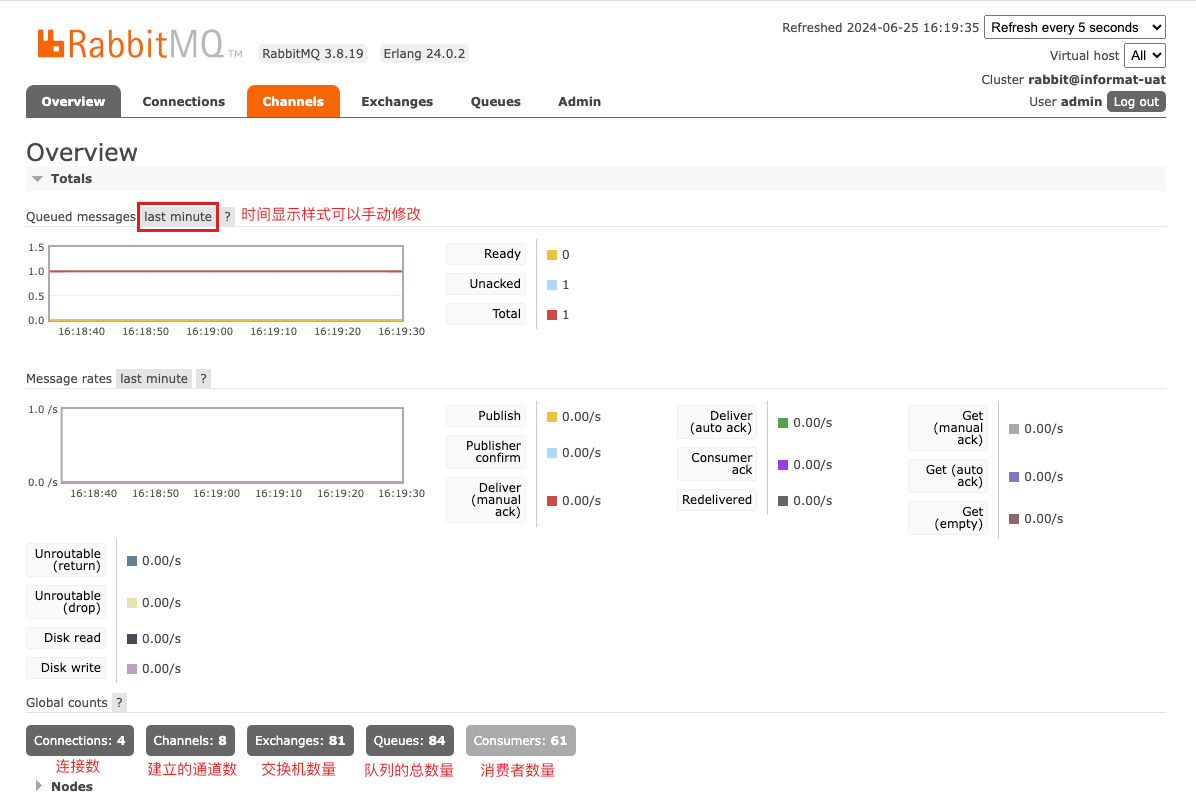
Connections
- Lists all clients currently connected to RabbitMQ.
- Allows viewing detailed information of each connection, such as IP address, port, status, etc.
- Allows closing specific connections.
Channels
- Lists all currently open channels.
- Allows viewing detailed information of each channel, such as parent connection, status, number of unacknowledged messages, etc.
Exchanges
- Manages exchanges, including creating, deleting, and viewing detailed information of exchanges.
- Can view queues and binding keys bound to exchanges.
Naming Rules
Naming rules: Application ID - Message Queue Module Identifier
Queues
- Manages queues, including creating, deleting, and viewing detailed information of queues.
- Can view the number of messages in queues, number of consumers, number of unacknowledged messages, etc.
- Supports manually publishing messages to queues and retrieving messages from queues.
Naming Rules
Naming rules: Application ID - Message Queue Module Identifier - Queue Identifier
Bindings
- Manages bindings, including viewing and deleting bindings.
- Views binding relationships between exchanges and queues.
Virtual Hosts
- Manages virtual hosts, including creating, deleting, and viewing detailed information of virtual hosts.
- Virtual hosts are used to logically isolate different applications and users.
Users and Permissions
- Manages users, including creating, deleting, and viewing detailed information of users.
- Manages user permissions, including assigning users to virtual hosts and setting user operation permissions.
Monitoring and Statistics
- Provides rich monitoring and statistical information, including message transmission rate, message storage status, consumer processing rate, etc.
- Supports real-time monitoring and historical data viewing.
Plugin Management
- Can view and manage installed plugins.
- Supports enabling and disabling plugins.
Policies
- Manages policies, including creating, deleting, and viewing policies.
- Policies are used to configure queue and exchange behaviors, such as message TTL (Time to Live), mirror queues, etc.
Parameters
- Manages parameters, including creating, deleting, and viewing parameters.
- Parameters are used to configure some advanced features of RabbitMQ.
Logs and Events
- Views RabbitMQ logs and event information for troubleshooting and monitoring system operation status.
Enable Management Plugin
To enable the RabbitMQ management plugin, use the following command:
sh
rabbitmq-plugins enable rabbitmq_managementSecurity
- By default, the management interface only allows local access. Remote access can be modified through the configuration file.
- It is strongly recommended to change the default username and password, and configure role-based access control (RBAC).