Calendar View
Overview
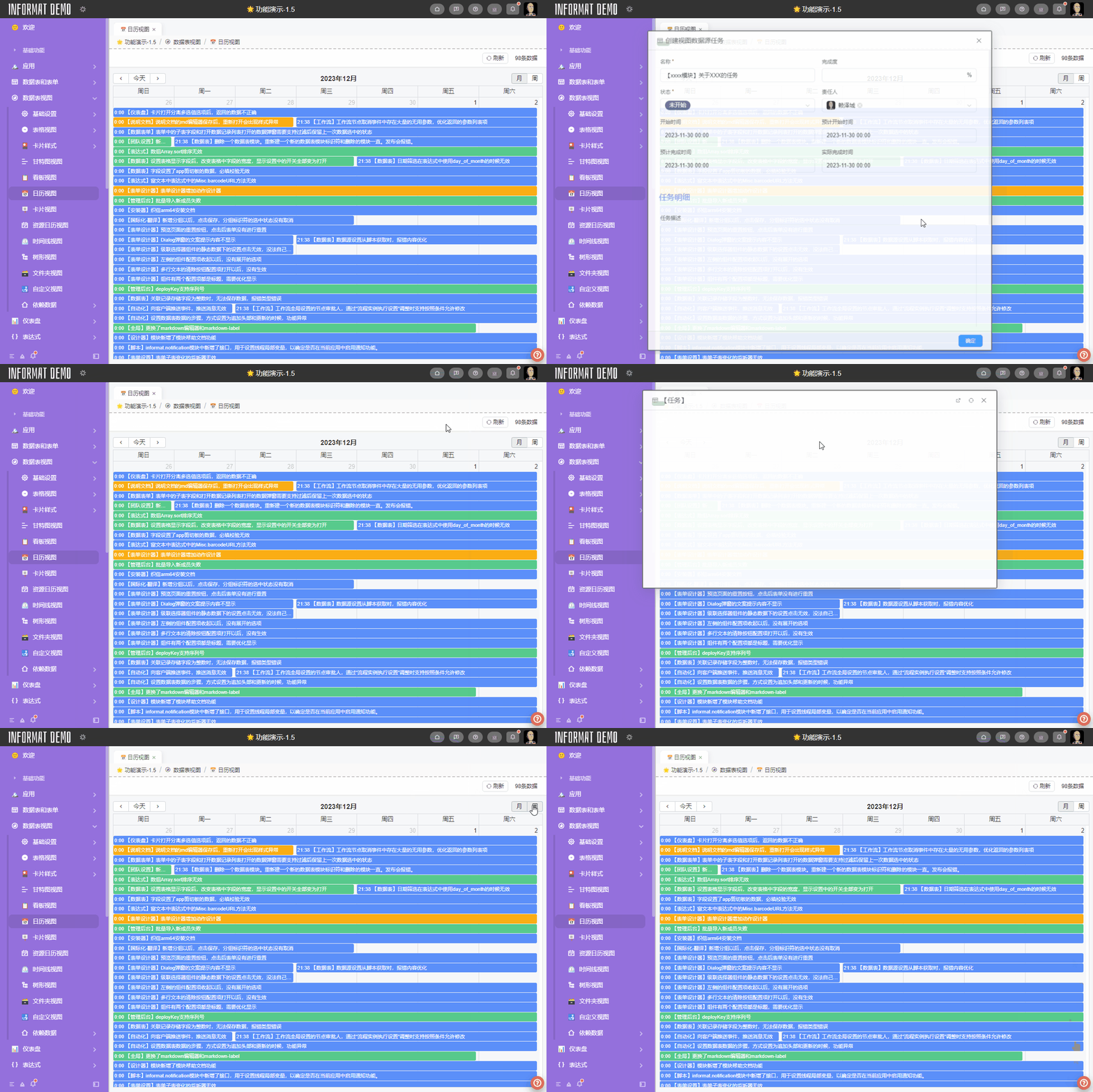
The Calendar View converts data into calendar events and displays them in a calendar format.
Settings
| Setting | Description |
|---|---|
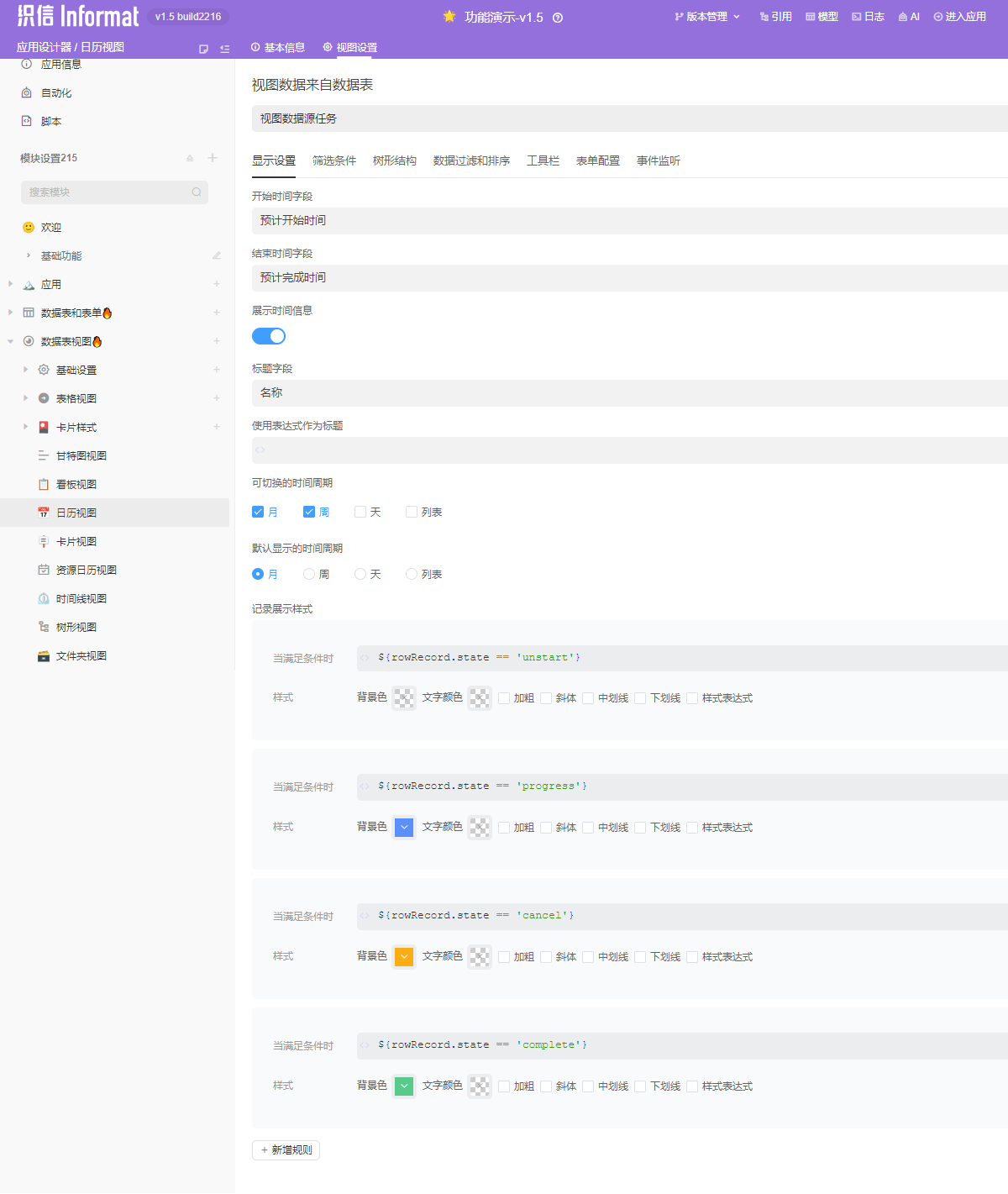
| Start Time Field | Sets the start time of events in the calendar. The data table must contain a Date type field. |
| End Time Field | Sets the end time of events in the calendar. The data table must contain a Date type field. |
| Display Time Information | Configures whether to display time information in the calendar. |
| Title Field | Sets the title name displayed for calendar events. |
| Use Expression as Title | You can use an expression as the title name. If this configuration is not empty, the Title Field configuration will be invalid. |
| Switchable Time Periods | Sets the time periods that users are allowed to switch between in the view interface. Allowed to be empty. |
| Default Display Time Period | The time period that users first see when the view is initialized. Cannot be empty. |
| Record Display Style | Sets the display format of calendar events that meet the conditions through expressions. Multiple rules are supported. |
TIP
Sometimes we need to limit the calendar view to display in a specific time period and not allow users to switch. For example, for the month time period, we can set Switchable Time Periods to empty and Default Display Time Period to month, so that data is only displayed in the month time period.
WARNING
In the calendar view, both start time and end time must have values to be displayed in the view.
Example
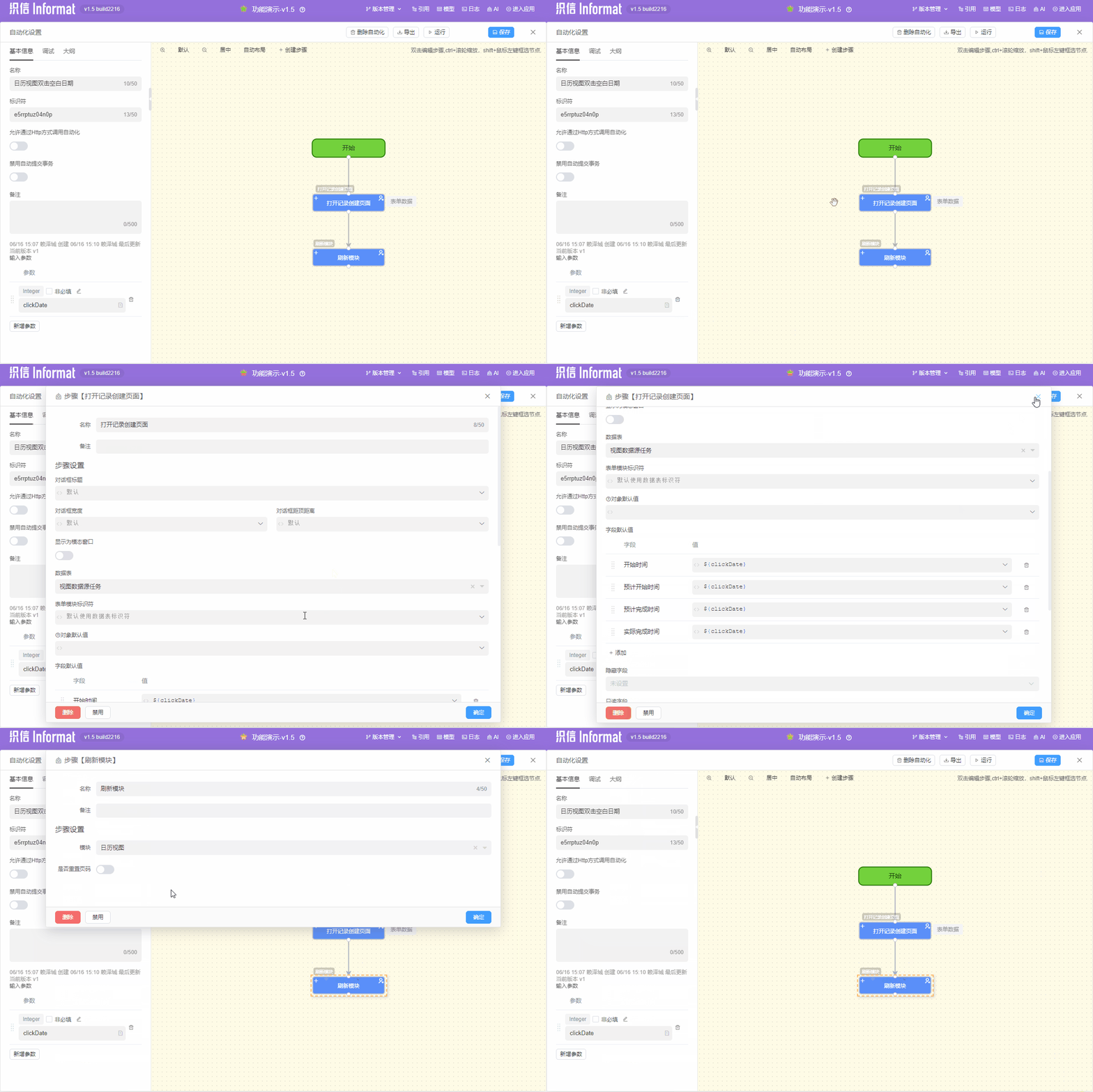
In the following, we will demonstrate the configuration of the calendar view in a typical task management scenario, including various configuration items and the Calendar View Double-Click Blank Date event unique to the Calendar View.