Tree Selection
Description
| Item | Content |
|---|---|
| Control Class | Control Class |
| Sortable | Single Selection: Yes |
| Filterable | Single Selection: Yes |
| Supported Filter Types | Single Selection: Contains, Does Not Contain, Equal, Not Equal, Empty, Not Empty, In List, Not In List |
Settings
| Setting | Description |
|---|---|
| Allow empty | Set whether the field is required |
| Multiple selection | When enabled, the tree selection will support multiple selection. Enabling/disabling multiple selection will change the field's storage type |
| Placeholder in form when not filled | Text information displayed in the input box when no information is entered in the field |
| Display style | Set the display style after selecting an option Options: Rounded Solid Color、Rounded Wireframe、Plain Text、Right Angle Solid Color、Right Angle Wireframe、Semi-transparent Rounded Solid Color、Semi-transparent Right Angle Solid Color |
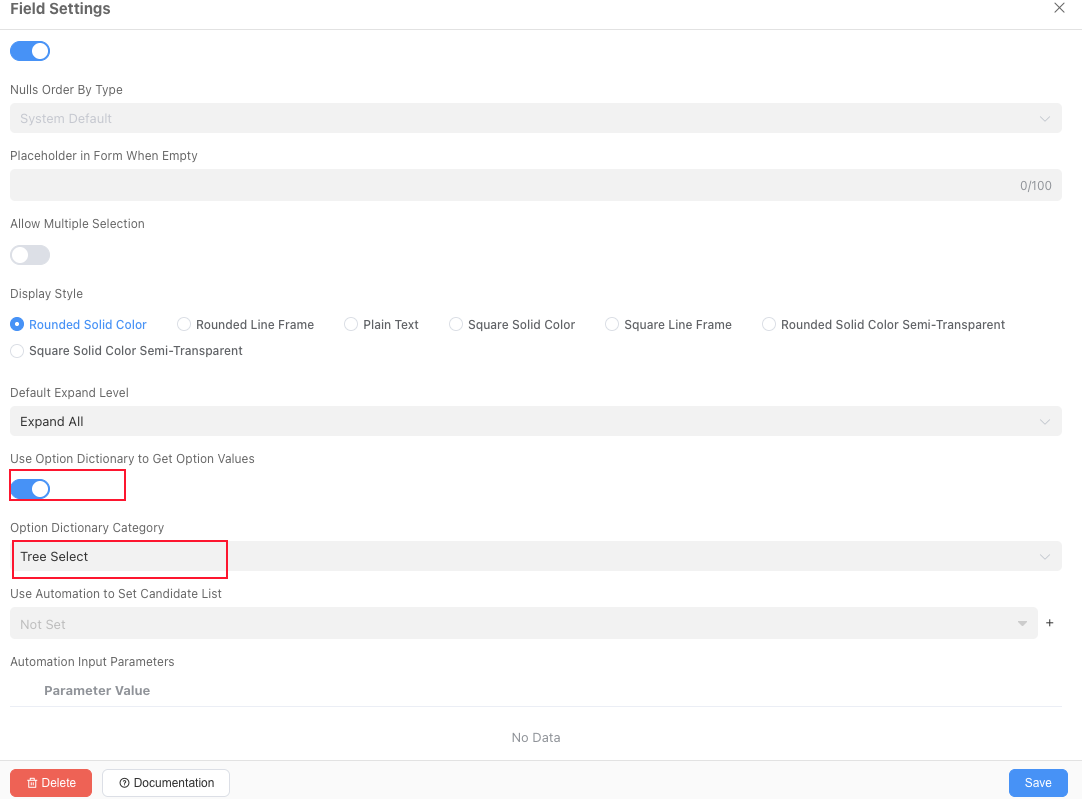
| Use option dictionary to get option values | Whether to use the data dictionary in application settings as options |
| Option dictionary category | When using the data dictionary in application settings as options, the data dictionary category used for list selection data |
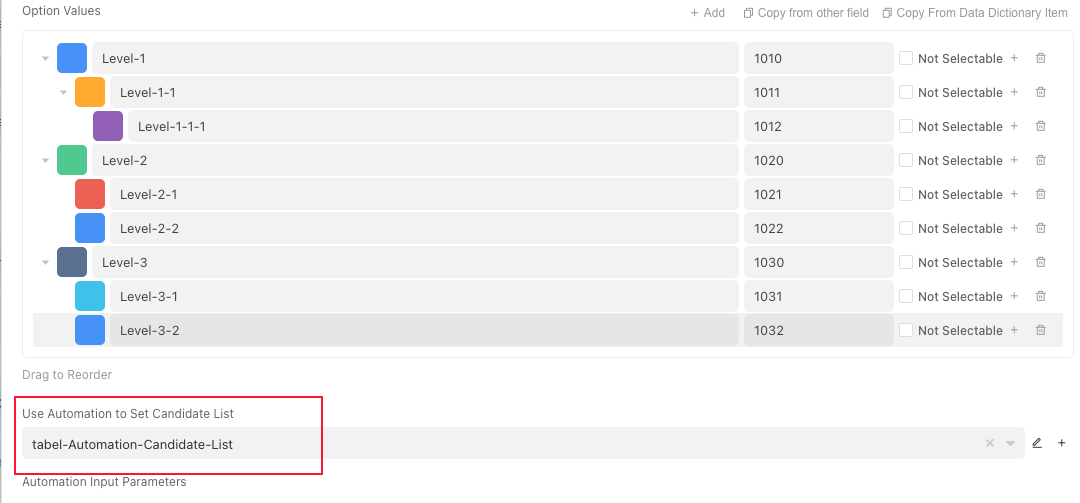
| Option values | Can set the option values for this field Supported operations: Add、Copy from other fields、Add sub-options、Set as non-selectable、Delete option |
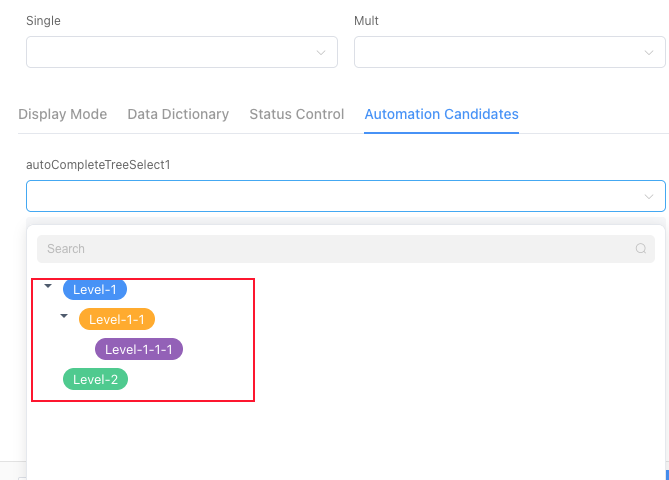
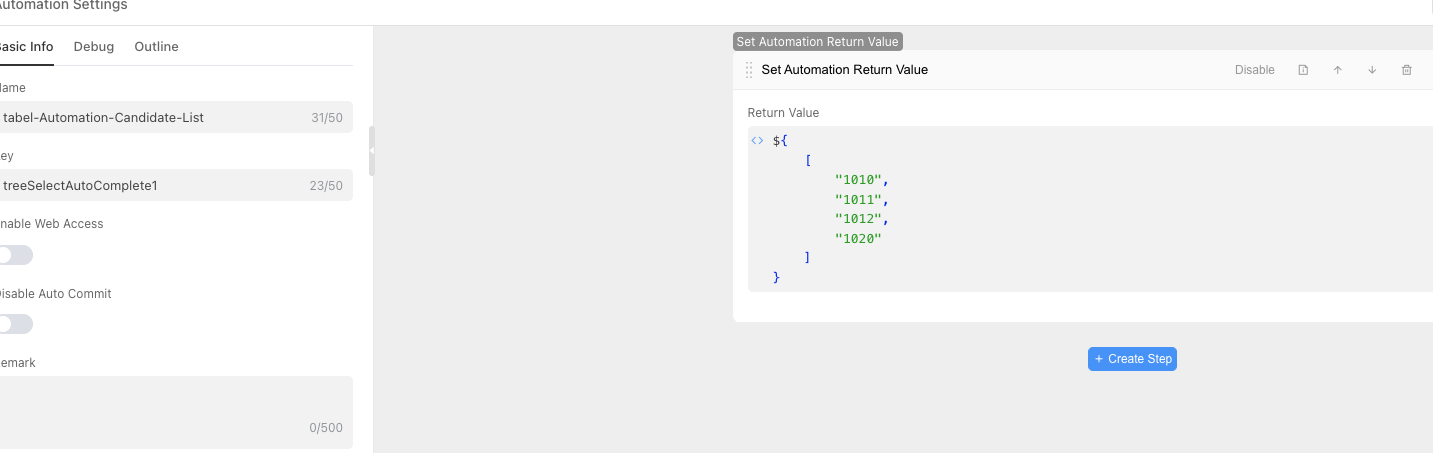
| Use automation to set candidate list | Support using automation to filter the set option values |
| Automation input parameters | Parameters passed to automation based on context when calling automation for candidate values |
Note
Single selection and multiple selection have different storage types. Enabling/disabling multiple selection may cause data loss, so please operate with caution. For conversion rules, refer to
When adding option values, a random code will be automatically generated as the option ID. You must modify the option ID according to the usage scenario to facilitate subsequent calls.
Use automation to set candidate list:
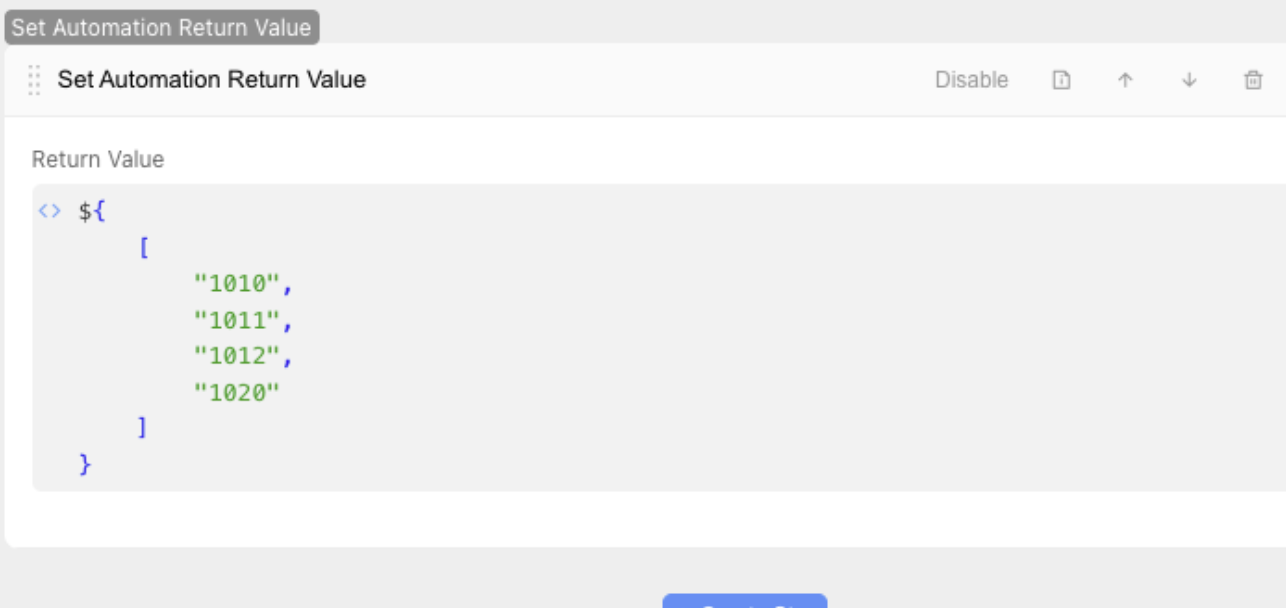
- The automation return value only supports the ID list
Array<String>of option values. - The ID list returned by automation must be within the scope of the
Identifierin the option values or data dictionary. - When the ID list returned by automation is
null, all option values will be displayed.
- The automation return value only supports the ID list
Database Storage Format
| Selection Type | Field Type | Description |
|---|---|---|
| Single Selection | varchar(200) | Variable-length string, maximum 200 characters |
| Multiple Selection | text[] | Array |
Usage Examples
Basic Usage
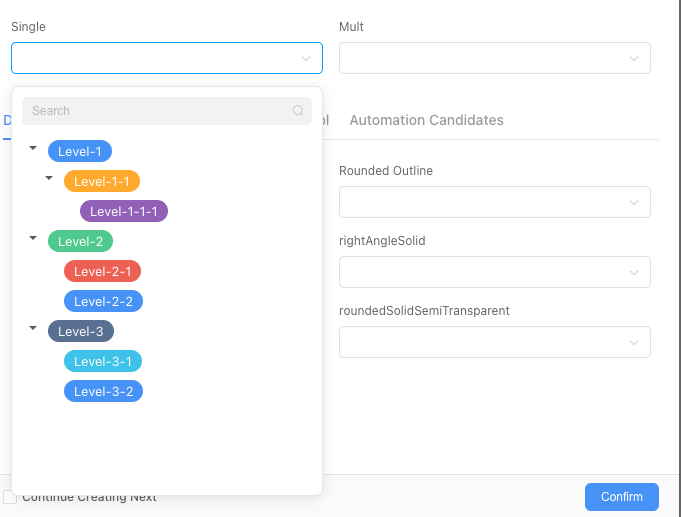
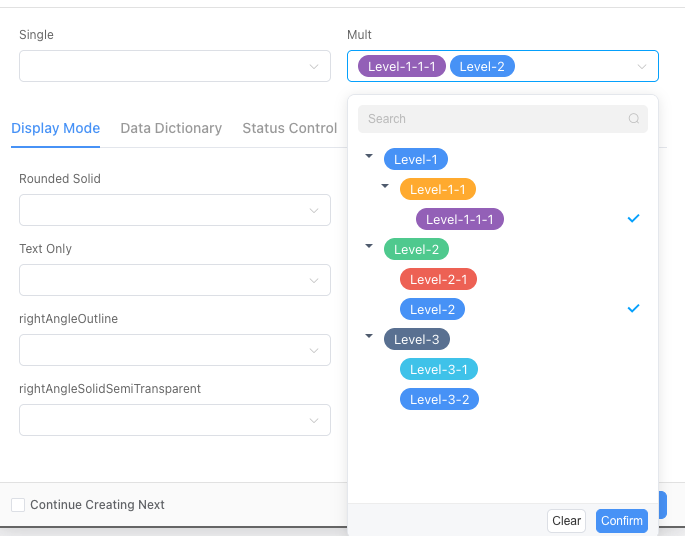

Status Control
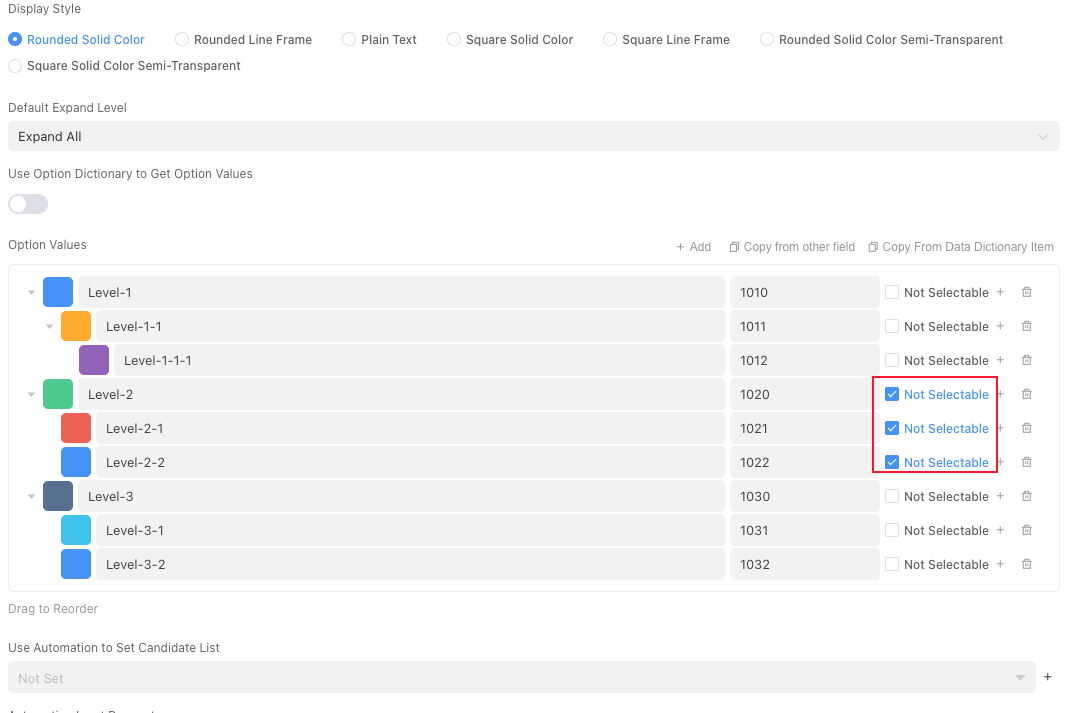
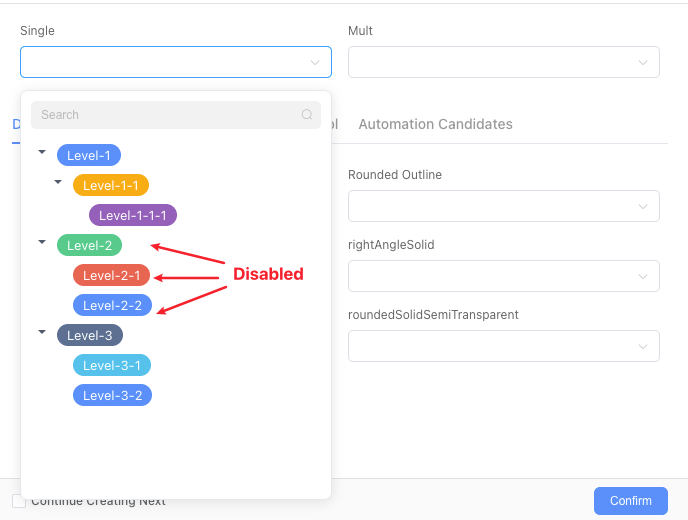
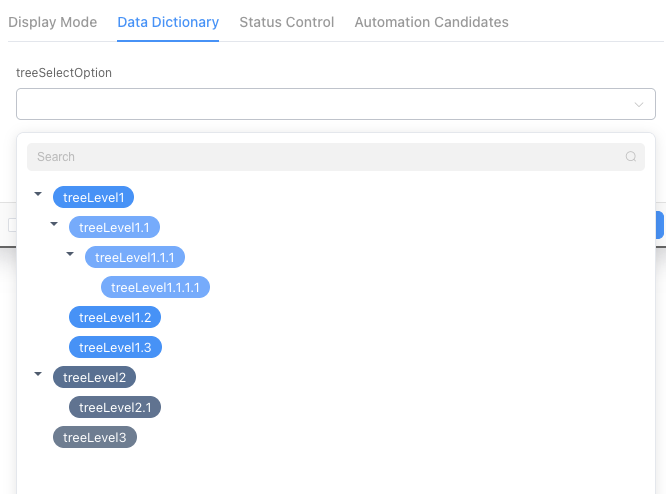
Use Option Dictionary to Get Option Values
For option value field configuration, refer to
Use Automation to Set Candidate List
Option definitions:
| Level | Option Value | Identifier |
|---|---|---|
| 0 | Hunan Province | 1010 |
| 1 | Changsha City | 1011 |
| 1 | Chenzhou City | 1012 |
| 0 | Hubei Province | 1020 |
| 1 | Wuhan City | 1021 |
| 1 | Xiangyang City | 1022 |
| 0 | Guangdong Province | 2010 |
| 1 | Guangzhou City | 2011 |
| 1 | Shenzhen City | 2012 |