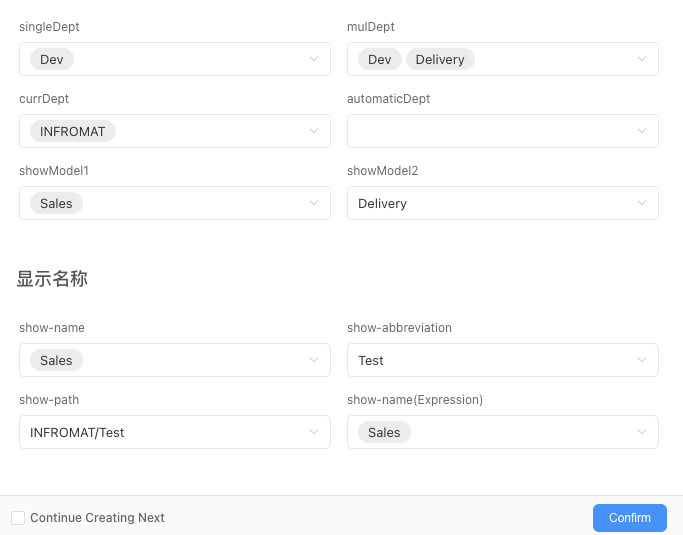
Department Selection
Description
| Item | Content |
|---|---|
| Category | Controls |
| Storage Type | TableDepartmentSimple,Array<TableDepartmentSimple> |
| Sortable | Yes |
| Filterable | Yes |
| Supported Filter Types | Contains, Does Not Contain, Equals, Does Not Equal, Is Empty, Is Not Empty, In List, Not In List |
Settings
| Setting | Description |
|---|---|
| Allow Empty | Set whether the field is required |
| Multiple Selection | When enabled, the department selection will support multiple selections, enabling multiple selection will change the field storage type |
| Placeholder in Form When Empty | Text displayed in the input box when no information is entered in the field |
| Use Current User's Department as Default Value | When enabled, the current user's department will be used as the default value. If the member belongs to multiple departments and department selection is single choice, only the first department will be selected |
| Display Mode | Set the display mode of field content Options: Default、Text |
| Display Name | Set the display format of department name Options: Name、Short Name、Full Path |
| Use Expression to Calculate Content | You can use expressions to calculate the display name, for example ${String.substr(value.path,String.indexOf(value.path,'/')+1, value.path.length)} can hide the top-level department in the full path |
| Use Automation to Set Candidate List | Support using automation to return candidate list |
Note
Because the storage types of single selection and multiple selection are different, enabling/disabling multiple selection may cause data loss, please operate with caution
Database Storage Format
| Field Type | Description |
|---|---|
| jsonb | Store JSON format data, see below for JSON data structure |
In the data table, the department selection field data is stored in JSON format. If it is multiple selection, it is stored as a JSON array. The JSON structure is as follows:
ts
interface TableDepartmentSimple {
	id:string;//ID
	name:string;//Name
	shortName:string;//Short Name
	path:string;//Path
}Use Automation to Set Candidate List
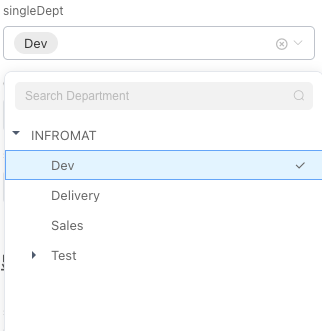
Display Effect