Example: Leave Application Process
Overview
This article uses a common "leave application" process as an example to introduce the overall configuration of BPMN workflows. Through this example, you will understand how workflows operate in handling leave processes. As a typical business process, the leave application process can help you better understand the practical application of BPMN workflows. We will detail the definition and configuration of the process, and explain the functions and interaction methods of each link. Let's explore the working principle of the workflow engine and its application in leave processes together.
Process Introduction
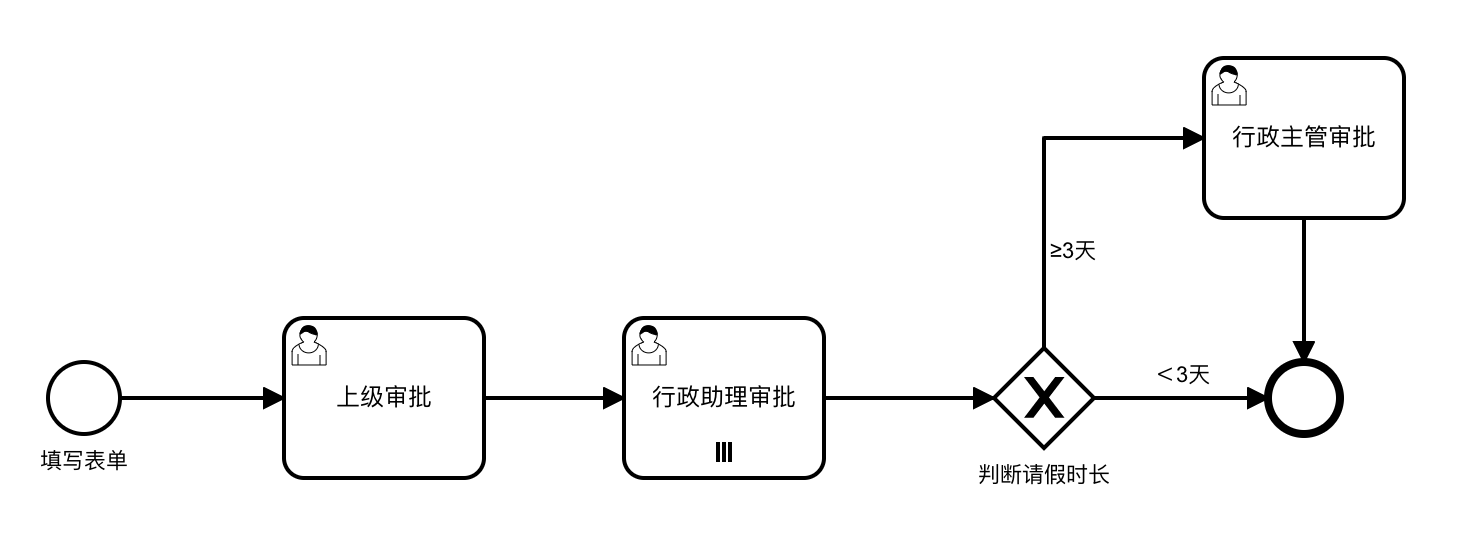
Suppose our leave application process is as follows: The initiator submits a leave application, which is completed after approval by the superior and administrative assistant. If the leave duration is 3 days or more, it needs to be approved by the administrative supervisor to be considered as a successful leave application.
Process Diagram
Based on the assumed leave application process, we have drawn the following flow chart to show the structure and flow of the process:
Data Table
The data table structure for storing leave application form data is as follows:
| Field | Type | Description |
|---|---|---|
| leaveType | List Selection | Leave Type, including: Annual Leave, Sick Leave, Personal Leave, Compensatory Leave |
| startDate | Date | Leave Start Time |
| endDate | Date | Leave End Time |
| reason | Multi-line Text | Reason for Leave |
| durations | Function | Leave Duration. Specific configuration: DATE(endDate) - DATE(startDate) + 1 |
durations configuration:
DATE(endDate) - DATE(startDate) + 1Workflow Configuration
In the Leave Application process, the initiator needs to fill out the leave application form and obtain approval from the superior and administrative assistant. If the leave duration is 3 days or more, approval from the administrative supervisor is also required. The following is the specific workflow configuration:
Global Settings
Add a start form for the initiator to fill in leave application information. 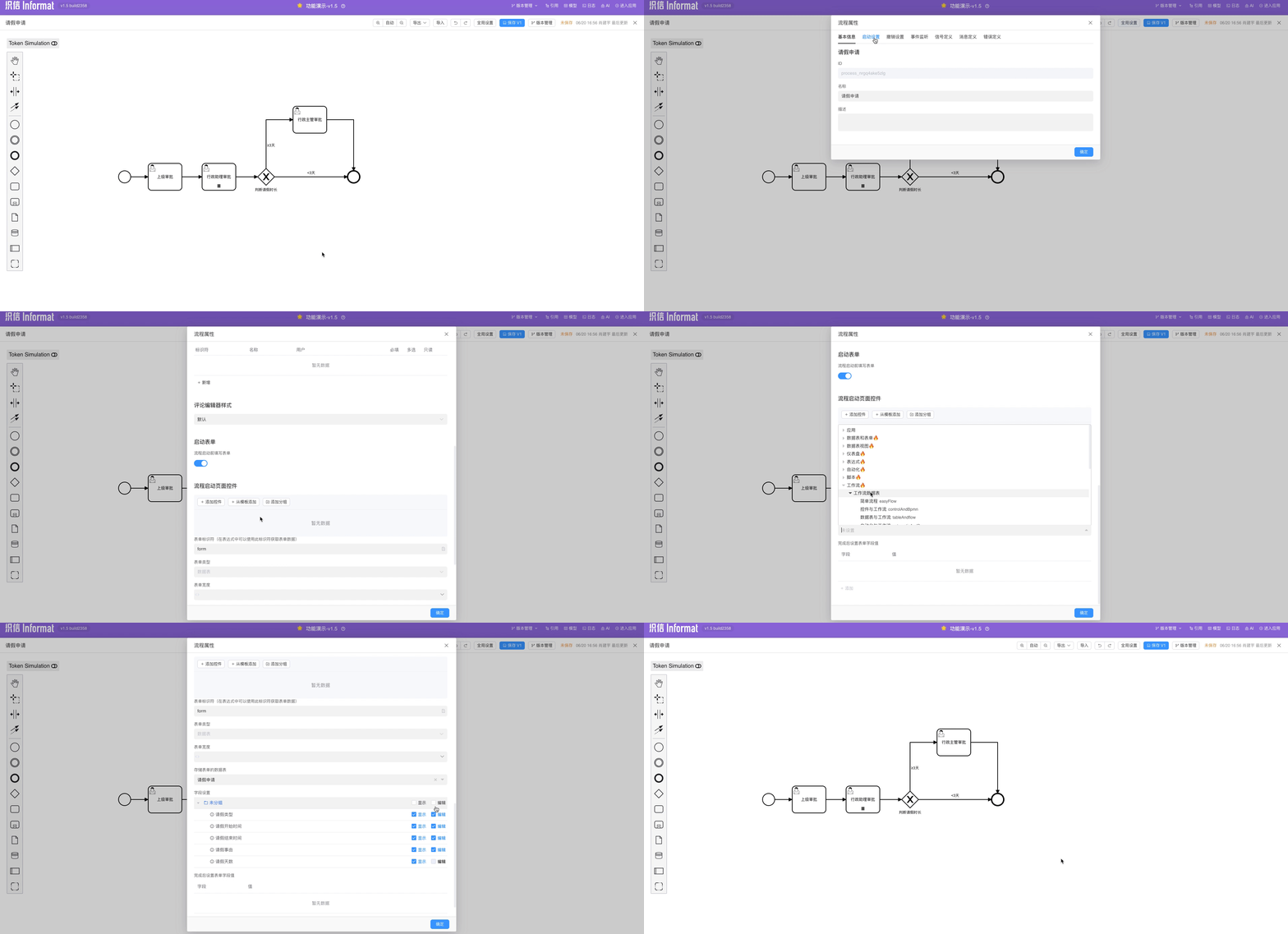
Superior Approval Node
Directly assign user tasks to the initiator's superior by configuring the handler, defaulting to "or sign" behavior. 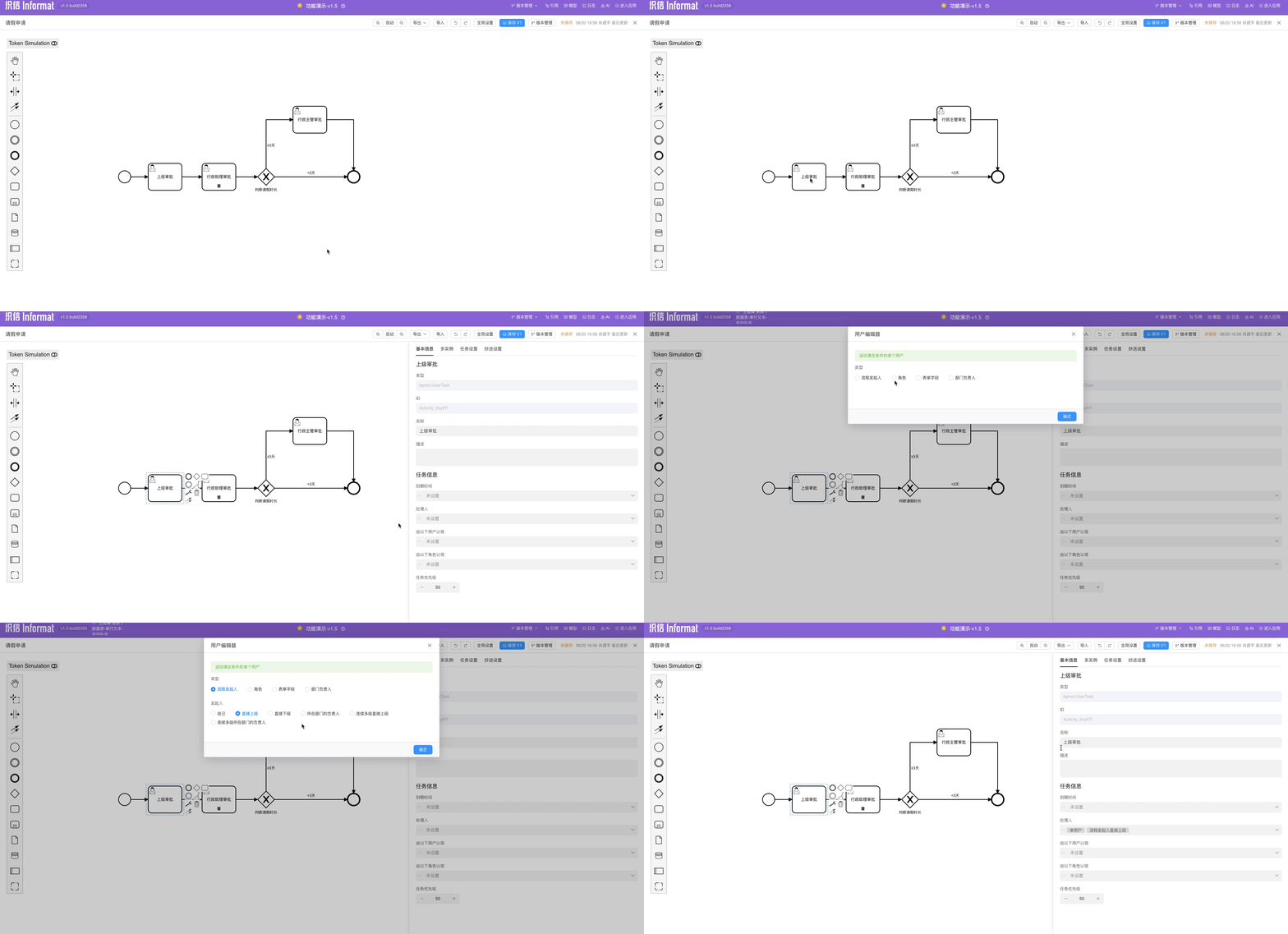
Administrative Assistant Approval Node
Use multi-instance to configure "or sign" behavior, with the handler set to ${adminAsitor}. 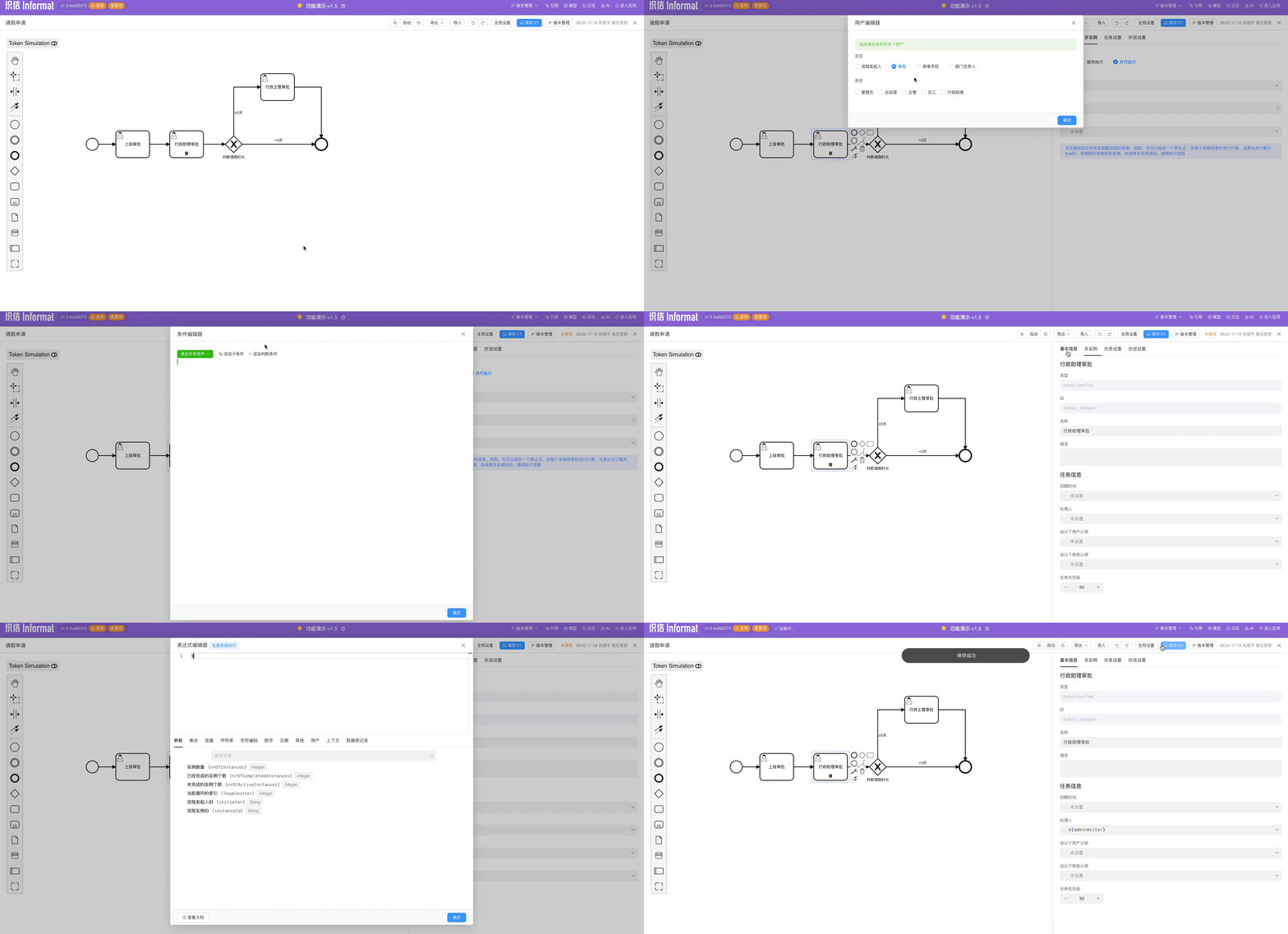
Determine Leave Duration
Add an exclusive gateway and configure flow rules. The system determines the process flow to the eligible branch based on the flow rules. 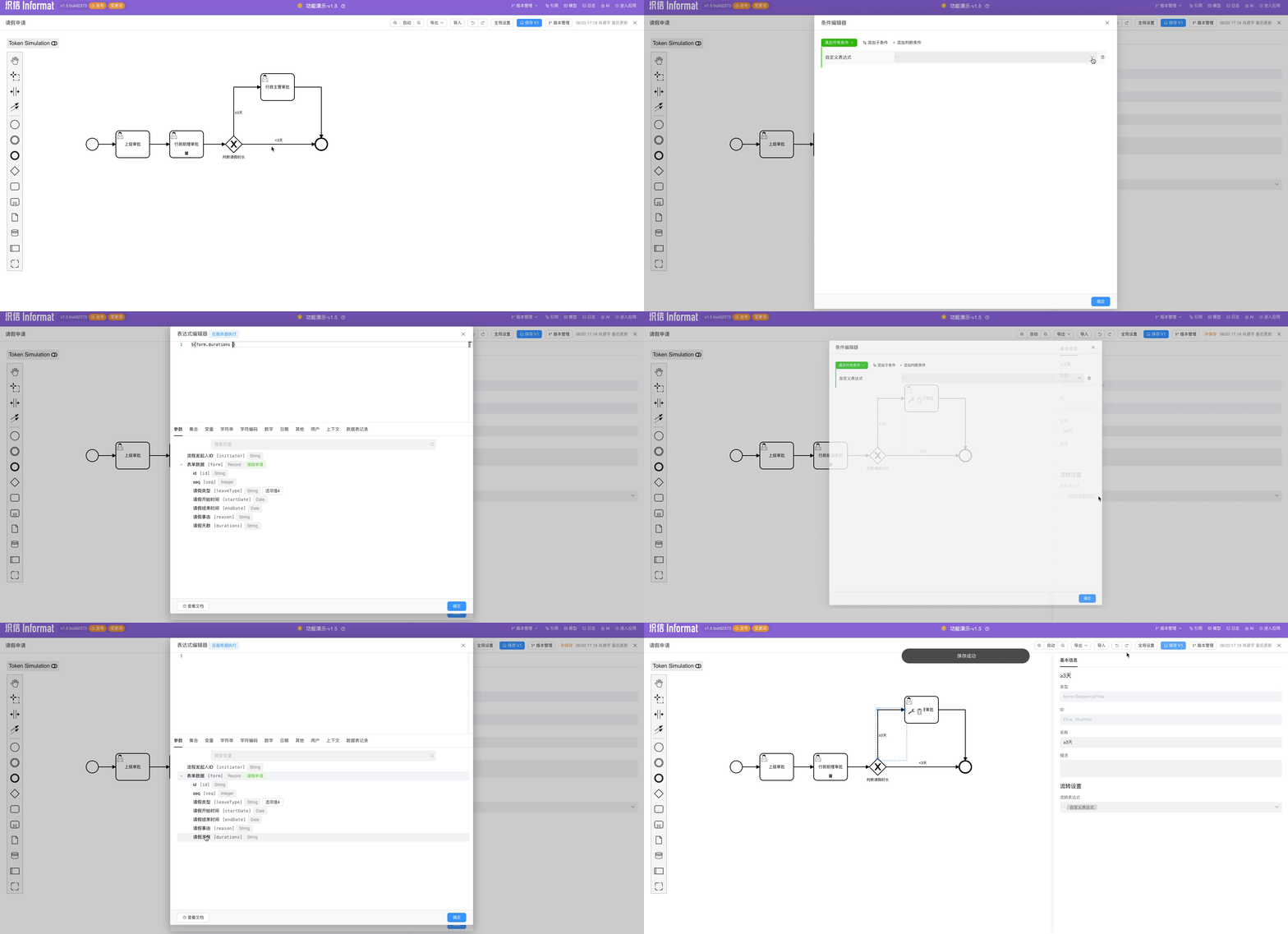
Administrative Supervisor Approval Node
Similar to the superior approval node, select the administrative supervisor as the handler.
For the settings of all user task nodes, please refer to the following example diagram: 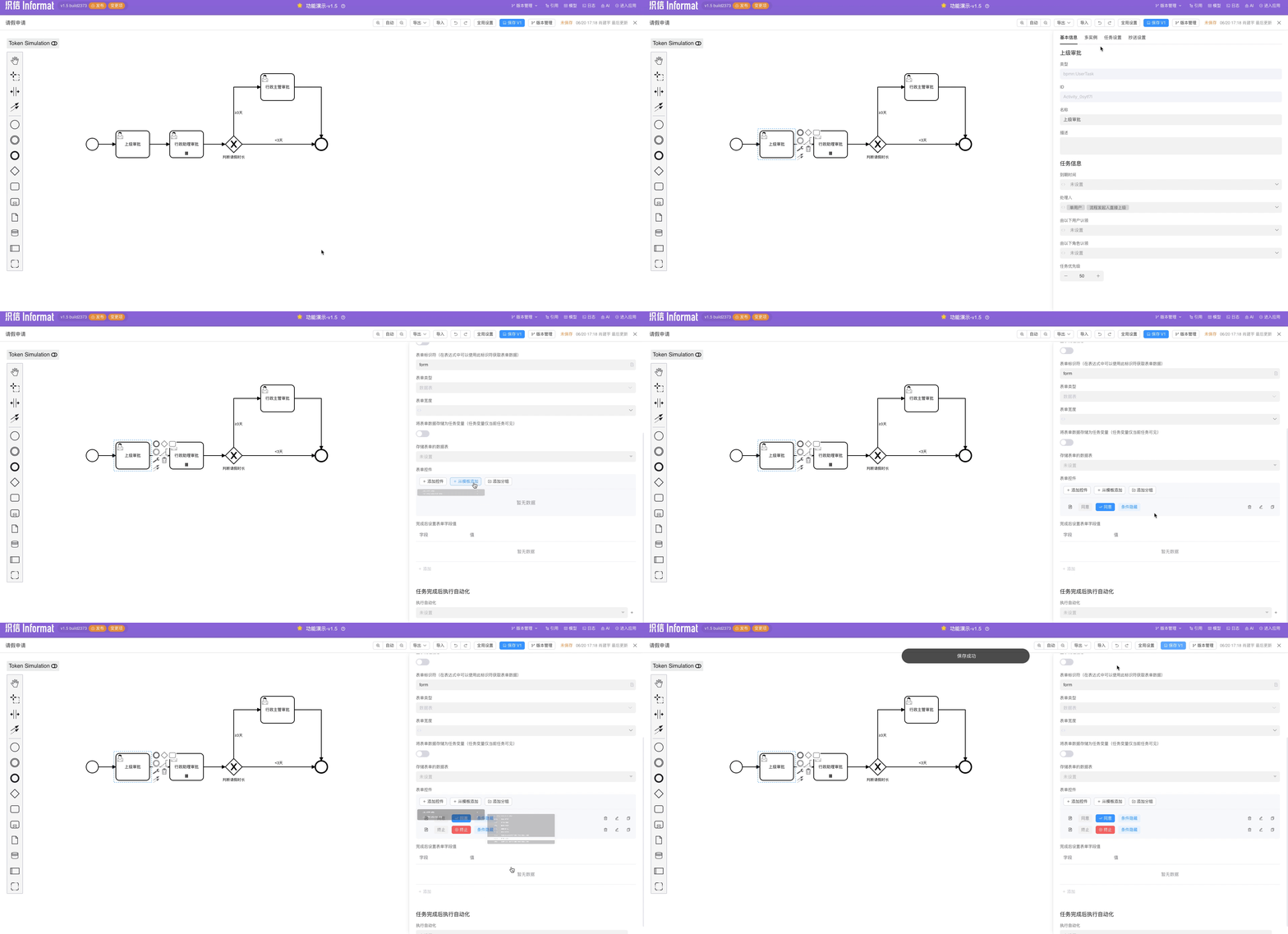
Effect Diagrams
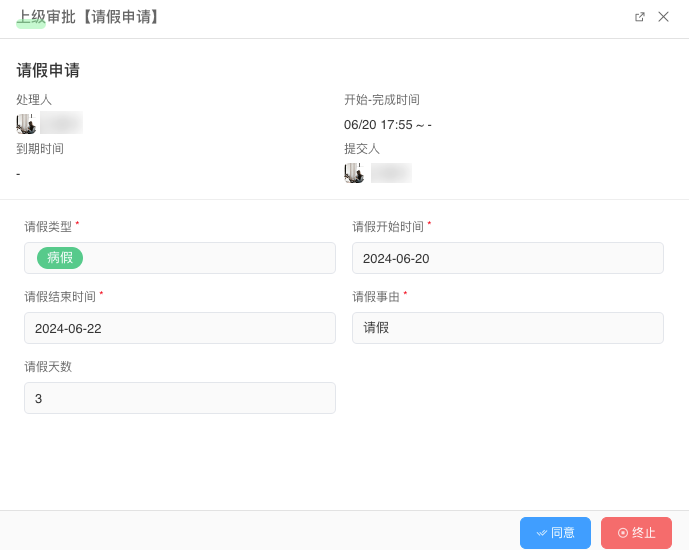
Application Form: 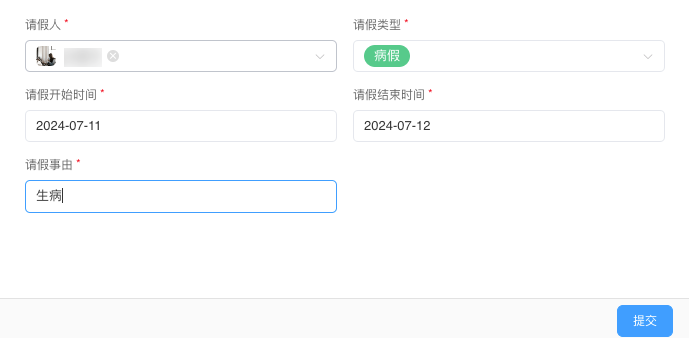
Superior Approval Task: