

Login Settings
Login Page
By default, users log in to the system uniformly through the workbench and then enter the application from the workbench page. After enabling the Application Login Page, the application will have an independent login page, allowing the application to run independently without the workbench.
The independent login page address for the application is as follows:
Desktop
https://ai.ainformat.com//auth/app/${appId}/0Mobile
https://ai.ainformat.com//mobile/app_login/${appId}/0Where ${appId} is the application's ID.
You can also customize the title, logo, background image, and description text for the login page.
Here is an example:
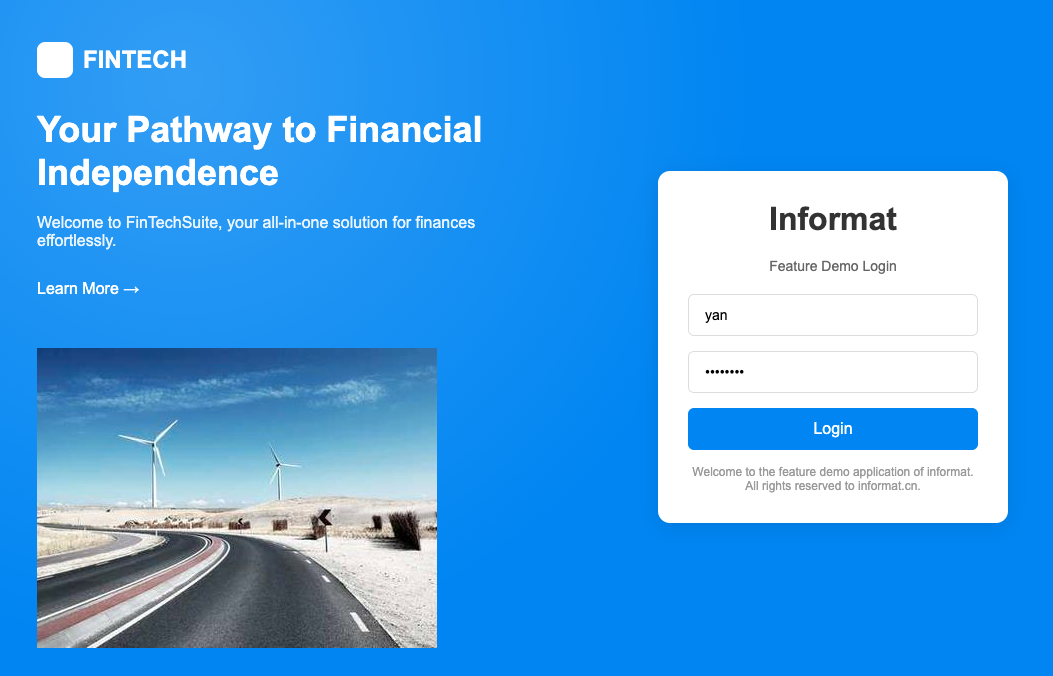
In the above example, theme styles are also used to adjust the login form to display on the right side. The code is as follows:
.login.auth .theme-auth-view {
  position: absolute;
  right: 100px;
  top: calc(50vh - 350px);
}User Extended Information
The user extended information feature allows setting session information bound to the user by calling an automation. This information is stored in the expression variable user.userInfo and can be referenced in expressions, automations, and scripts through expressions during configuration.
Here is an automation code snippet for setting user extended information:
let userSession = {
  role: "admin",
  department: "Sales Department",
};
automatic.setReturnValue(userSession);Access it using the following expression in automations:
${User.userInfo(Context.userId()).userInfo}Access it through the following expression on the client:
${user.userInfo}