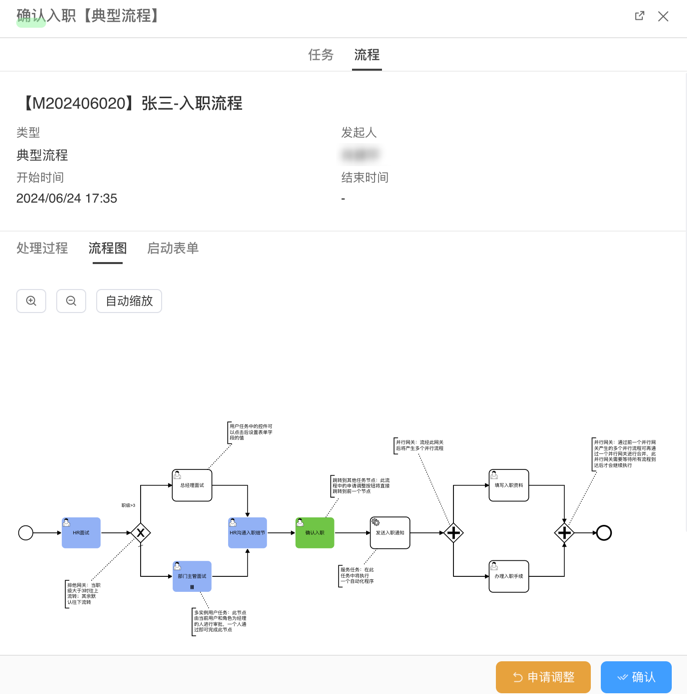
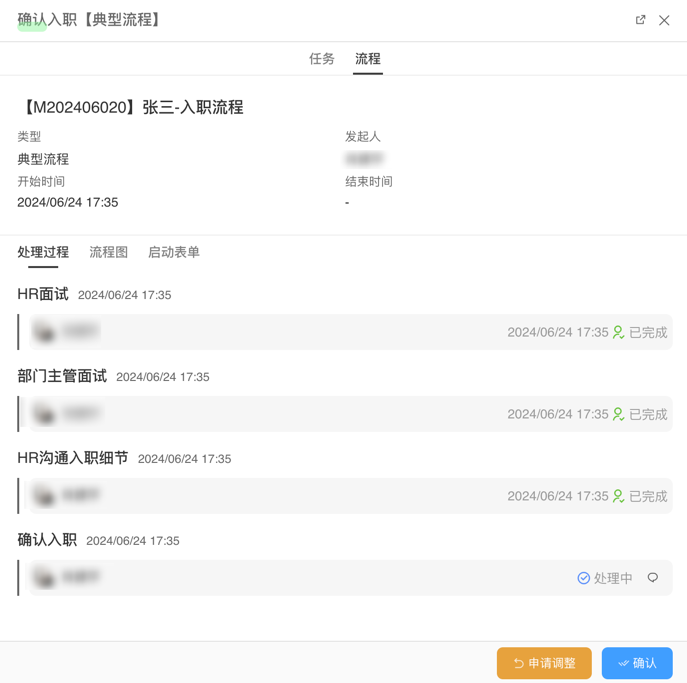
Example
Overview
This article will use the “Onboarding Application” workflow as an example to introduce the overall configuration of a BPMN workflow. Through this example, you will understand how the workflow operates during the onboarding process. As a typical business process, onboarding can help you better grasp the practical application of BPMN workflows. We will detail the definition and configuration of the process, explain the functions and interactions of each step, and guide you to a deeper understanding of how the workflow engine works and its role in interview and onboarding processes.
Process Overview
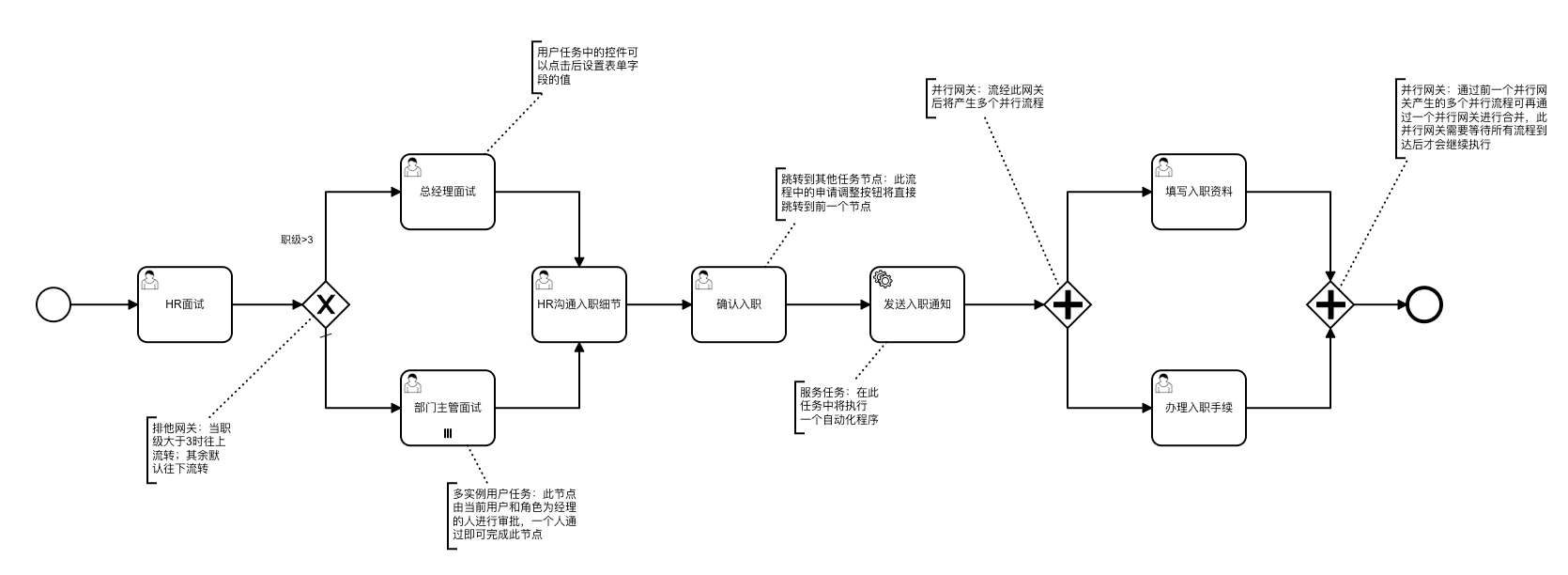
Overview of the On-boarding Process
- The initiator submits an interview request.
- After the department head or general manager approves, the interview process is completed. If the rank is less than or equal to 3, any department head can approve the interview. If the rank is greater than 3, the general manager must approve the interview.
- After the interview is passed, HR communicates with the employee to detail the onboarding process.
- Once the onboarding is confirmed, an onboarding notification is sent to the employee.
- The employee must fill in the onboarding form and complete the onboarding process.
Process Flowchart
Flowchart of the On-boarding Process
Data Tables
Data Table Structure for Onboarding Application Forms
| Field | Type | Description |
|---|---|---|
| code | Number | Interview code |
| name | Text | Employee name |
| sex | List | Gender; options: man-Male, woman-Female |
| idNo | Single-line text | ID card number |
| post | Single-line text | Position / Job title |
| level | Integer | Job grade / Level |
| salary | Decimal | Salary |
| status | List choice | Process status; options:wait-Not interviewed, atInterview-In interview, toBeEmployed-Pending onboarding,working-In progress, finish-Onboarded, eliminate-Eliminated |
| biographicalNote | Attachment | Résumé / CV |
| contract | Attachment | Labor contract |
Serial-number calculation expression:
M${Misc.formatDate(Date.sysdate(),'yyyyMM')}${String.lpad(seq,3,'0')}Workflow Configuration
In the Onboarding process, the initiator needs to fill out the application form and pass the interview approval from the department head or general manager. Below are the specific configurations of the workflow:
Global Settings
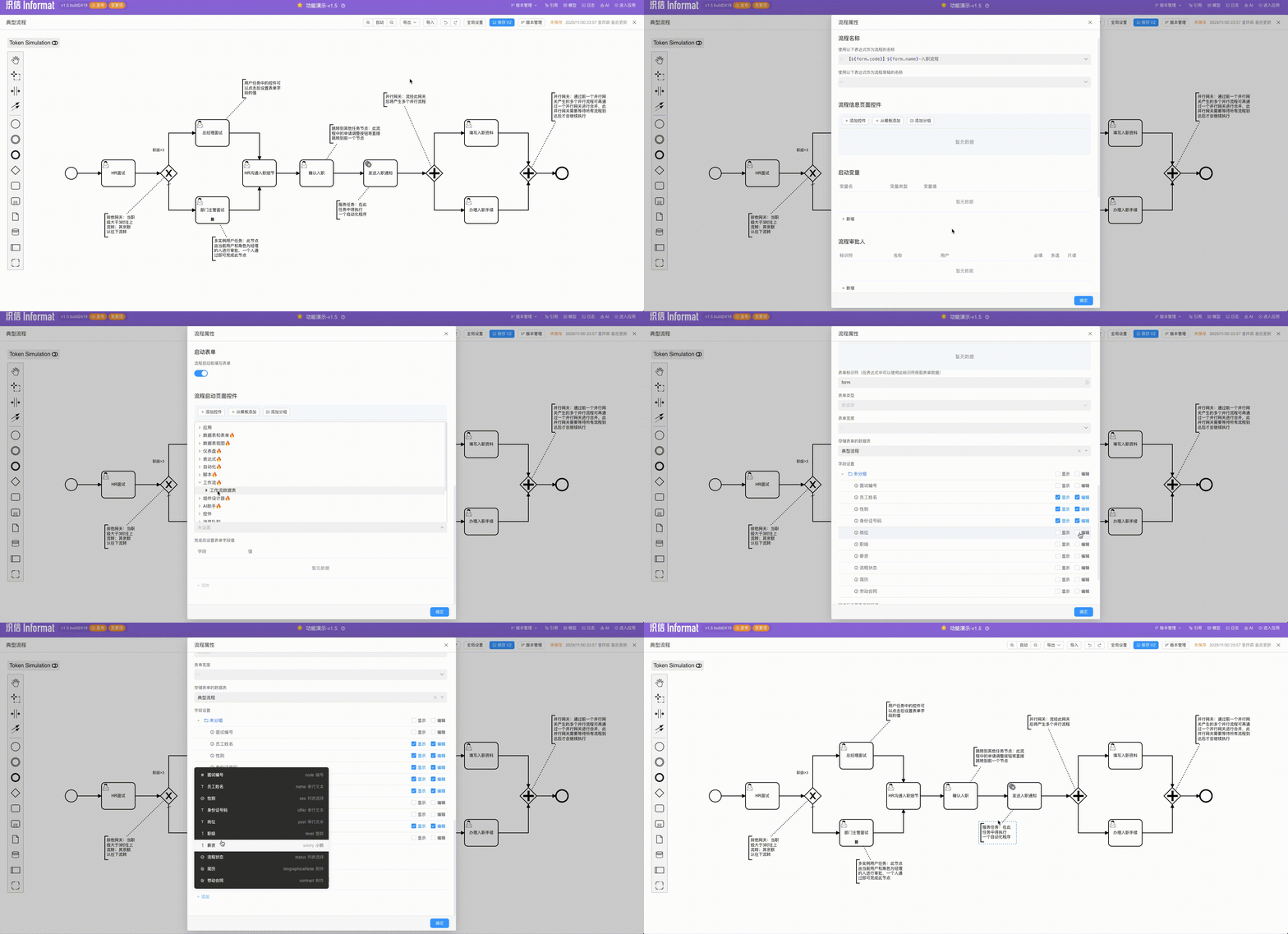
Start Settings
- Set the process instance name: 【${form.code}】${form.name}-Onboarding Process
- Add a start form for the initiator to fill out the interview application information.
- Tick the fields that need to be filled out.
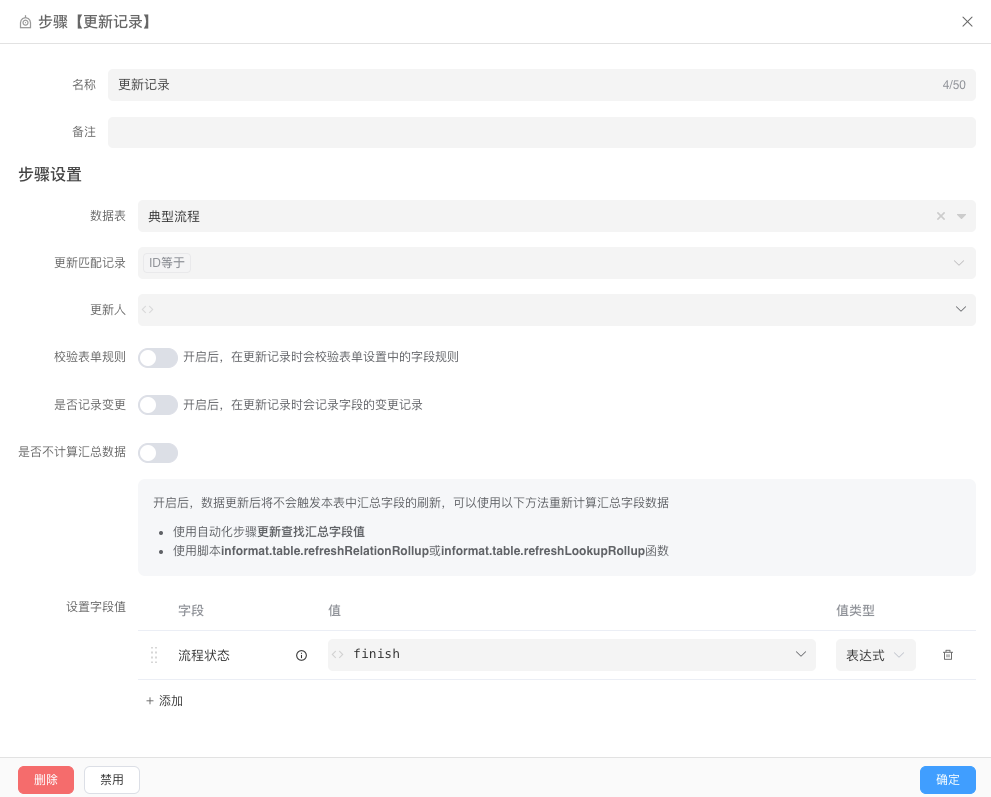
- After completion, set the form field values, status=atInterview
Event listening
- Create an event listener to listen for the
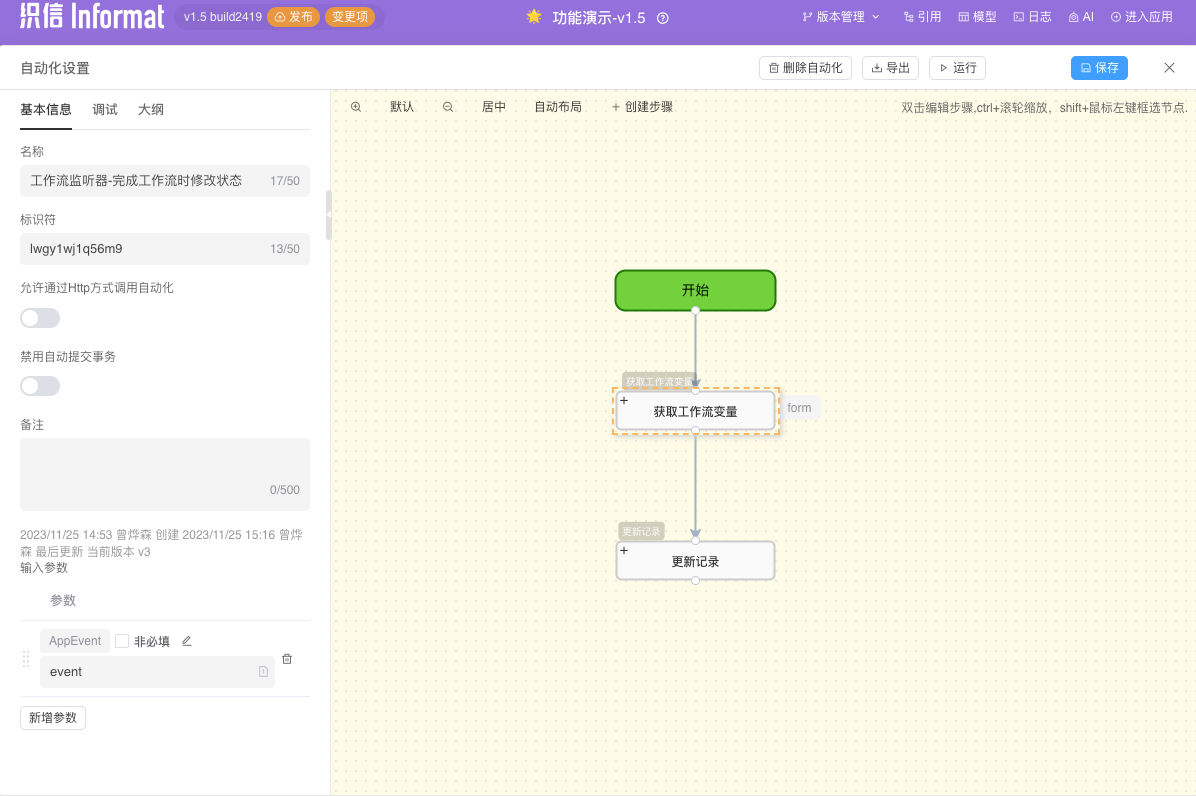
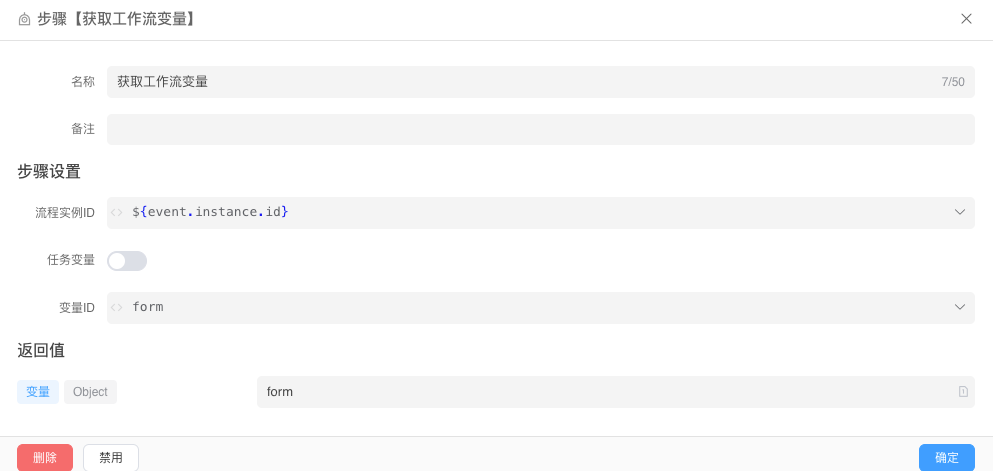
Process Completionevent and call the update workflow status automation.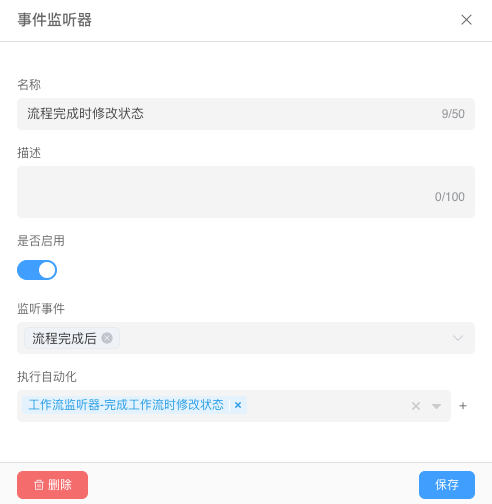
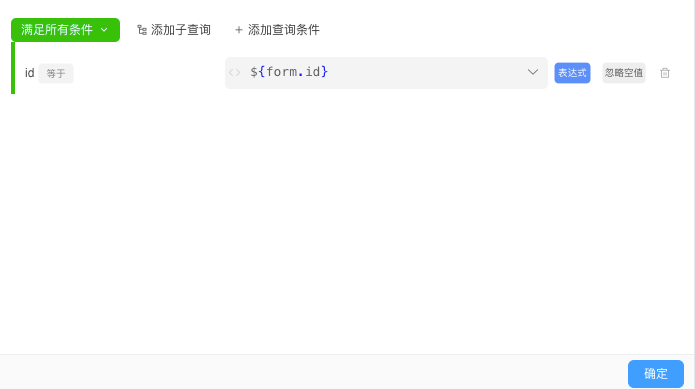
- Call the automation
HR Interview Node
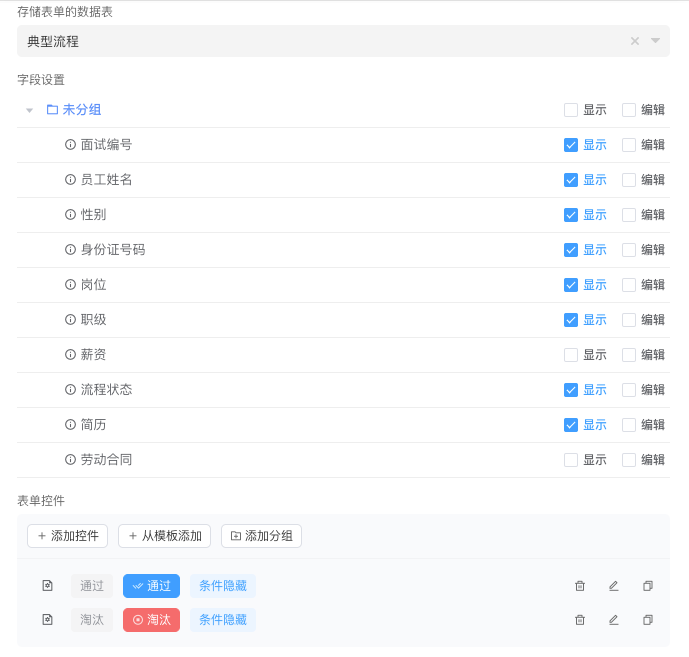
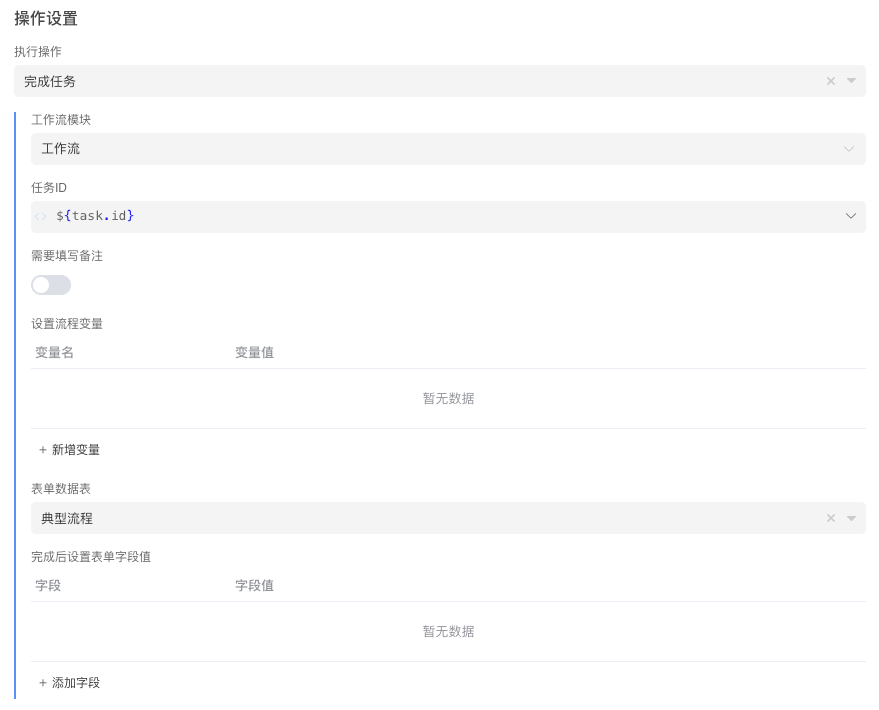
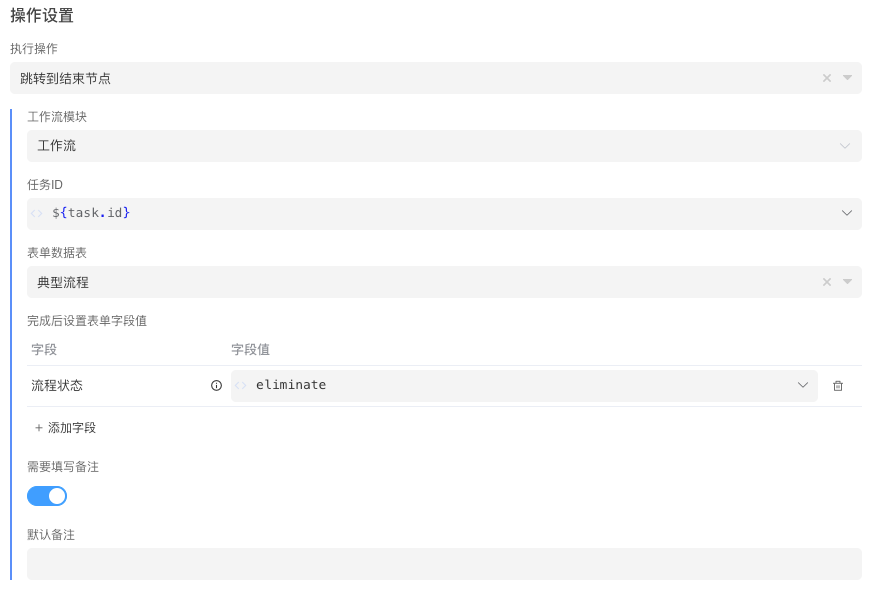
Task Settings:
Rank Judgment
Add an exclusive gateway and configure the transition rules. The system will determine the flow direction based on the transition rules.
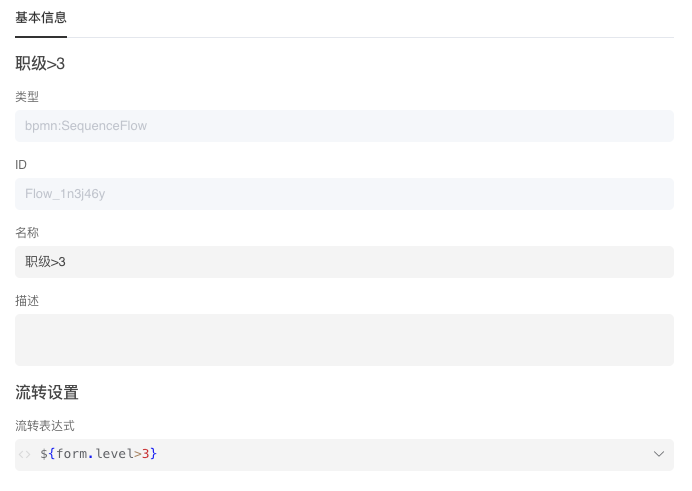
Transition Expression:
${form.level > 3}Department Manager Interview Node
Use multi-instance configuration to handle or-signal behavior. Set the assignee to ${departmentManager}. The task settings are consistent with the HR interview node.
Basic Information: 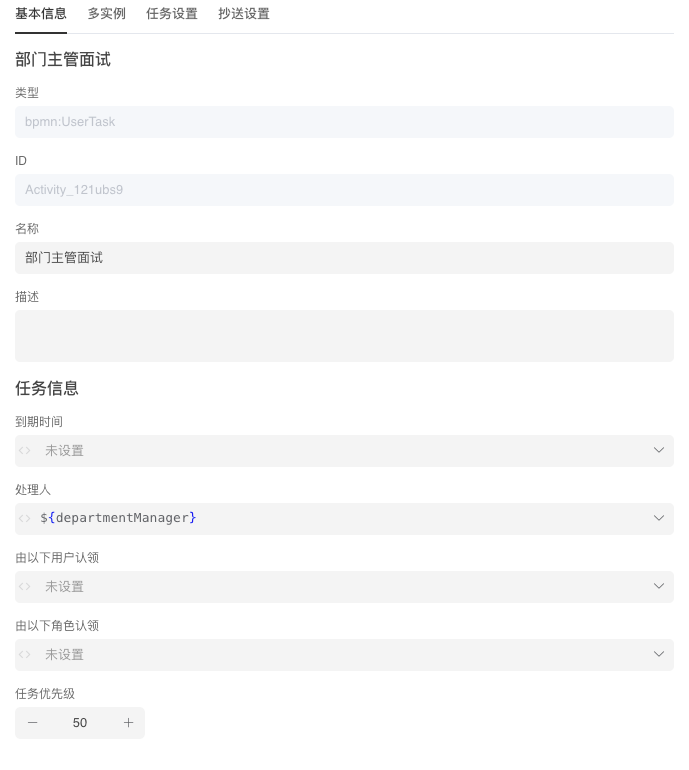 Multi-Instance:
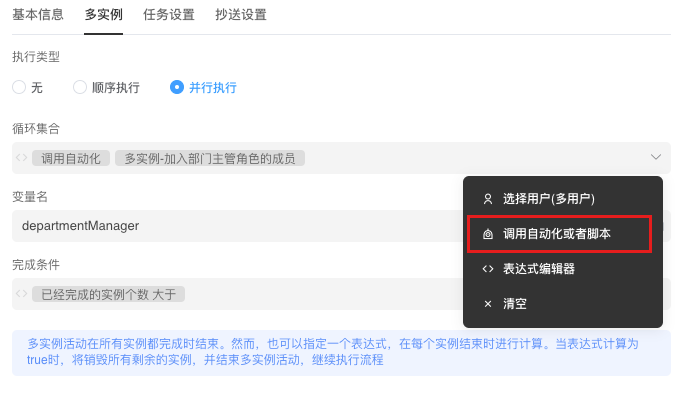
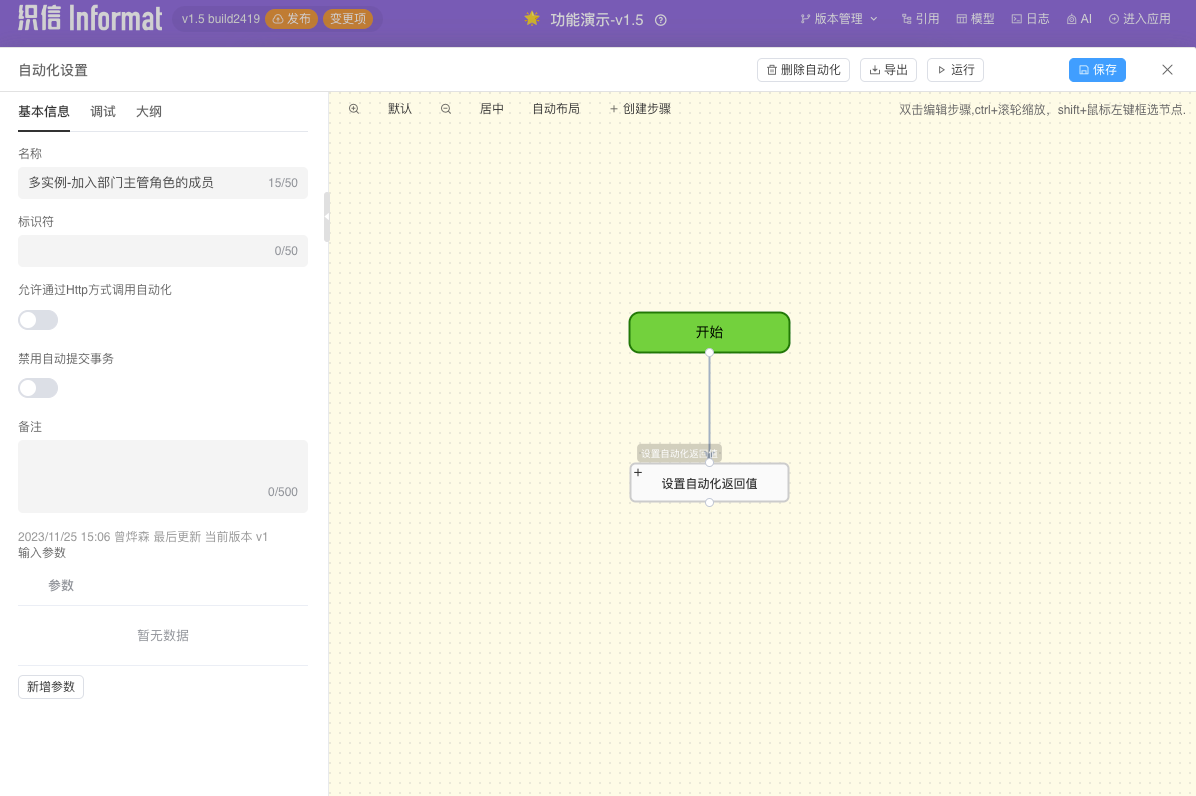
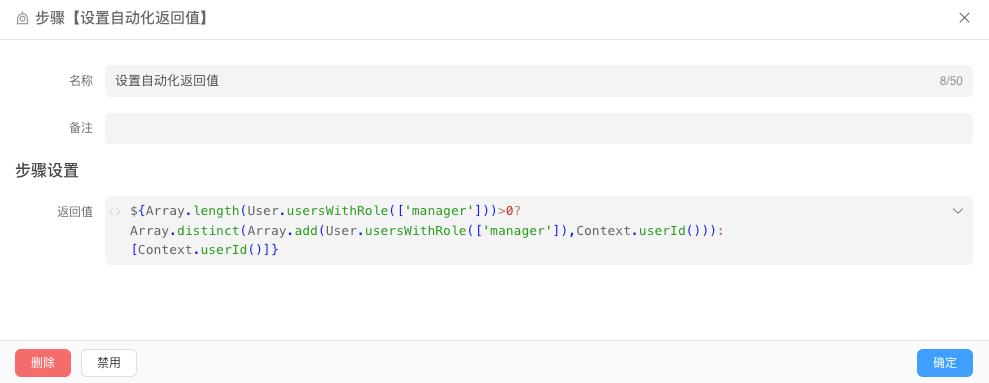 Automation Expression:
General Manager Interview Node
Similar to the HR interview node, simply select General Manager as the assignee.
HR Communication Hiring Details
When communicating with the hired employee, you need to modify the employee's salary and rank. Task Settings:
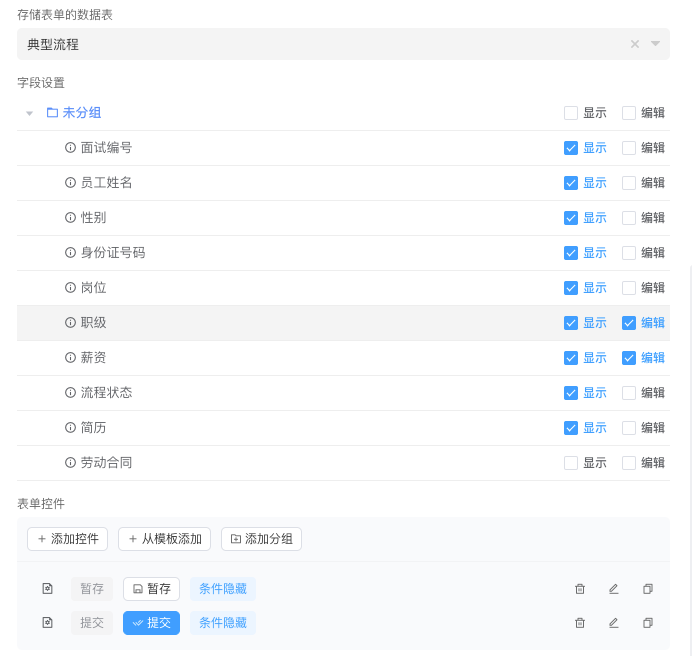
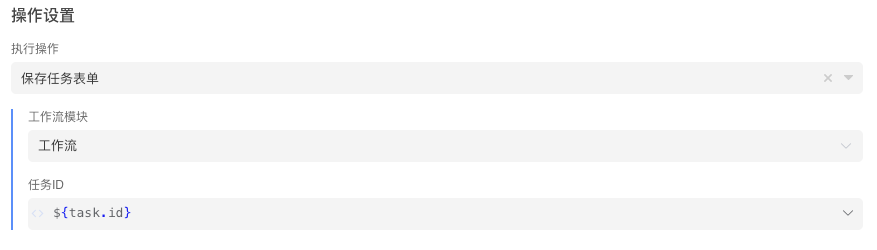
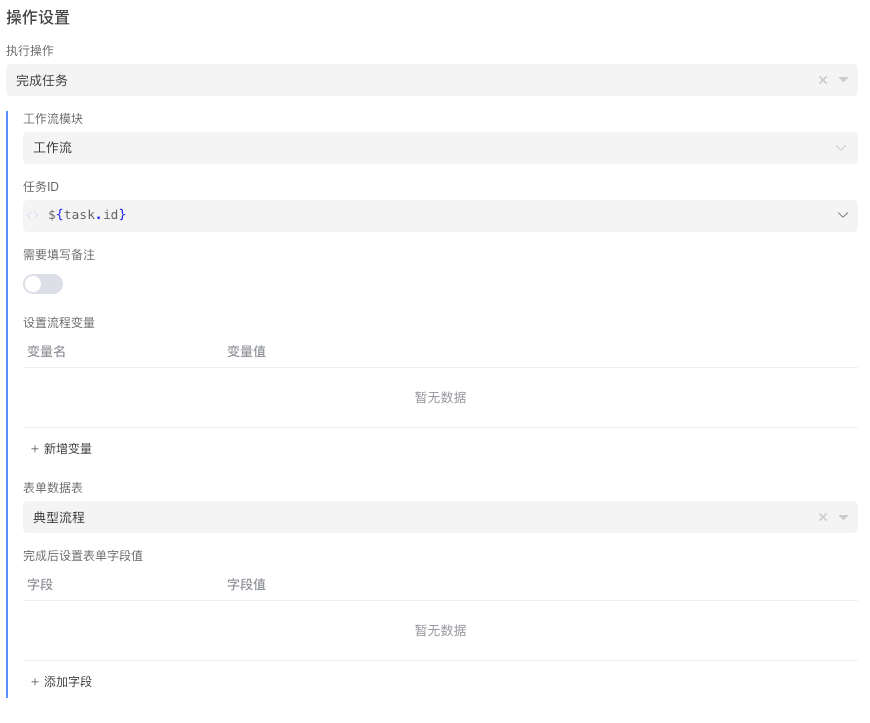
Confirm Hiring
Task Settings:
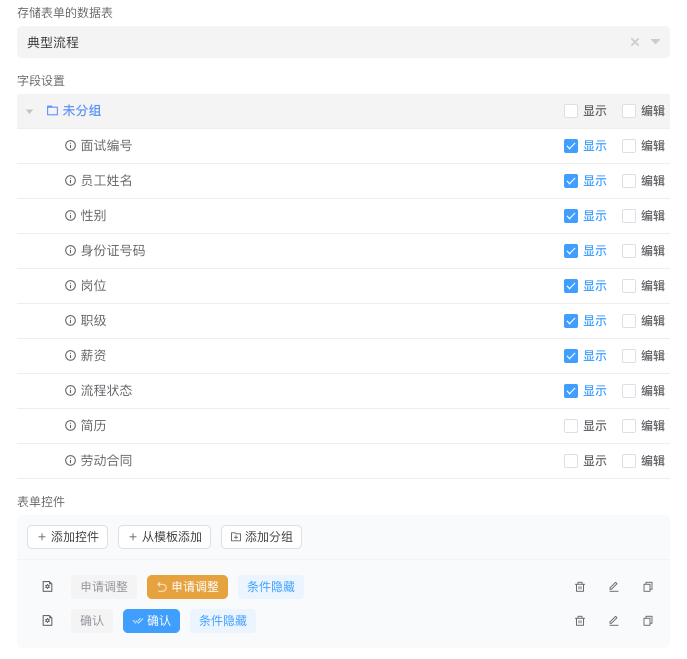
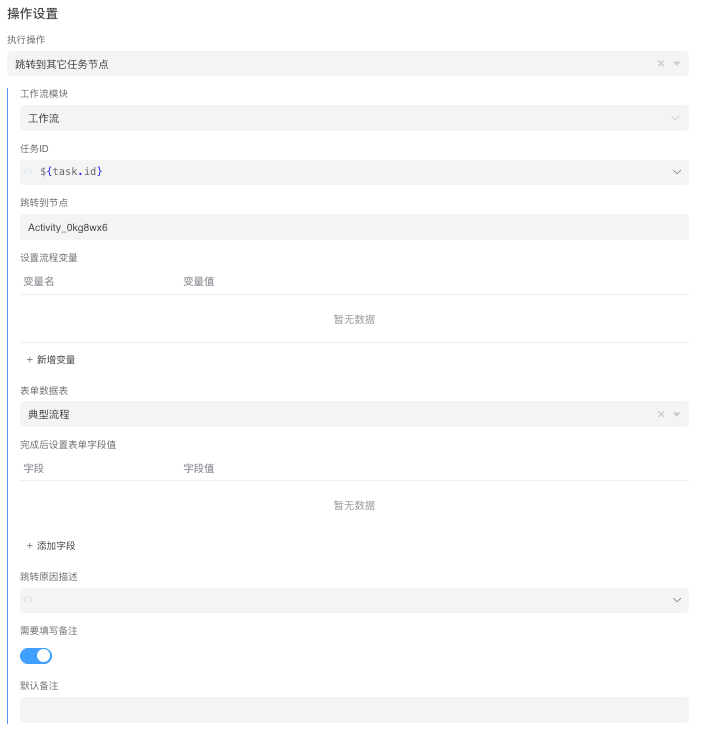
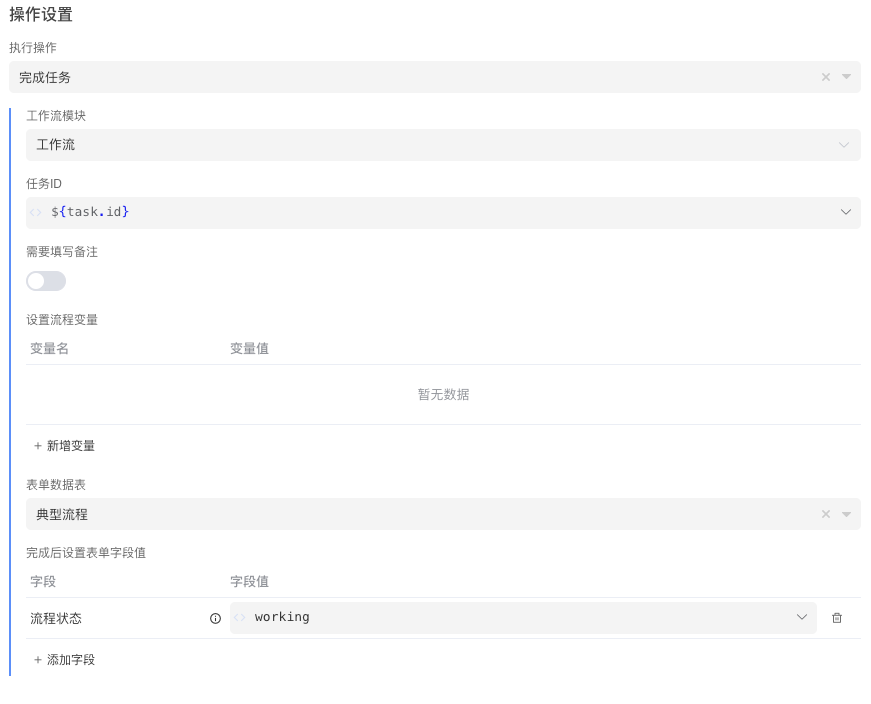
Send Hiring Notification
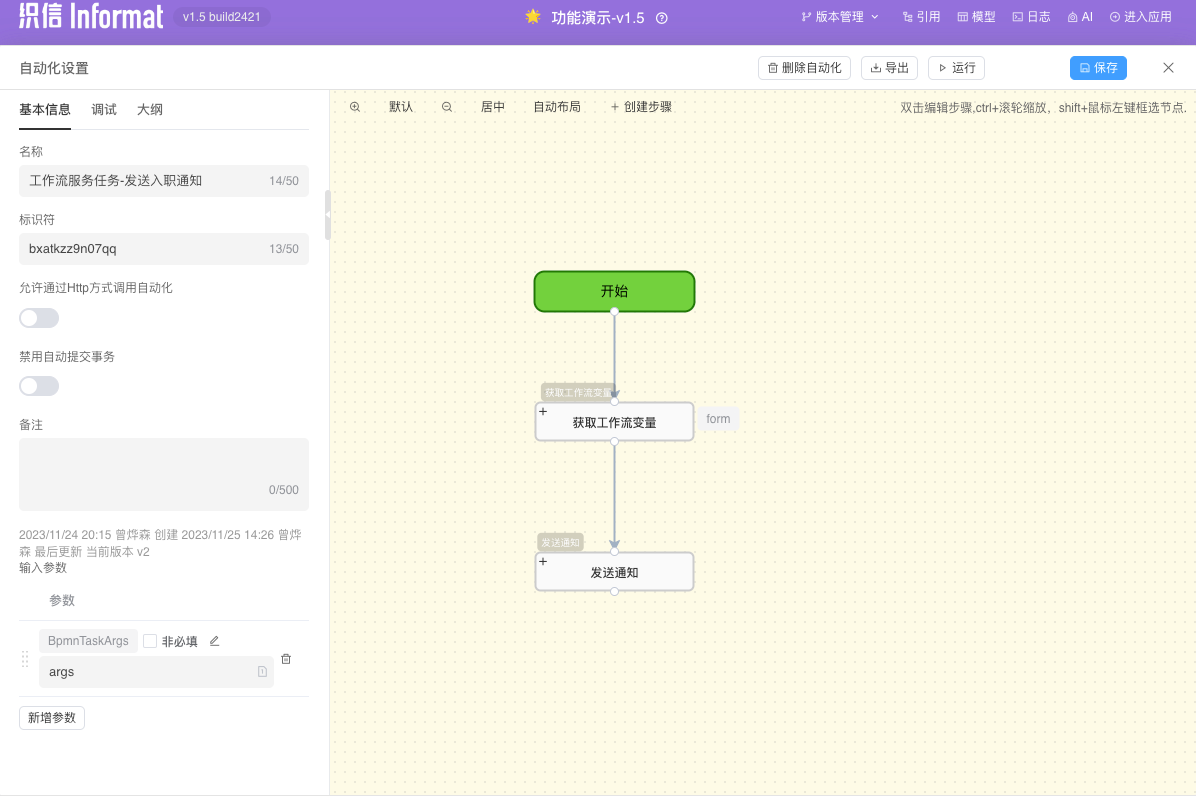
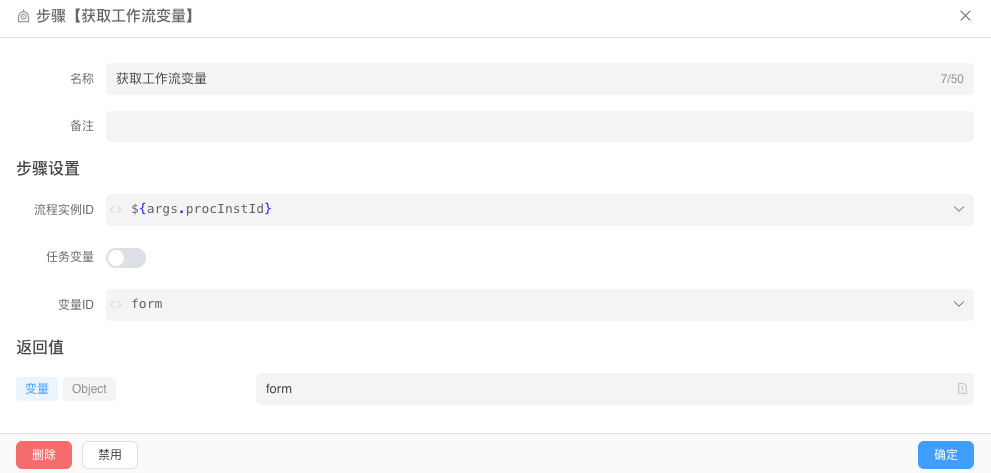
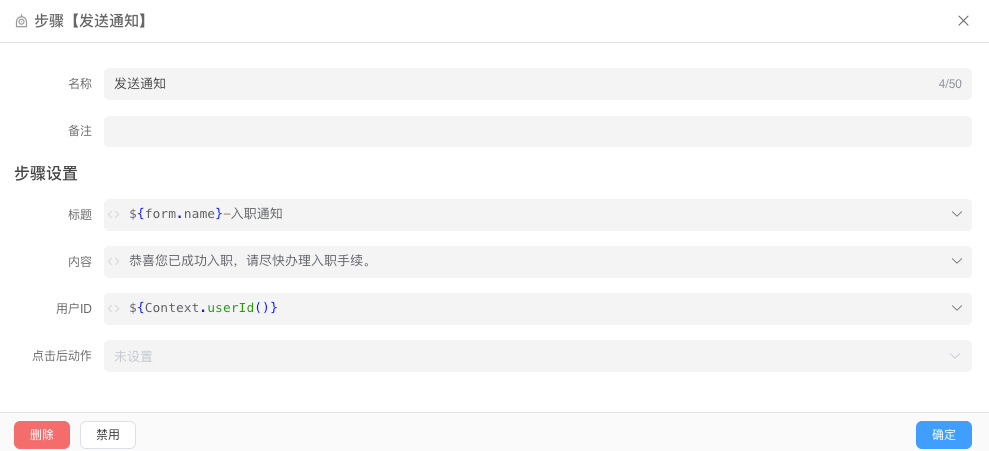
This node is a service task that will automatically call the automation, with the input parameter BpmnTaskArgs. No manual intervention is required. This example uses the built-in notification function in the Weixin system. If you need to use the SMS notification function, you can support it through third-party API services.
Fill in Hiring Details and Process Hiring Procedures
Use a parallel gateway to handle the nodes Fill in Hiring Details and Process Hiring Procedures in parallel. Task Settings: 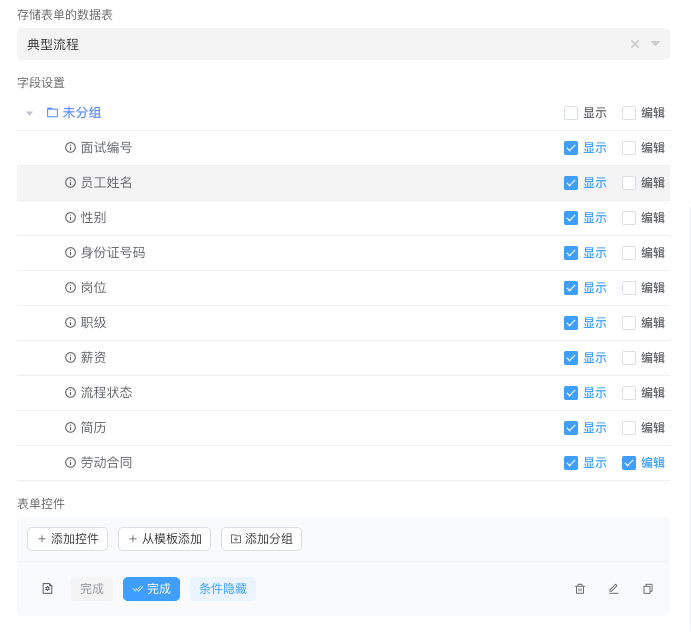
Effectiveness
Application Form: 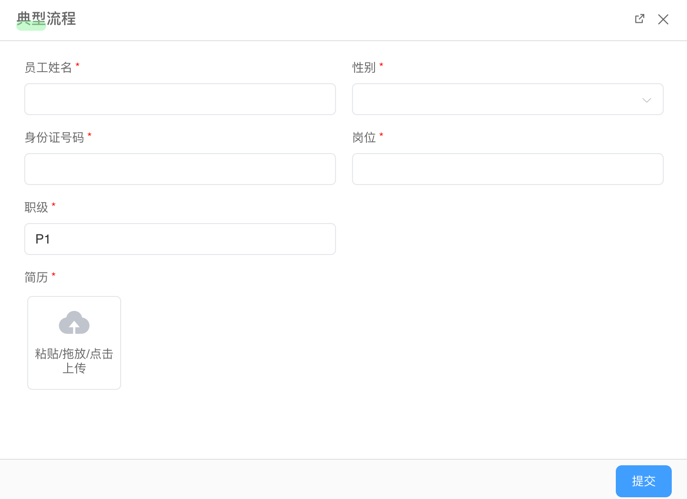 Process Information: