

Message Queue
Configuration Description
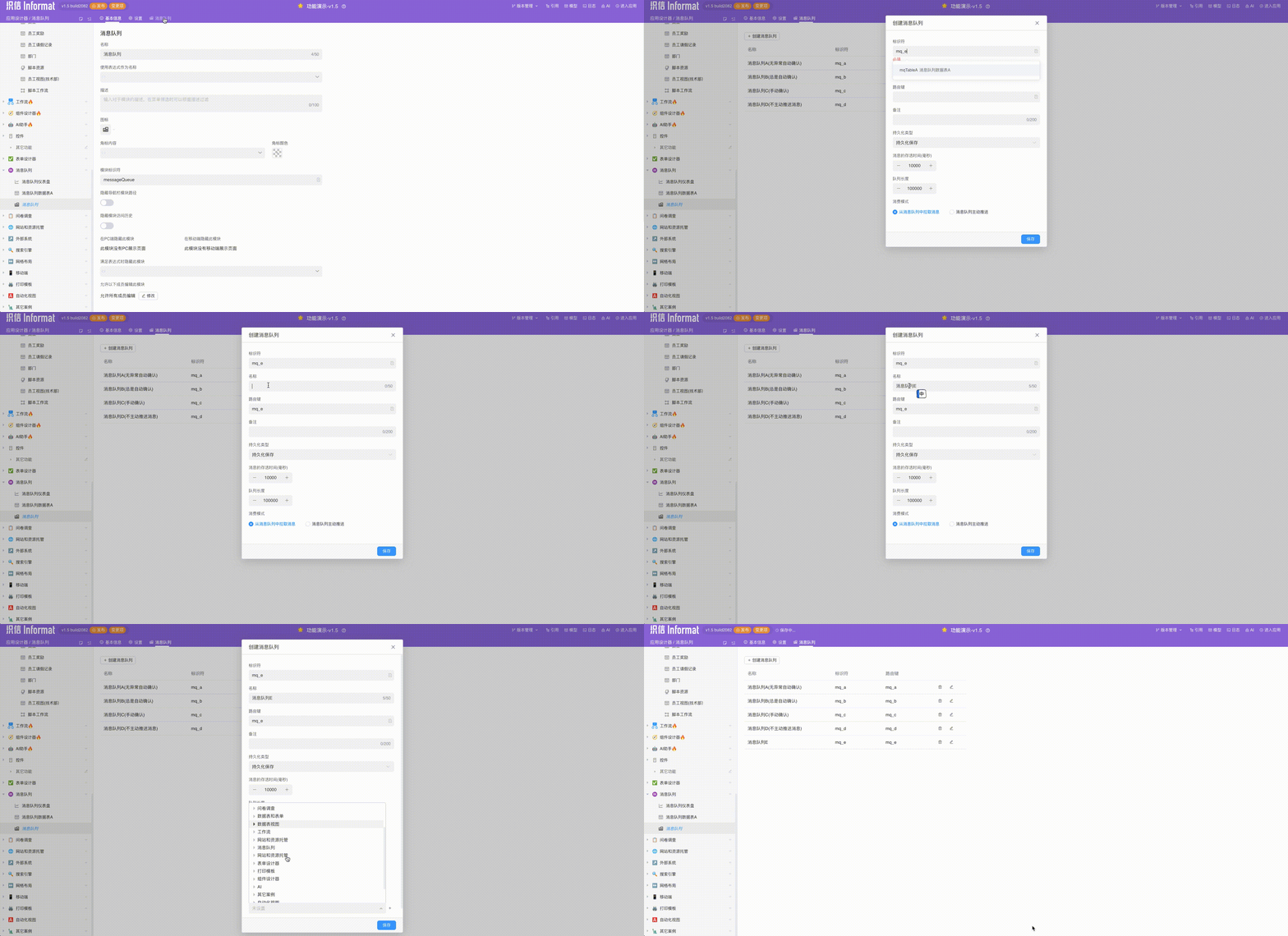
| Parameter | Description |
|---|---|
| Identifier | Message queue identifier |
| Name | Message queue name |
| Routing Key | Message queue routing key |
| Remarks | Remarks |
| Persistence Type | Persistent StorageNon-persistent Storage |
| Message TTL | Default is 10000, unit is ms |
| Queue Length | Default is 10000 |
| Consumption Mode | Pull Messages from QueueQueue Actively Pushes |
| Acknowledgment Mode | Automatic Acknowledge without ExceptionAlways Automatic AcknowledgeManual Acknowledge |
| Consumer Call Type | Select to call Automation Program or Script |
Pull Mode
When the consumption mode of the message queue is set to Pull Messages from Queue (i.e., pull mode), messages in the queue need to be actively pulled for consumption.
Usage Scenarios
- Traffic Control: Consumers pull messages according to their own processing capabilities to prevent system crashes caused by message accumulation.
- Batch Processing: Obtain multiple messages at once for batch processing to improve efficiency.
- Load Balancing: Consumers with strong processing capabilities pull more messages to achieve load balancing.
- High Priority Tasks: Selectively pull messages according to priority, giving priority to processing high-priority tasks.
- Dynamic Adjustment: Consumers dynamically adjust the pull frequency and quantity based on current load and processing capabilities.
- Resource-Constrained Environment: Only pull messages when resources permit to avoid overuse in resource-limited situations.
- Low Latency: Immediately pull the next batch of messages after processing a batch to reduce latency.
Implementation Process
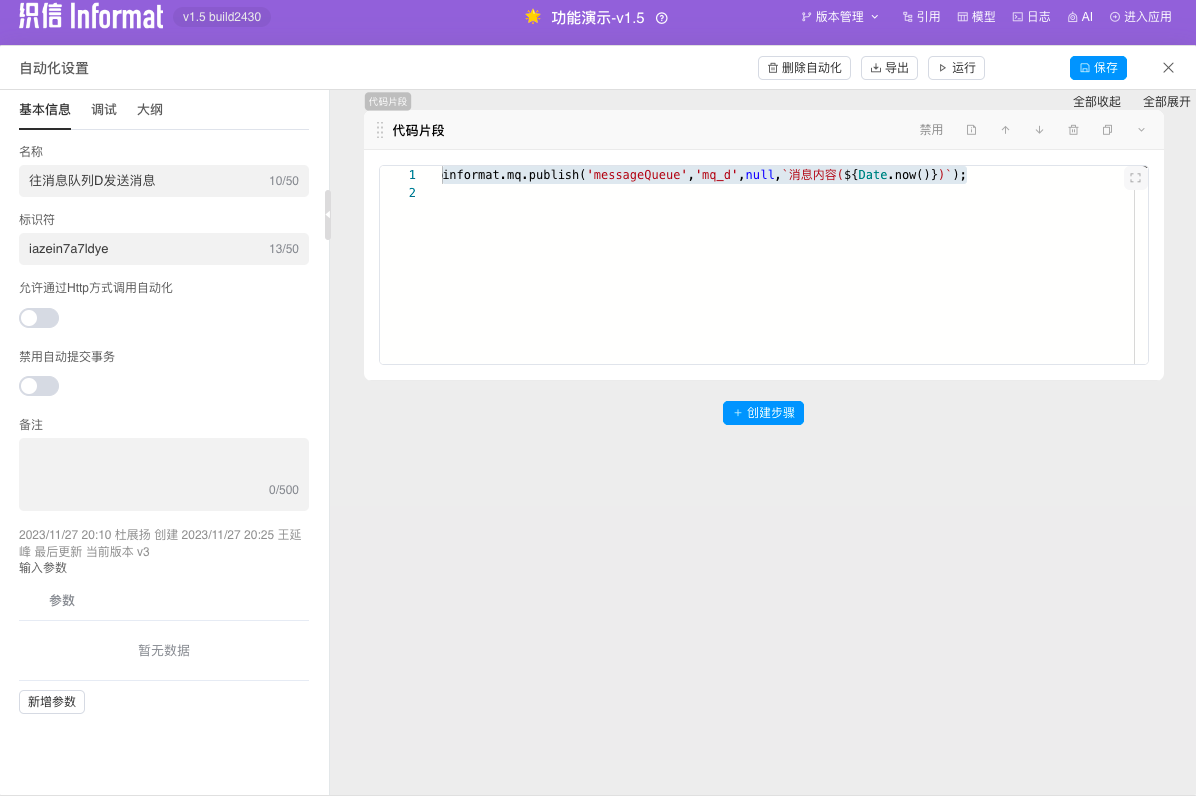
- Push messages to the corresponding message queue through informat.mq.publish
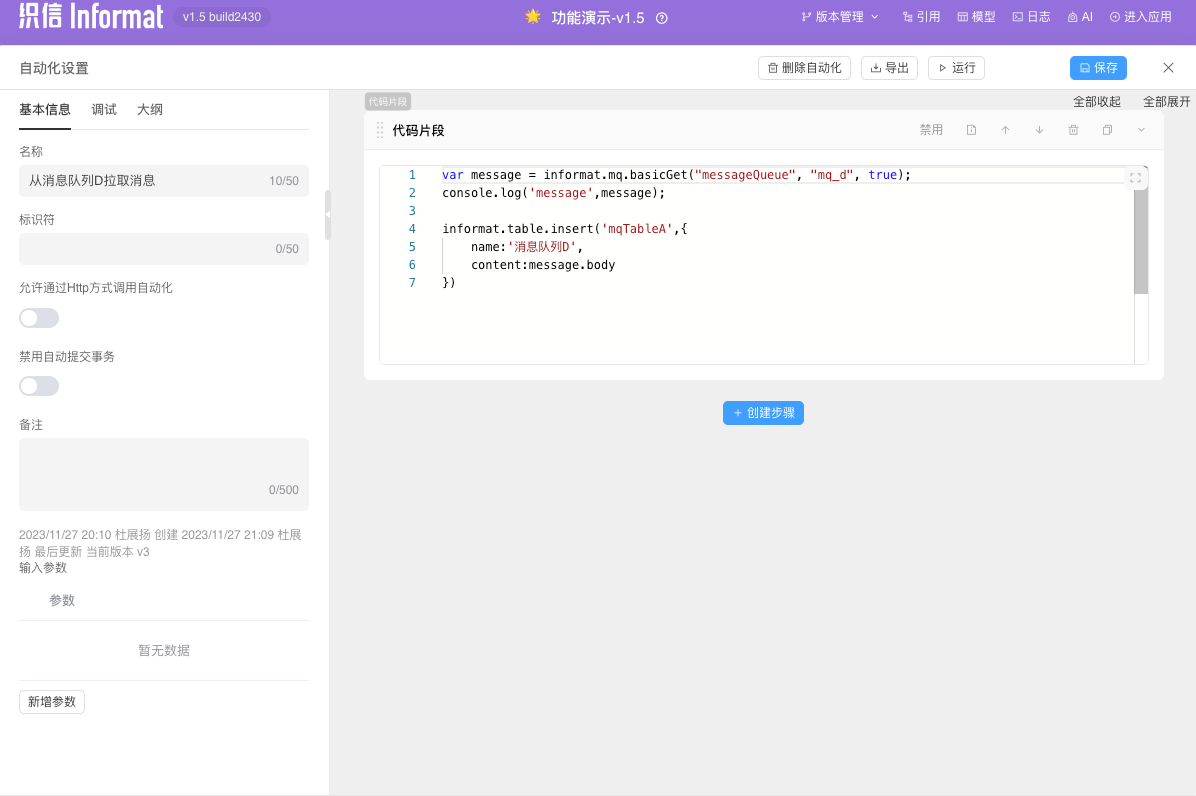
- Actively pull messages for consumption through informat.mq.basicGet in the code snippet of the automation program or script. If non-automatic acknowledgment is set, execute step 3.
- Manually acknowledge messages informat.mq.basicAck
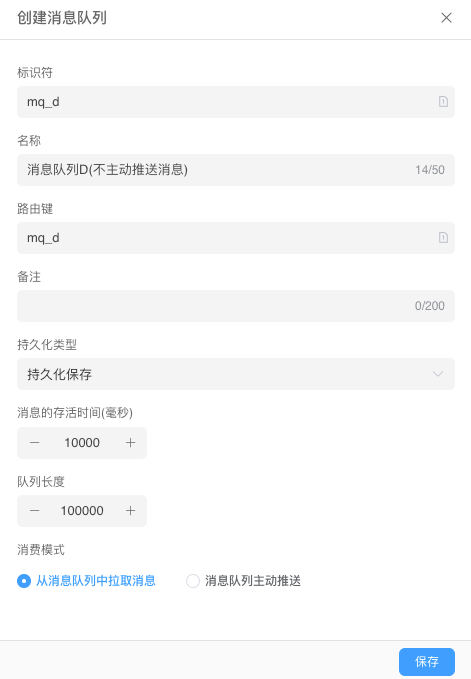
Examples
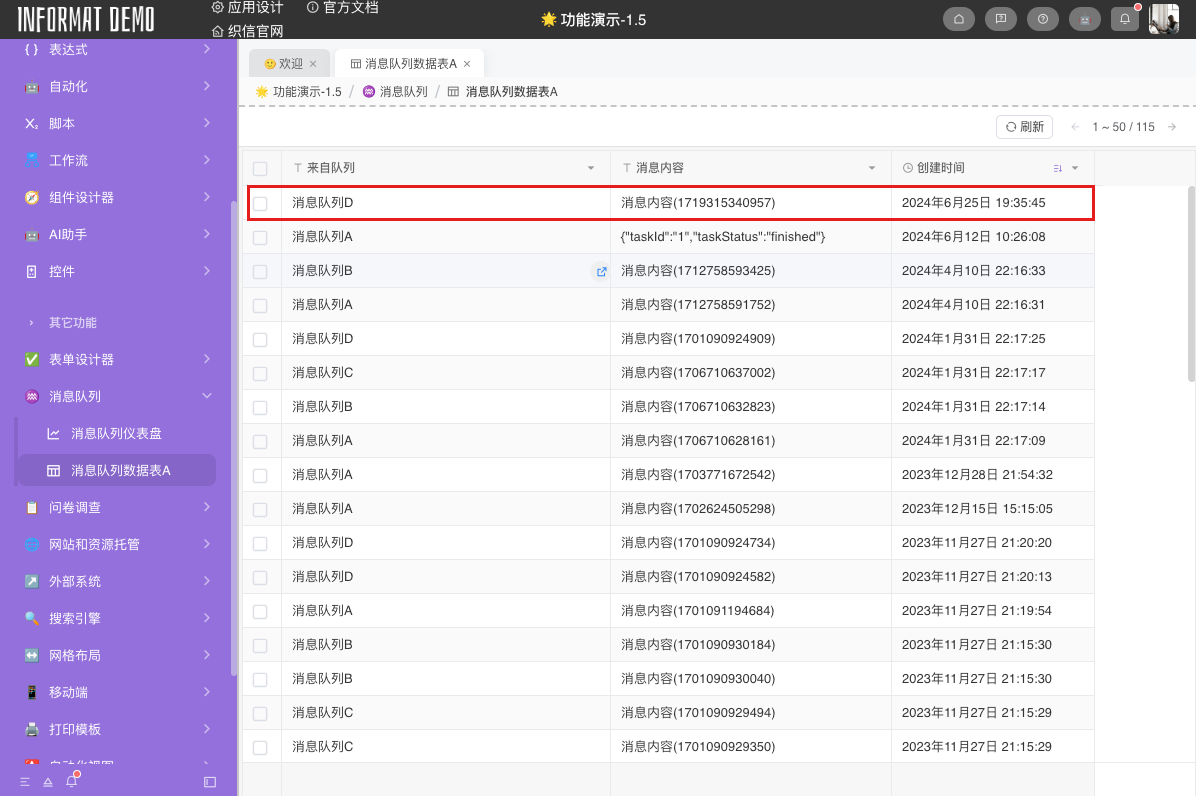
Push Mode
When the consumption mode of the message queue is set to Queue Actively Pushes (i.e., push mode), messages in the queue are actively pushed to the configured Automation Program or Script.
Usage Scenarios
- High Real-time Requirements: Need messages to be consumed as soon as possible, such as real-time notifications and alarm systems.
- Low Latency: Hope messages are processed immediately after production to reduce waiting time in the queue.
- High Concurrency Consumption: Multiple consumers process messages concurrently to quickly respond to and process large numbers of requests.
- Event-driven System: System components communicate through events, and messages need to immediately trigger corresponding processing logic.
- Load Balancing: RabbitMQ automatically distributes messages to multiple consumers to achieve load balancing.
Implementation Process
- First configure the message queue and corresponding consumer (automation or script)
- Other scripts push messages to the corresponding message queue through informat.mq.publish
- The message queue actively pushes messages to consumers, with parameter: MqMessage. If the acknowledgment mode is set to manual acknowledgment, execute step 4.
- Manually acknowledge messages informat.mq.basicAck
Examples
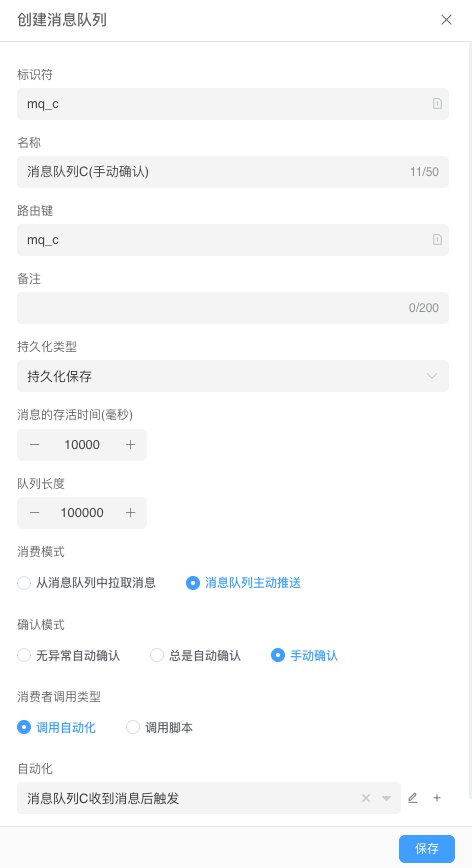
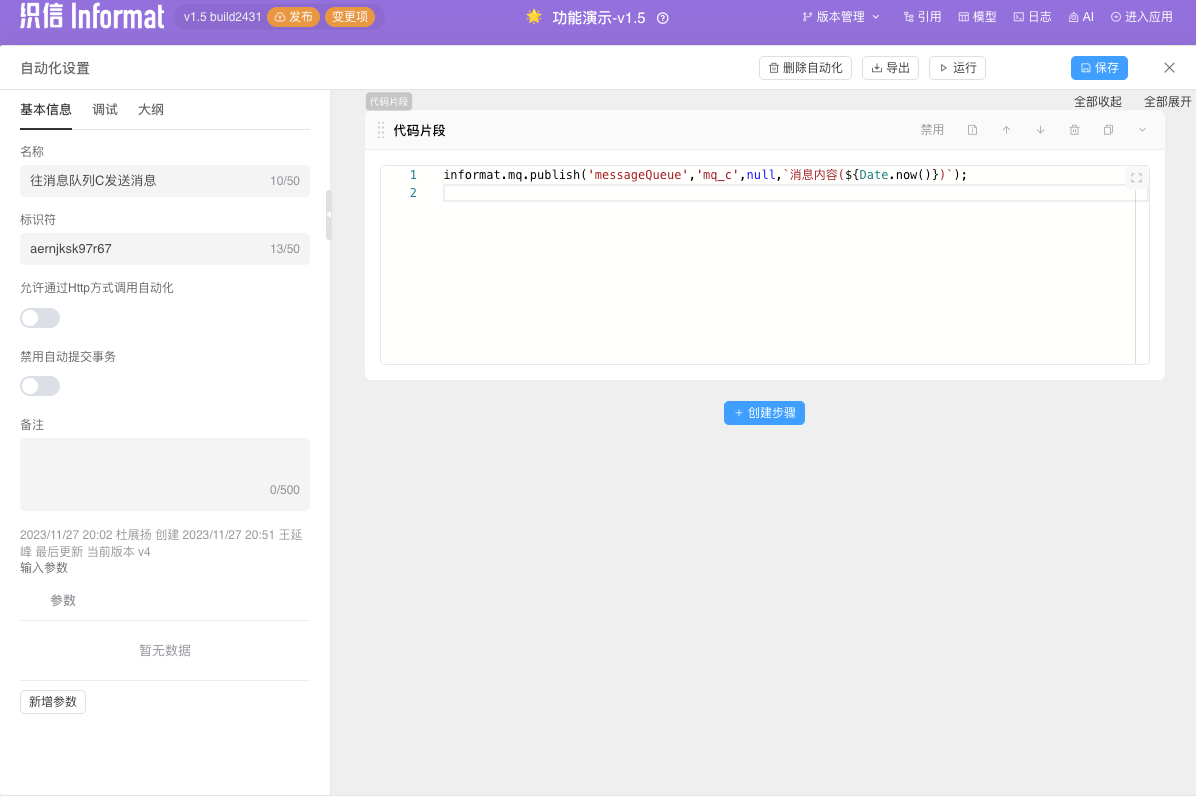
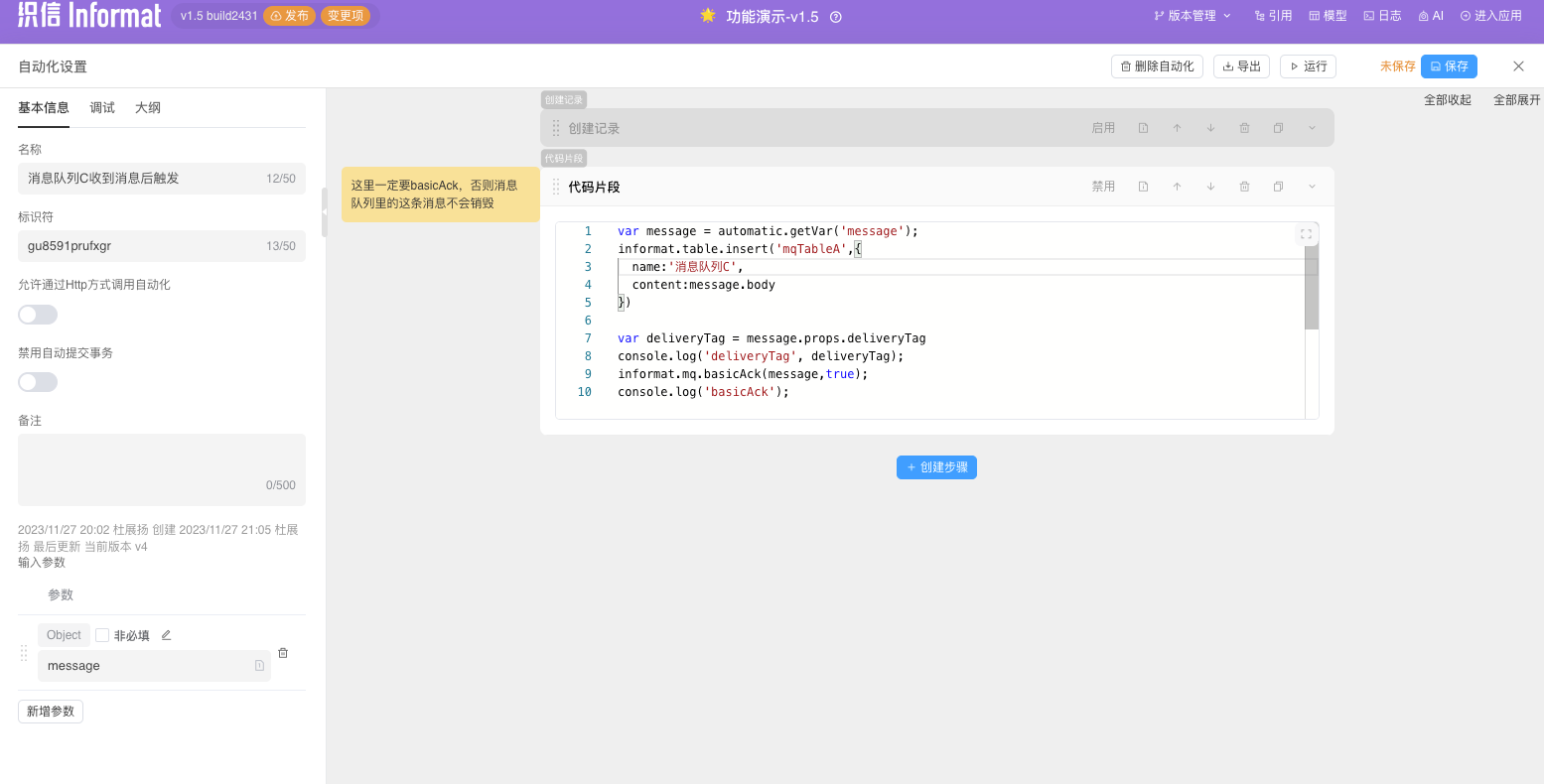
What should I do if I accidentally delete a queue in the message queue background?
- You can find the corresponding message queue in the Informat message queue module configuration interface, edit it, and republish it. The platform will automatically recreate the message queue.