

Search Engine
Overview
The search engine pulls data from data tables, organizes and processes the data, then provides search services to users, displaying information relevant to user queries. The search engine's retrieval process is much faster than data table retrieval, making it useful for scenarios requiring fuzzy search of large amounts of data. 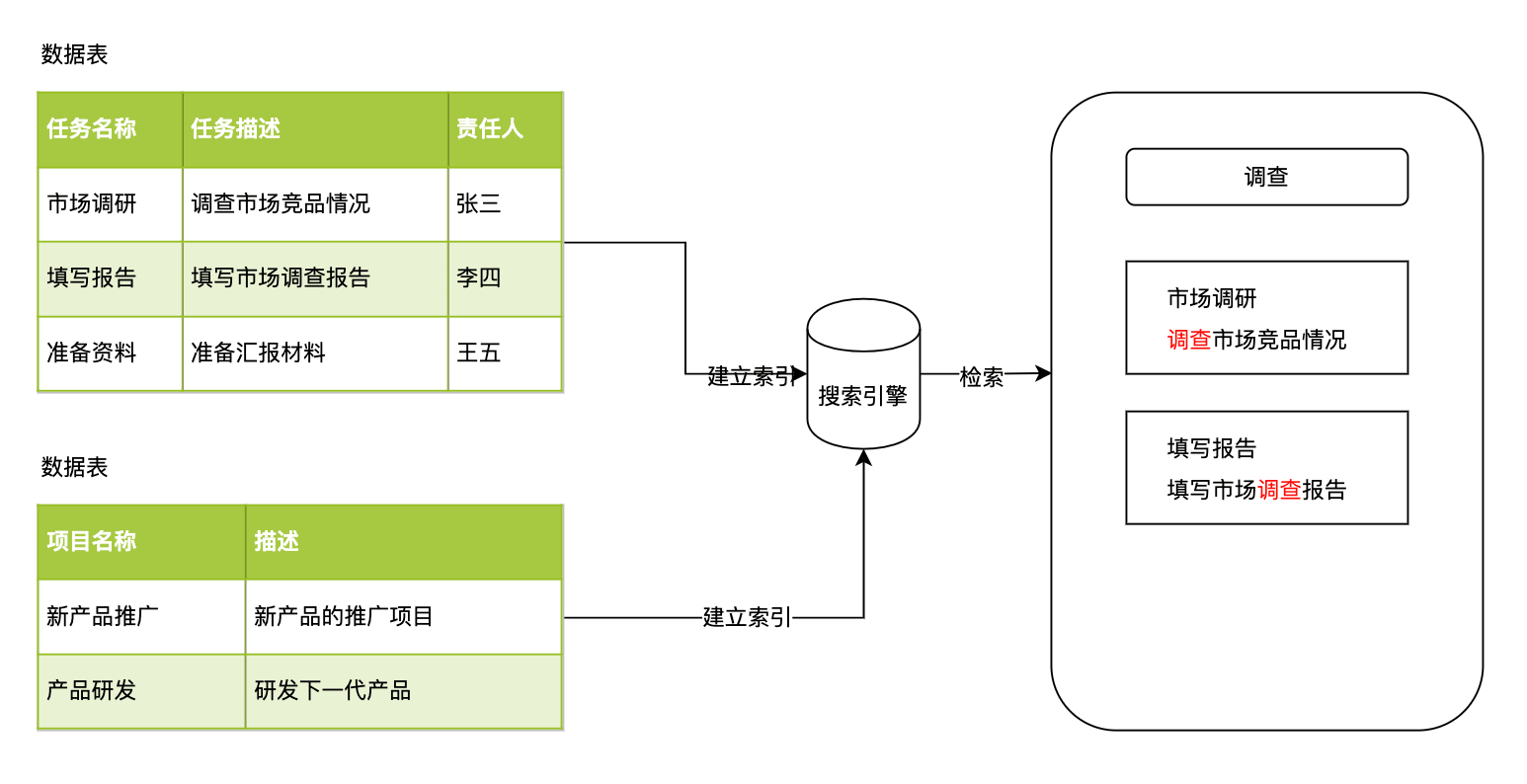
Data Sources
One or more data tables can be set as the source of search engine content. Data sources can index partial content through filters. When data sources change (new data created, data modified, data deleted), the search engine automatically rebuilds the index.
TIP
The search engine indexing process is asynchronous and may have some delay.
Usage Scenarios
- Knowledge base management: Establish search engine data through data table data sources for quick user retrieval
- Project management: Establish search engine data through data sources such as tasks, defects, and test cases for quick user retrieval
- Product management: For scenarios with large amounts of product information, establish search engine data for product information, SKUs, etc., for quick user retrieval
Configuration Instructions
Data Source Configuration
| Setting Item | Description |
|---|---|
| Name | Data source name; for multiple data sources, the name will be used as the tab name |
| Description | Data source description |
| Source Data Table | The data table from which the data source data comes |
| Only index data that meets the following rules | Limit the data range indexed by the search engine |
| Index Fields | Set the data field settings for data source indexing |
| Search Result Opening Method | Set the behavior after the user clicks on the search result. Form, Automatic |
| Call Automation | When the search result opening method is Automatic, set the automation to be called |
Index Fields
| Setting Item | Description |
|---|---|
| Field | The field from which the index data comes |
| Index Type | Set the index type, Full-text Index, Exact Index, Store Only |
| Importance | The priority of index hits |
| Store Original Value | Store original value; when enabled, the original untransformed data table data will be stored in the search engine |
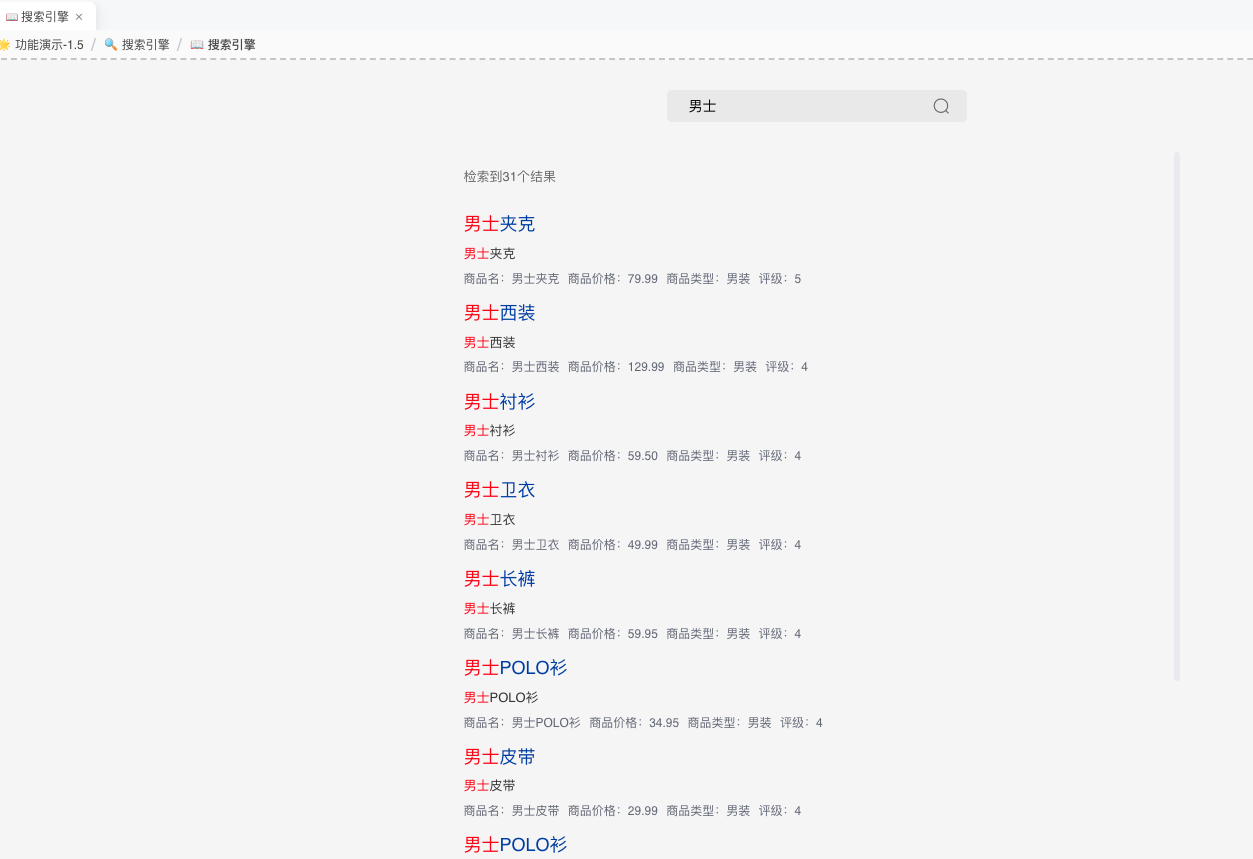
| Display in Search Results | The position where the field is displayed in search results |
Display in Search Results
Common Issues
Unable to Search Data
Check server logs
caused by: org.elasticsearch.ElasticsearchStatusException: Elasticsearch exception [type=validation_exception, reason=Validation Failed: 1: this action would add [2] shards, but this cluster currently has [999]/[1000]Need to adjust Elasticsearch's maximum shard count Find elasticsearch.yml Add a new line cluster.max_shards_per_node: 2000 Restart elasticsearch
Elasticsearch Service Failed to Start
Check server logs
bootstrap checks failed. You must address the points described in the following [1] lines before starting Elasticsearch.
bootstrap check failure [1] of [1]: max virtual memory areas vm.max_map_count [65530] is too low, increase to at least [262144]Solution
- Edit system configuration file sudo vi /etc/sysctl.conf
- Add (or modify) the following parameter at the end of the file vm.max_map_count = 262144
- Save and exit to take effect immediately sudo sysctl -p
- Verify the modification is successful sysctl vm.max_map_count