

Data Table Settings
Form Functions
Comment Function
Whether to enable the comment function. When enabled, each record can be commented by users, and comment content can include text, images, and attachments. You can use the @ symbol to mention members in comments. The notification content sent after @ing a user can be calculated using expressions.
Field Change Log Function
After enabling change logs, when modifying data table records through forms and workflows, if the modified field has record change log on modification enabled, the system will record the value before modification and the value after modification in the change log table. For the format of the change log table, please refer to Change Log Table
Behavior When Deleting Records
Store Deleted Data in Recycle Bin
When enabled, deleted records will be stored in the recycle bin, and users can recover them from the recycle bin.
When Deleting Records Referenced by Associated Records or Associated Lists
Associated Records and Associated Lists store one-to-one and one-to-many relationships between records. When the referenced record is deleted, the system provides two preset behaviors.
Disallow deletion when referenced
Description
When deleting referenced data, if there are records in other tables with
Associated RecordorAssociated Listfields referencing this record, the system will prompt the user that deletion is not allowed.After deletion, set associated records in referenced data to null or delete referenced data in associated lists
Description
The system will automatically delete the referenced data. For
Associated Records, the field value is set to null; forAssociated Lists, the referenced data in the associated list is deleted.
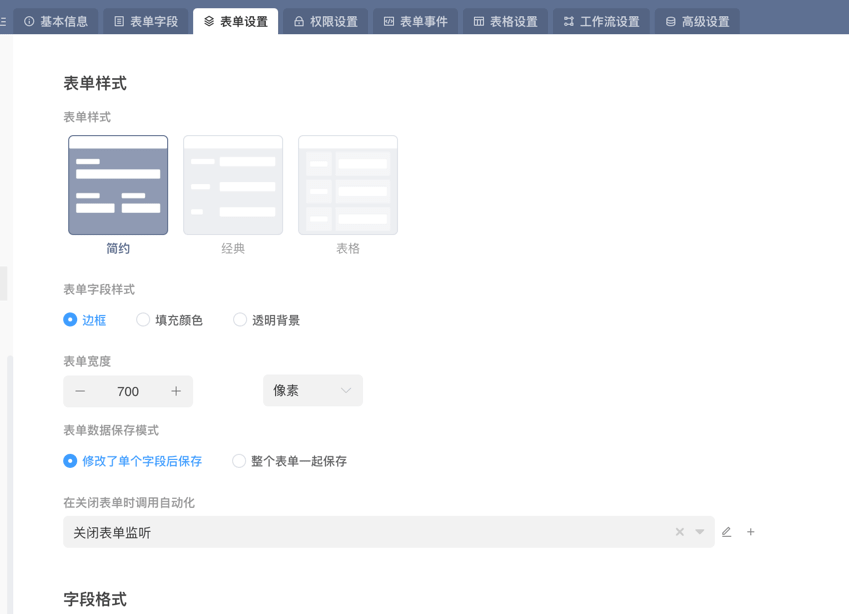
Form Style
Form Style
The layout style of form display, supporting Simple, Classic, and Table styles.
Form Title
Customize the title display content when the form is opened in a popup, sidebar, or new page. If not passed, the data table name will be used by default.
Form Field Style
Customize the display style of form fields within the form. Supports Border, Fill Color, and Transparent Background.
Form Width
The width of the form creation page and form information page will be set to the form width. If you want the form to be displayed in full screen, you can set the form width to 100%.
Form Data Save Mode
The data saving method for data table form details pages: save after modifying a single field or save the entire form together.
Call Automation When Closing Form
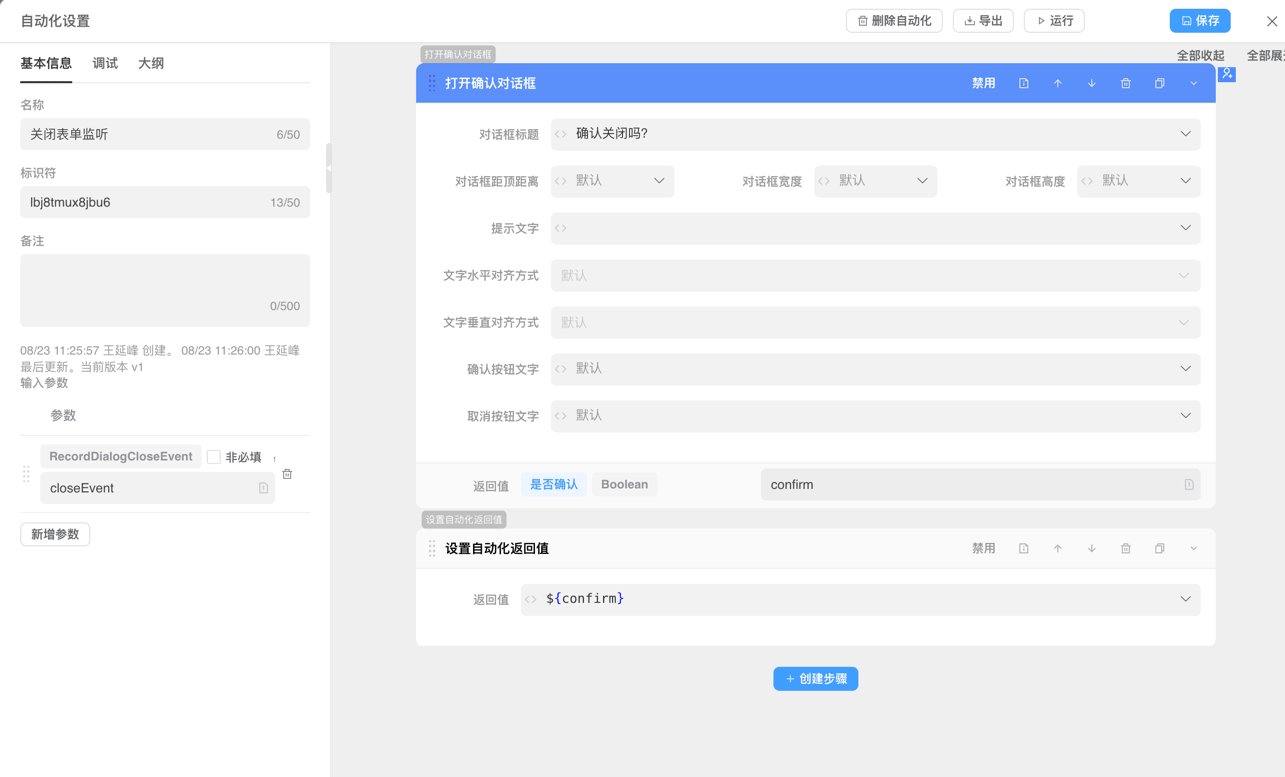
When closing the form creation page popup or form details page popup, the system will call automation. You can use the automation Set Automation Return Value to control whether the form is allowed to close. When the automation is called, the RecordFormCloseEvent context variable is passed by default.
Usage Instructions
- This automation is initiated by the client and can use automation interaction steps
- The dialog will only close when Set Automation Return Value returns
true, such as returning:${true}
Field Format
Set the display style of fields that meet conditions through expressions. Multiple rules can be set, and subsequent rules will override previous ones.
Custom Controls
Controls displayed on the form page, supporting adding controls in form creation page toolbar controls and form toolbar controls positions to meet control usage needs in different scenarios.
Address Bar Filtering
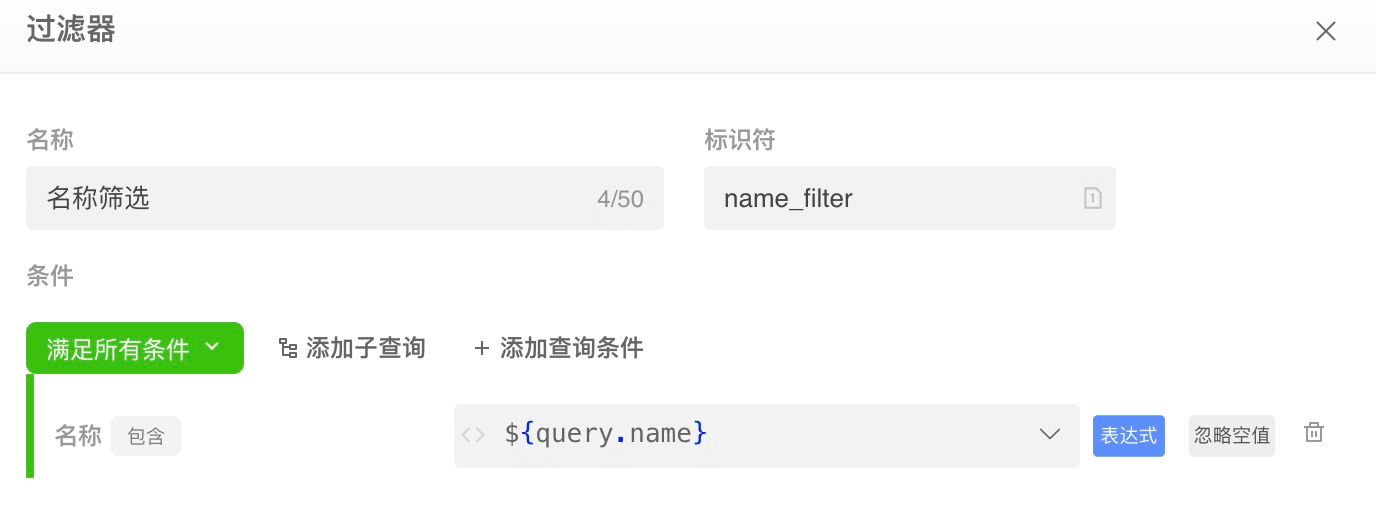
If the access path is as follows:
https://ai.ainformat.com//app/croe0zft168y3/table/cfg9ywr41G?filter=name_filter&name=testThen the filter object finally assembled by the system is as follows:
var filter = {
  query: {
    pathFilterId: "name_filter",
    pathFilterQuery: {
      name: "test",
    },
    filter: {
      opt: "and",
      children: [
        {
          opt: "and",
          conditionList: [
            {
              fieldId: "name",
              opt: "contains",
              value: "test",
              ignoreNull: false,
            },
          ],
        },
      ],
    },
  },
};Form Page Address
In general, forms in the system are displayed in pop-up layers and do not have independent page addresses. If you want the form to be displayed in a separate page, you can open the following link through controls or automation:
/app/${appId}/record/${tableId}/${recordId}