

Application Run Logs
To facilitate designers or system administrators to quickly view application run statistics, run logs, and other information, the system provides application-specific log viewing. Run information can be viewed in application monitoring or within the application designer.
Note
Considering performance and storage issues, the system only retains the latest 1000 log entries, and the maximum storage content for a single log is 1024 characters. Characters exceeding this limit will be truncated.
At the same time, the server also retains complete execution log information for viewing. The log storage location can be viewed.
Application Monitoring
Application monitoring requires that the currently logged-in user has application monitoring permissions within the team, and the following members can perform application monitoring is set in Application Settings.
Team Roles
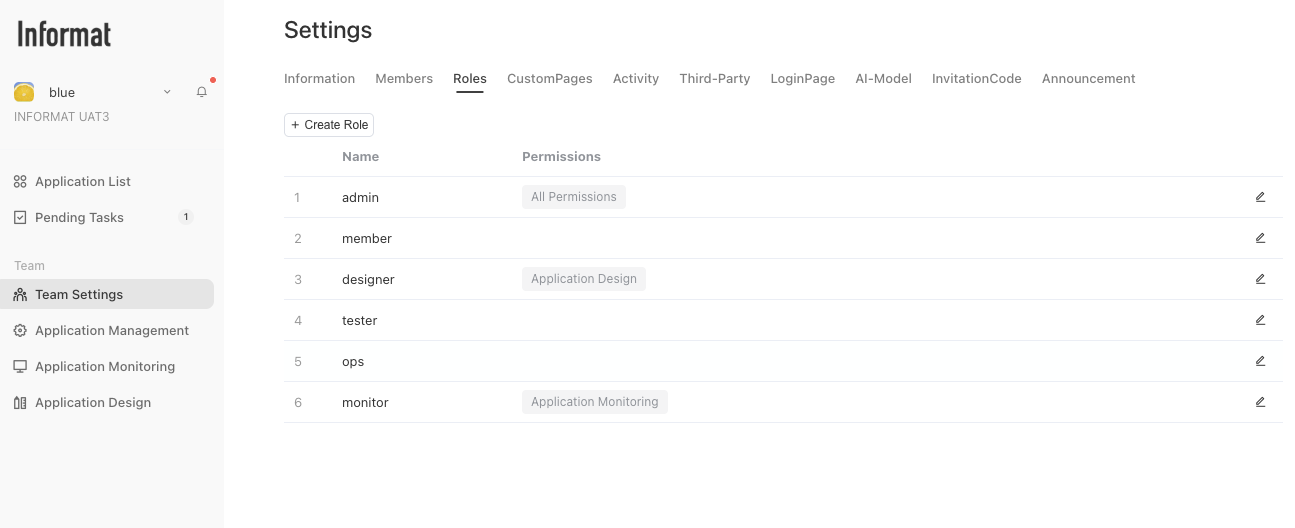
Members who can perform application monitoring
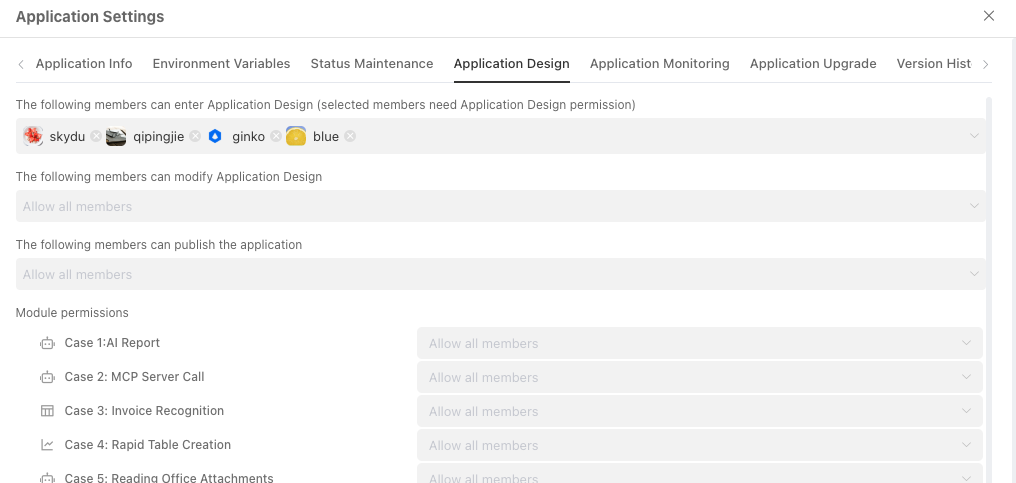
Logs
The current application's run logs, including the runtime context and log information input by users through scripts or automation.
Log Level
The default log level after application creation is DEBUG, which can be adjusted through Application Management > Application Settings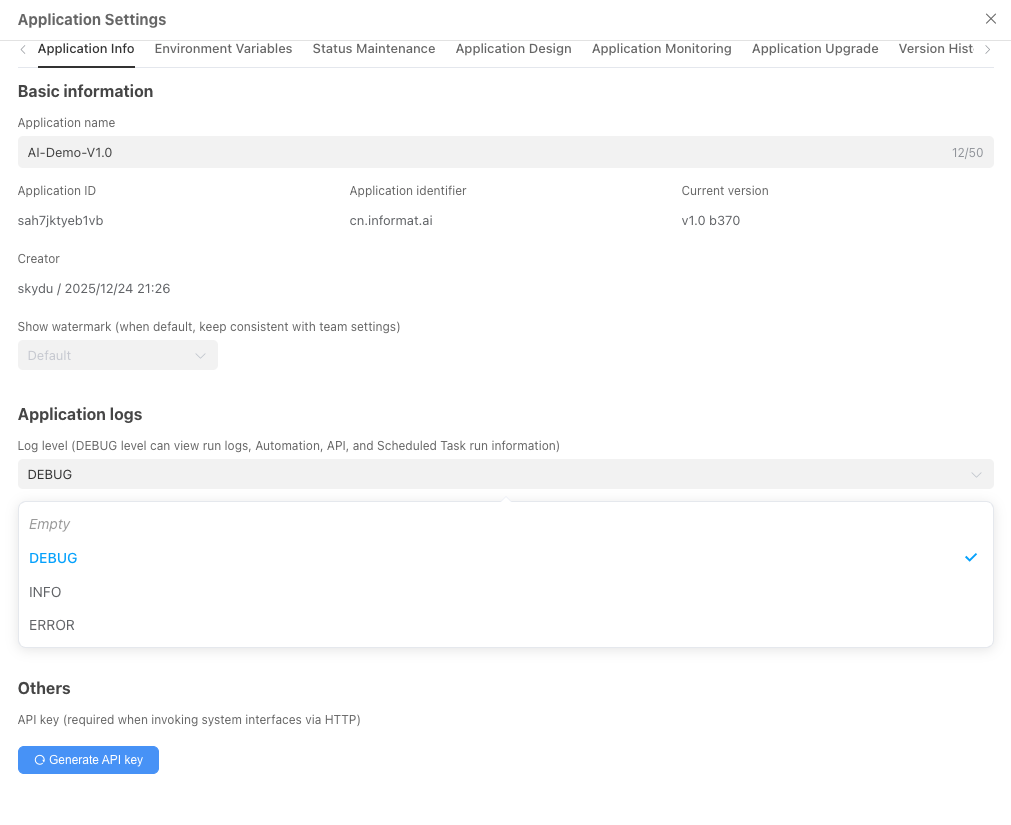
Run Status
Statistics on the current application's run status, including automation, scheduled tasks, scripts, API call statistics, and currently executing tasks.
Terminate Current Task
When some long-running tasks are generated in the business:
- Slow business execution
- Database deadlock
- Infinite loop caused by logic
You can view the task execution status through the Run Status tab and end the current task execution by clicking the Terminate button