

Role Permissions
RBAC Permission Model
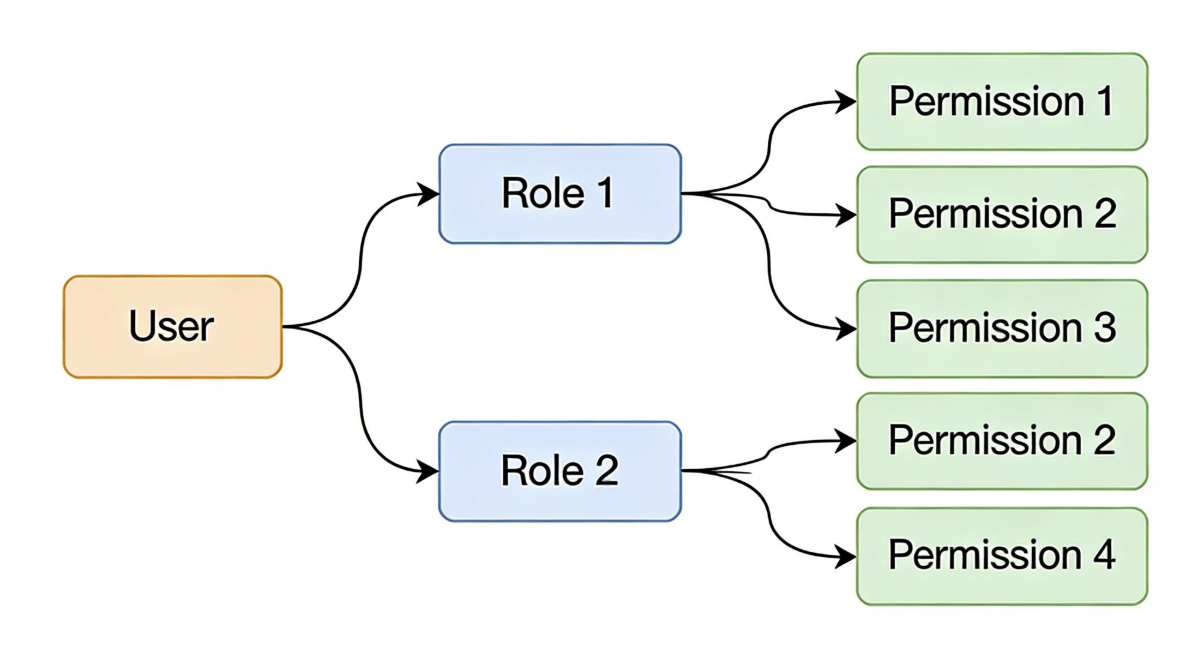
RBAC (Role-Based Access Control) is a business role-based access control model. The Informat AI Low-Code Platform uses the RBAC role permission model to manage user access permissions. The following are the main features and working principles of the RBAC role permission model:
1. Role Definition
In the RBAC model, roles are the core of permission assignment. Each role represents a set of permissions and can be associated with one or more users. Roles are usually defined based on business needs and responsibilities. For example, administrator, editor, viewer, etc.
2. Permission Assignment
Permissions refer to the operations users can perform or the resources they can access. In the RBAC model, permissions are assigned to roles, not directly to users. This approach simplifies permission management because only the permissions of roles need to be managed, rather than managing permissions for each user individually.
3. User-Role Association
Users obtain corresponding permissions by associating with roles. A user can have multiple roles, thereby obtaining the permission set of multiple roles. For example, a user can be both an "editor" and a "viewer", and they will have all the permissions of these two roles.
4. Role Hierarchy
The RBAC model supports role hierarchies and can define inheritance relationships between roles. For example, a "senior editor" role can be defined to inherit all the permissions of the "editor" role and add some additional permissions. In this way, the senior editor will automatically have all the permissions of the editor.
5. Dynamic Permission Management
The RBAC model allows for dynamic adjustment of role and permission configurations. For example, roles can be added or deleted at any time, role permissions can be modified, or user-role associations can be adjusted. This makes permission management more flexible and able to quickly respond to changes in business needs.
Example
- Define Roles: Define "administrator", "editor", and "viewer" roles.
- Assign Permissions: Assign permissions such as "create content", "edit content", and "delete content" to the "editor" role, and assign "view content" permission to the "viewer" role.
- Associate Users: Assign user A as an "editor" and user B as a "viewer".
Through the RBAC model, the Informat AI Low-Code Platform can effectively manage user permissions, ensuring system security and flexibility.
Custom Permissions
Informat has designed basic permission definitions for each module, such as query data and create data permissions for data tables. However, in actual development, more detailed permission management may be required, which is when you need to add custom permission definitions through the permission management function.
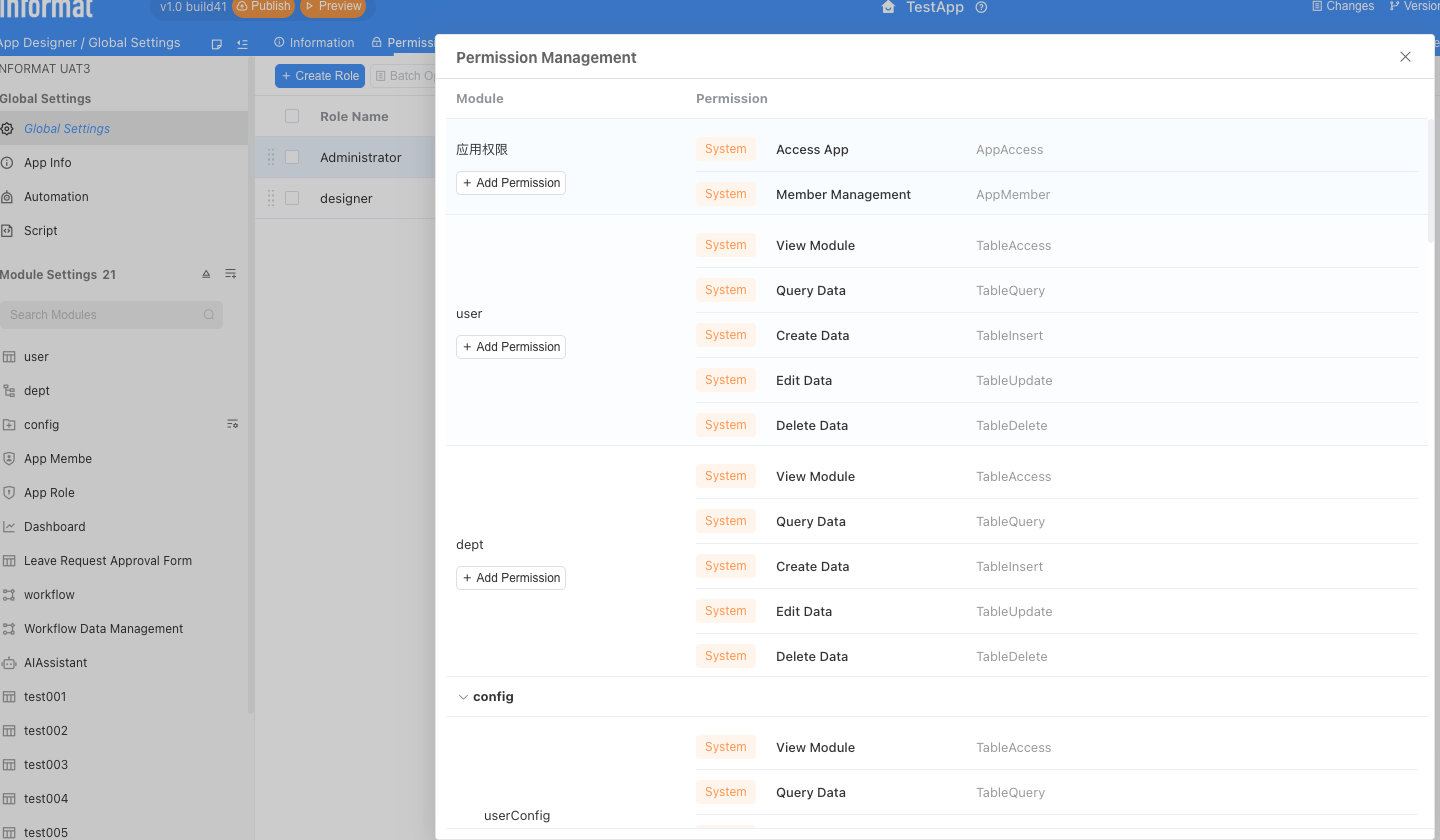
In expressions, you can use the following two functions to check if a user has the corresponding permissions:
Context.hasAppPerm("CustomPermission"); // Application permission
Context.hasModulePerm("dataModelBasics", "CustomModulePermission"); // Module permission