Relation List
Relation List field represents references to data in another table. Relation list represents one-to-many relationships between models.
Description
| Item | Content |
|---|---|
| Category | Association Relationships |
| Sortable | No |
| Filterable | Yes |
| Supported Filter Types | Contains, Does Not Contain, Empty, Not Empty, In List, Not In List |
Settings
| Setting | Description |
|---|---|
| Allow Empty | Set whether the field is required |
| Placeholder When Empty | Text displayed in the input box when the field has no input |
| Associated Table | Select the data table module that this field needs to be associated with |
Sub-table Settings
| Field Settings | Description |
|---|---|
| Returned Field List | Set the list of fields returned when querying data |
| Use the Following Fields as Filter Conditions | Can use fields in the associated table as filter conditions for the table, supporting adding fuzzy filters |
| Combined Filter Conditions | Set combined filter conditions for the sub-table, which will be displayed in tabs after adding |
| Sorting Method | Can use fields in the associated table as sorting methods for table data |
| Default Records per Page | Set the number of records loaded per page in the data list |
| Allow Clicking to Open Form Pages | Set whether to allow viewing the details of records in the relation list |
| Maximum List Height | Set the maximum height displayed by the relation list field in the form |
| Data Selection Mode | Set the data selection method for the relation list field in the form Options: None, Checkbox, Radio |
| Set Records Meeting the Following Conditions as Unselectable | Use expressions to control whether records can be selected |
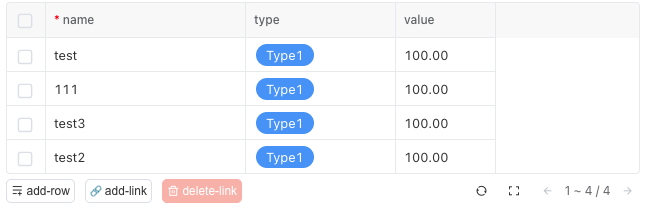
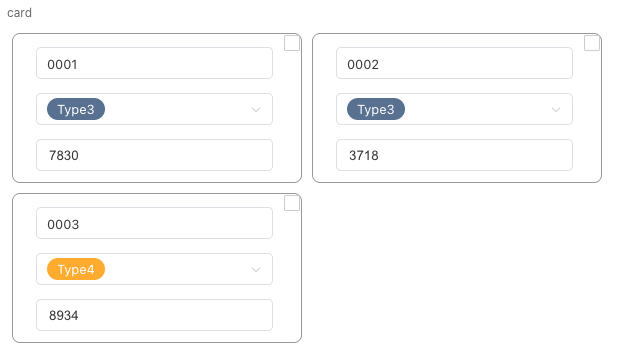
| Display Mode | Set the data display method for the relation list field in the form Options: Table, Card, Form |
| Grouping Field | Set the default grouping field for list data in the relation list field |
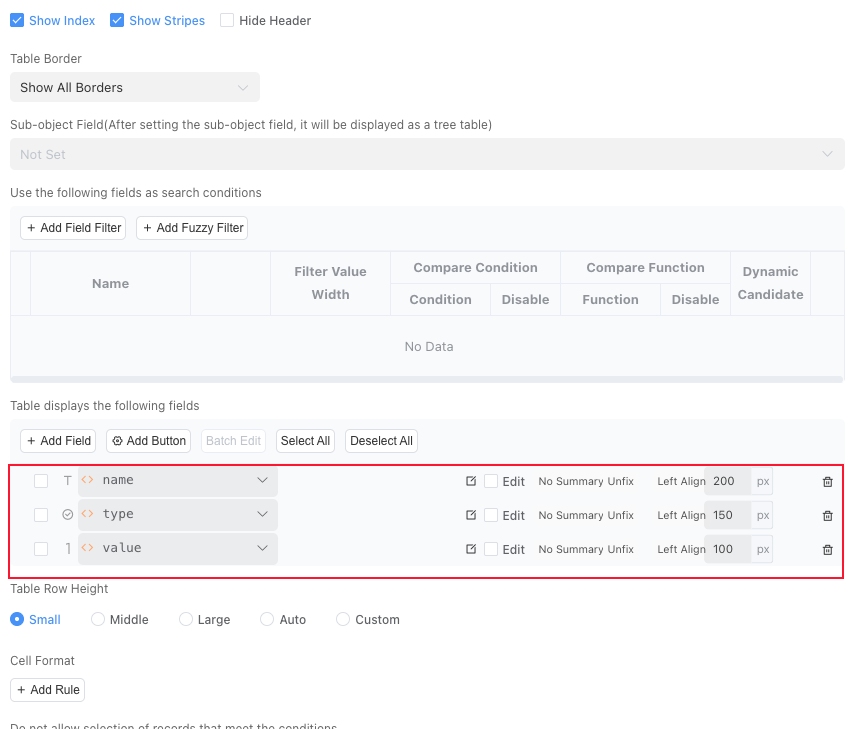
| Display the Following Fields in Table | Set the list of header fields displayed in the relation list |
| Table Style | Can set the style of the displayed table, supporting multiple selections Options: Display Serial Number, Display Border, Display Stripes |
| Table Inline Edit Trigger Method | Set the inline edit trigger method |
| Sub-object Field | Can select a sub-object field in the associated table, after setting the sub-object field, the table will be displayed as a tree table |
| Table Row Height | Can set the table row height of the field on the form page Options: Small, Medium, Large |
| Table Maximum Height | Can set the maximum height of the field's table |
| Cell Formatting | Can set the cell format of the table in the field through rules, supports setting multiple rules |
| Allow Clicking to Open Form Pages | Set whether to allow viewing the details of records in the table by clicking on them |
| Display Buttons in Table Toolbar | Can add custom buttons to the toolbar of the table form page, supporting grouping of buttons |
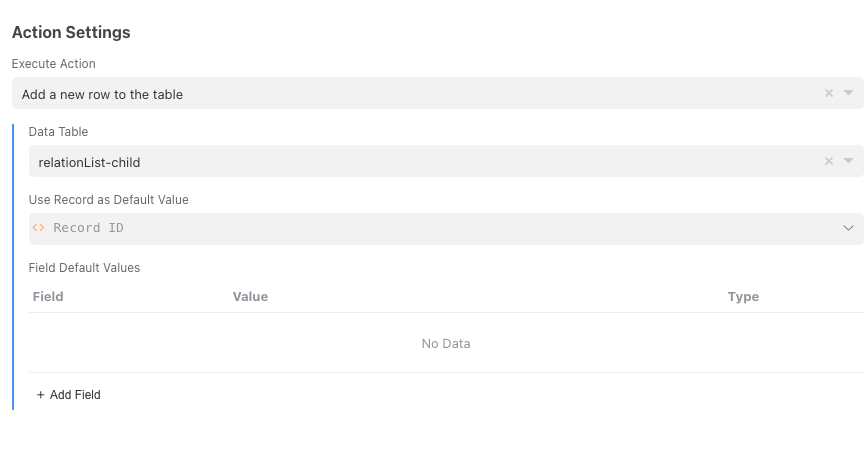
Operations After Creating Sub-table Records
| Set Field Values of Sub-table Records After Main Table Records Are Successfully Created | Description |
|---|---|
| Field | Sub-table record field to be set after creation |
| Default Value | Field value of sub-table record to be set after creation |
Filter Condition Search Settings
| Search Settings | Description |
|---|---|
| Display Style | Opening method of the search page |
| Record Display Name Field | Name of the item displayed in the condition box after the record is selected |
| Width of Search Page | Set the display width of the search page |
| Table Style | Set the style of the displayed table, supporting Options: Display Serial Number, Display Border, Display Stripes |
| Table Border | Set the table border type, supporting Options: Display All Borders, Display Only Outer Borders, Display Only Horizontal Table Lines, Do Not Display Borders, Outer Borders and Horizontal Table Lines |
| Sub-object Field | Can select a sub-object field in the associated table, after setting the sub-object field, the table will be displayed as a tree table |
| Do Not Allow Selecting Records That Meet Conditions | Use expressions to control whether records can be selected |
| Use the Following Fields as Search Conditions | Can use fields in the search list table as filter conditions for the table |
| Display the Following Fields in Table | Set the list of header fields displayed in the search list |
| Filter Condition Optional Data Filter | Set the data returned by the search list |
| Sorting Method | Can use fields in the associated table as sorting methods for table data |
| Cell Formatting | Can set the cell format of the table in the field through rules, supports setting multiple rules |
Database Storage Format
Not stored in the database
Relation list represents one-to-many relationships between models. For each relation record field, the system creates a separate adjacency table for storage. The name of the adjacency table is z_appId_tableId_fieldId, where appId is the application id, tableId is the internal id of the main table, and fieldId is the internal id of the field.
The structure of the adjacency table is as follows:
| Field | Type | Description |
|---|---|---|
| id | int | Main table record ID |
| relation_id | varchar | Sub-table record ID |
| index | int | Sorting |
| create_time | date | Creation time |
After deleting the relation list field, the system will delete the adjacency table.
Actions When Referenced Table Records Are Deleted
When records in the referenced data table are deleted, different behaviors will be triggered according to the deletion settings of the referenced table:
Not Allowed to Delete When Referenced: If the referenced table has this option set, when deleting data from the referenced table, if there are relation lists referencing the records, deletion of records from the referenced table is not allowedSet Related Records in Reference Data to Empty or Delete Referenced Data in Related Lists After Deletion: If the referenced table has this option set, the data dependent in the relation list will be deleted
Usage in Automation and Scripts
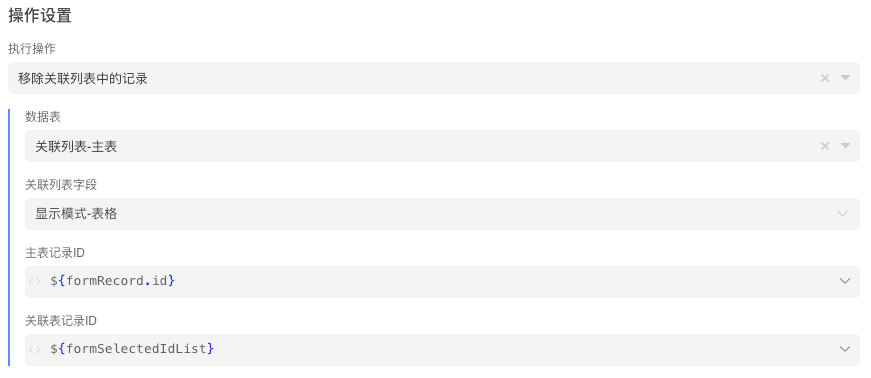
Relation list fields are stored separately using adjacency tables. When querying record information in automation and scripts, the values of relation lists will not be returned. You need to call automation steps or script functions to query them separately. When creating, relation lists can be saved by setting field values. When modifying and deleting, you need to call automation steps or script functions.
Display Mode

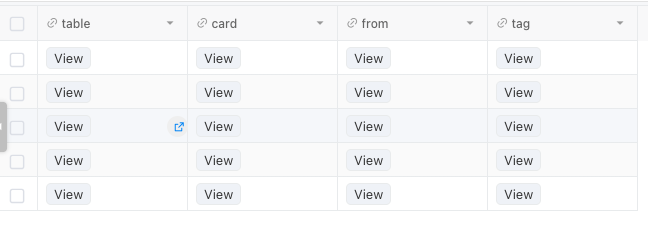
Using Expressions as "View" Button Text
This configuration is used to modify the text of the button that opens the field in the table.