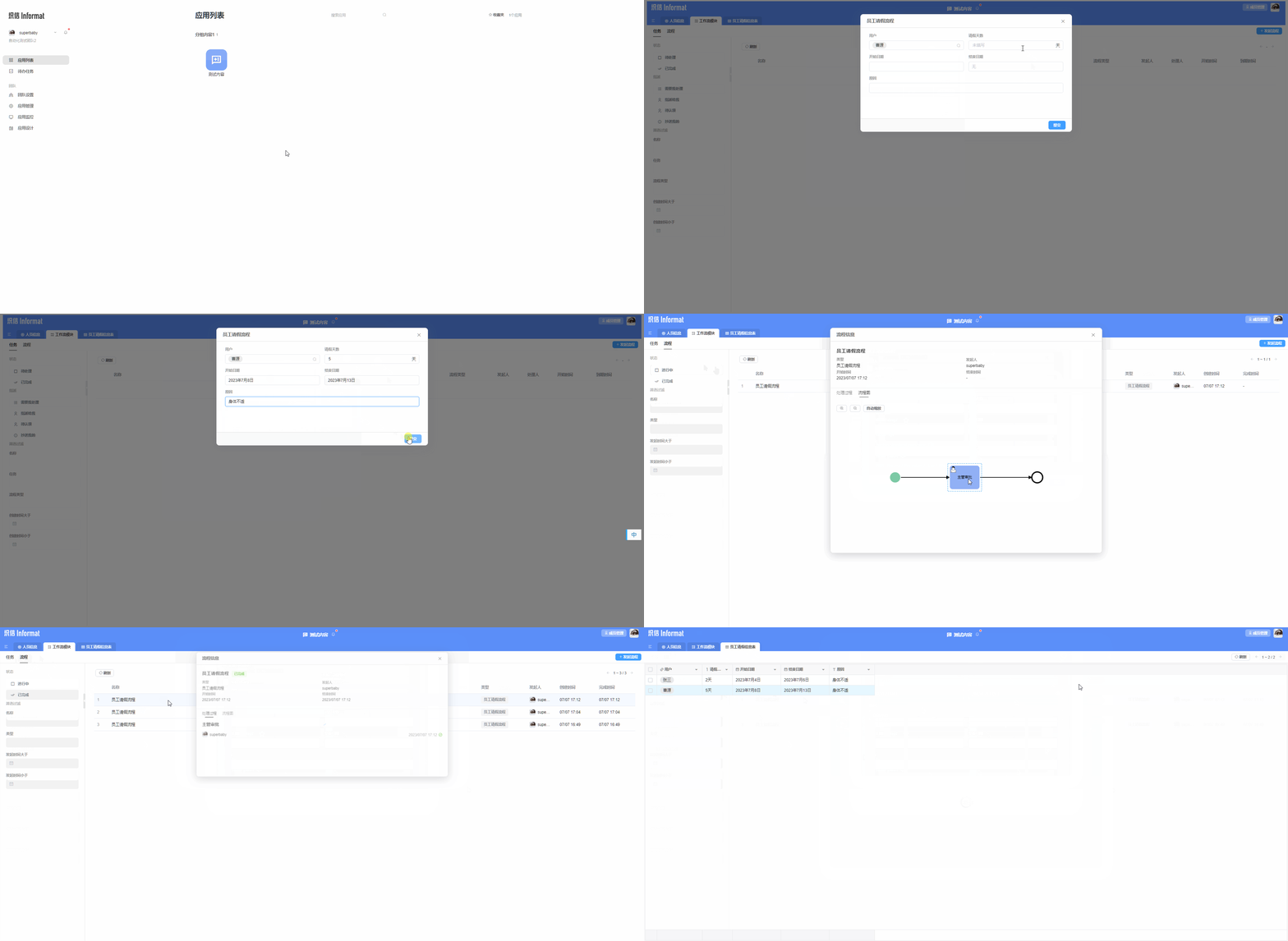
Create Workflow
1. Introduction
The workflow module provides a visual interface that allows users to easily design, configure, and manage business workflows; it enables users to define workflow steps, approval rules, and execution logic, and provides functions for workflow initiation, monitoring, and processing to automate and standardize business processes.
2. Process of Creating a Workflow Module
The workflow module provides an intuitive interface that allows users to create workflows in a graphical manner. Users can define business processes by dragging and dropping predefined activities or steps, and configuring relationships and conditions between them.
2.1 Enter Application Designer
Access the application design module, select the application to be designed, and enter application design. 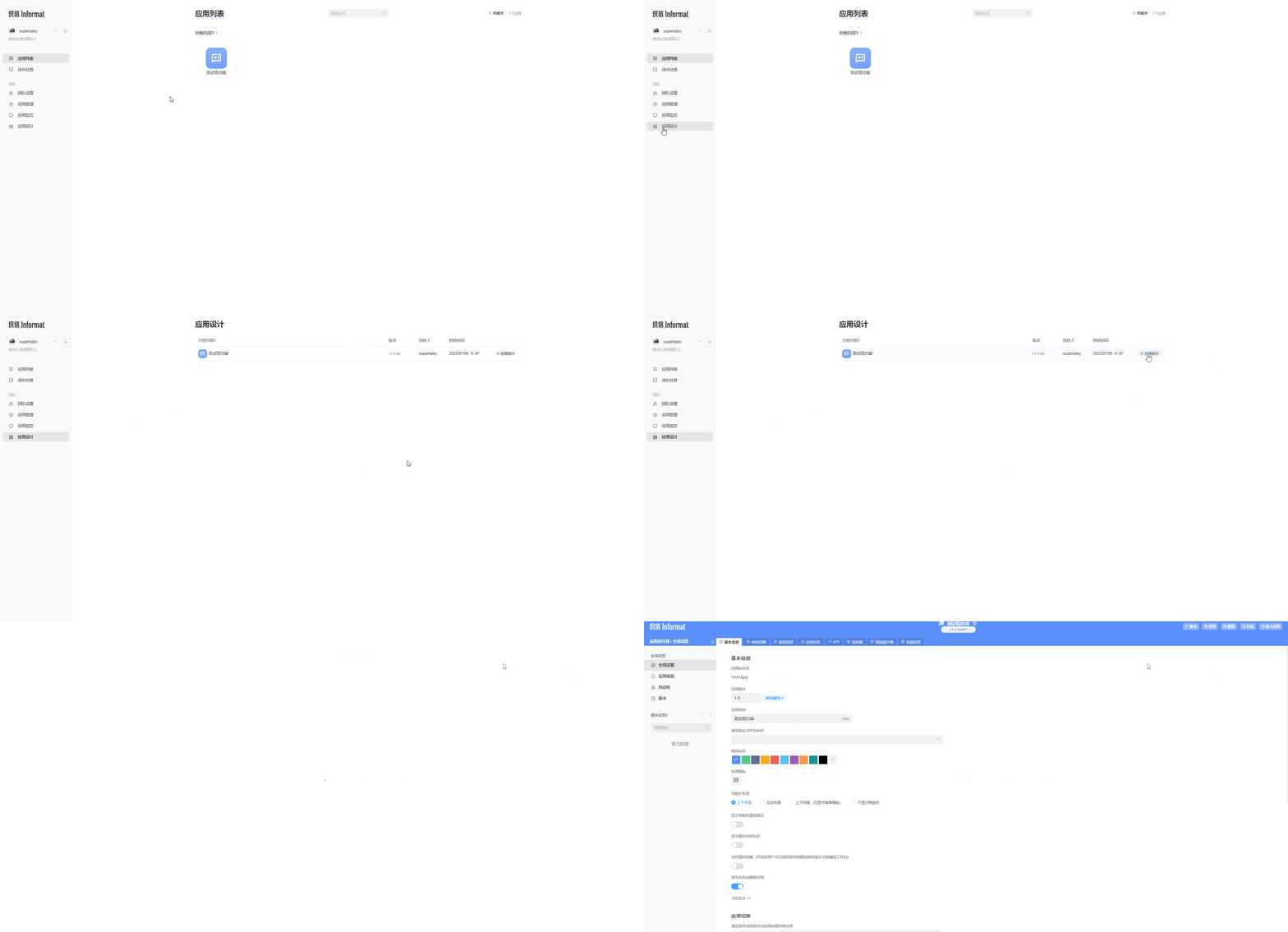
2.2 Create Workflow Module
In the module settings on the left side of the application designer, click the add icon, and select Workflow Module in the pop-up window to create it. 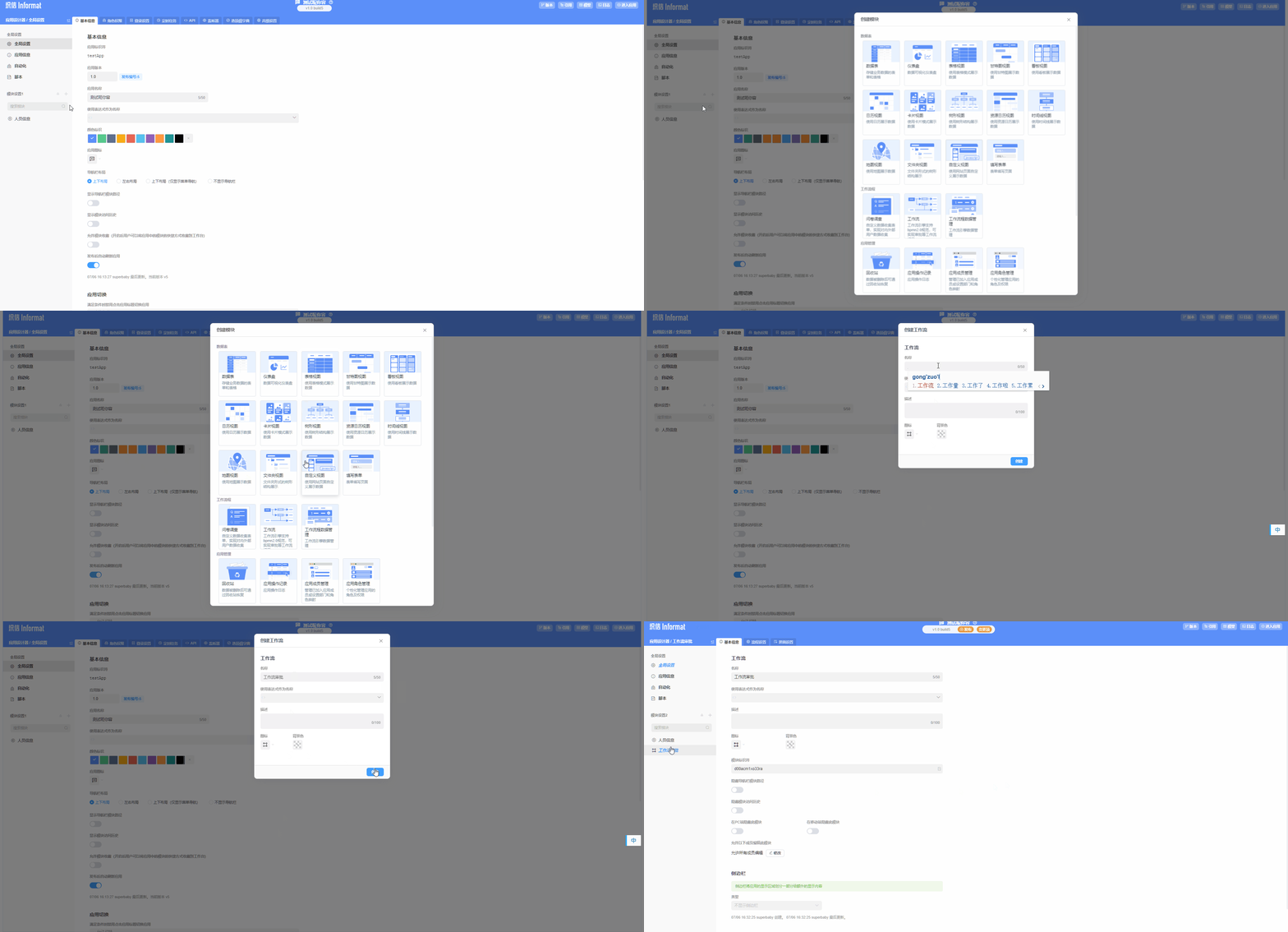
2.3 Create Process Instance
We create a workflow instance for employee leave approval to understand the role of workflows. If you want to learn about more complex workflow usage scenarios, you can click me to view.
2.3.1 Create Data Table to Store Process Information
Create an employee leave information table module to store data records generated during our process approval. 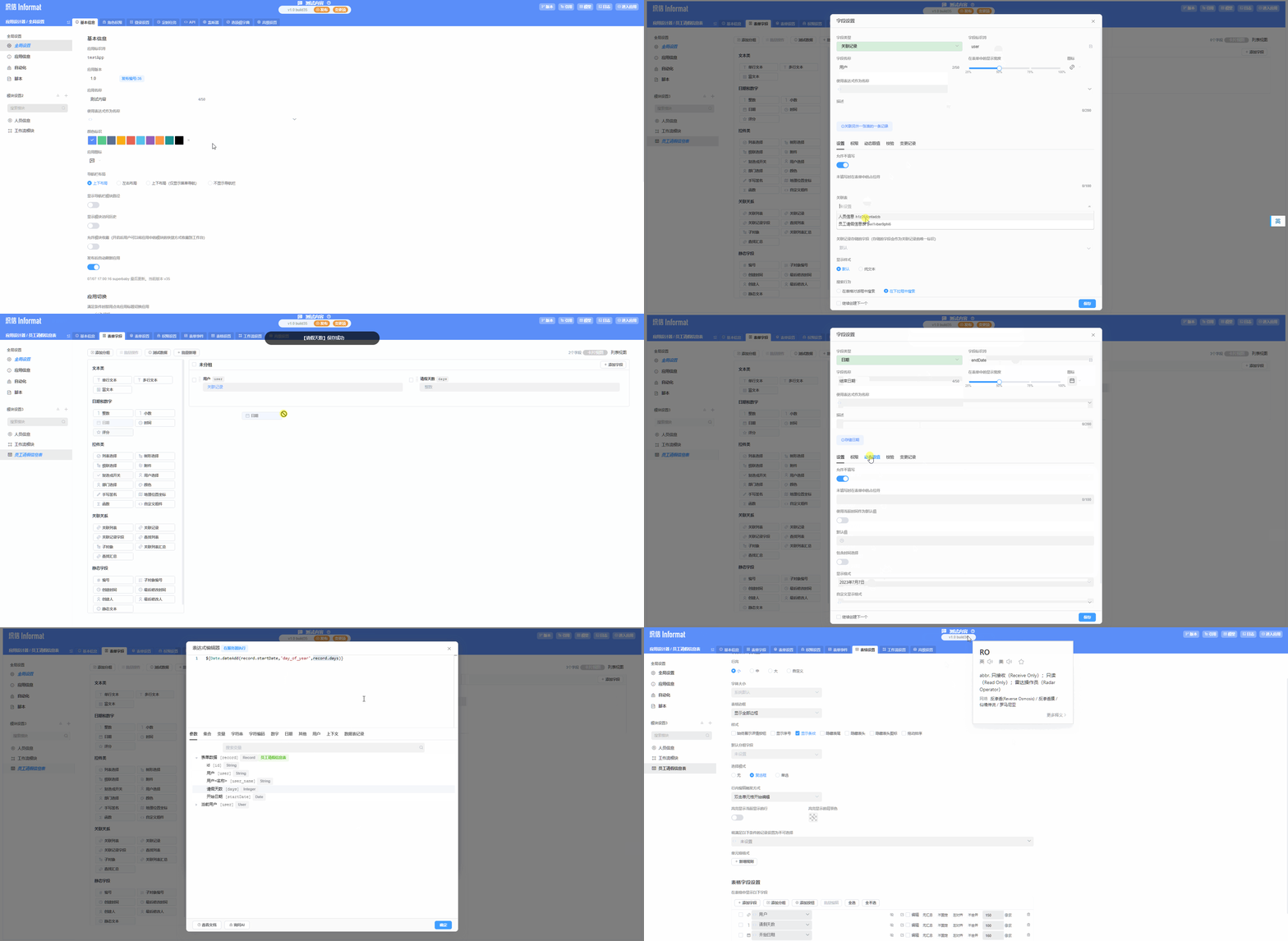
2.3.2 Create Workflow Instance
In the workflow module, create a workflow instance for leave application. 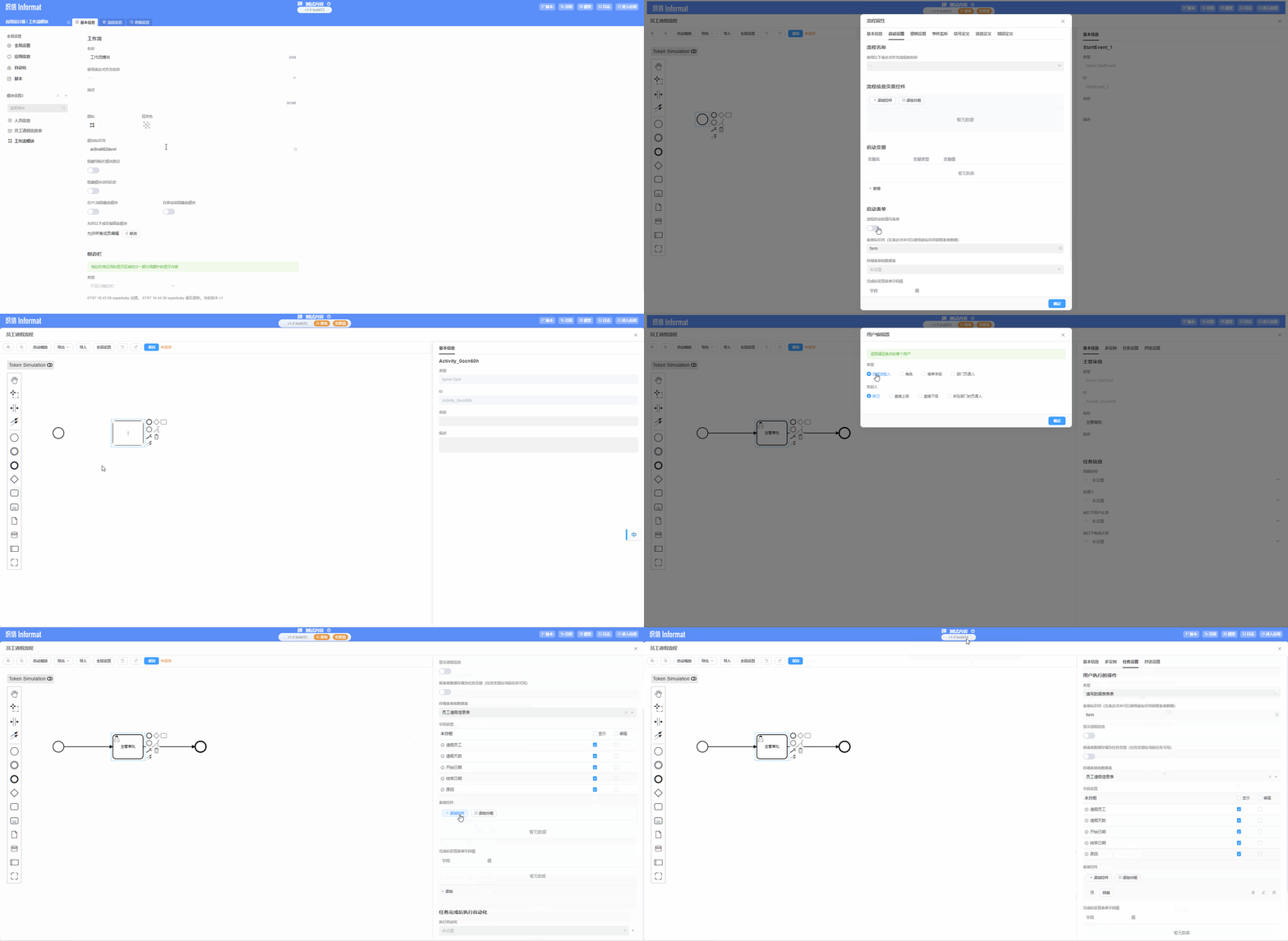
2.4 Usage Example
Use the workflow we created above to initiate an employee leave approval process.