

Task Configuration Instructions
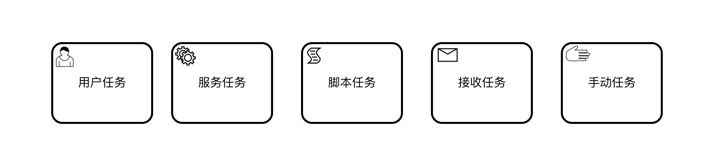
User Task
Basic Information
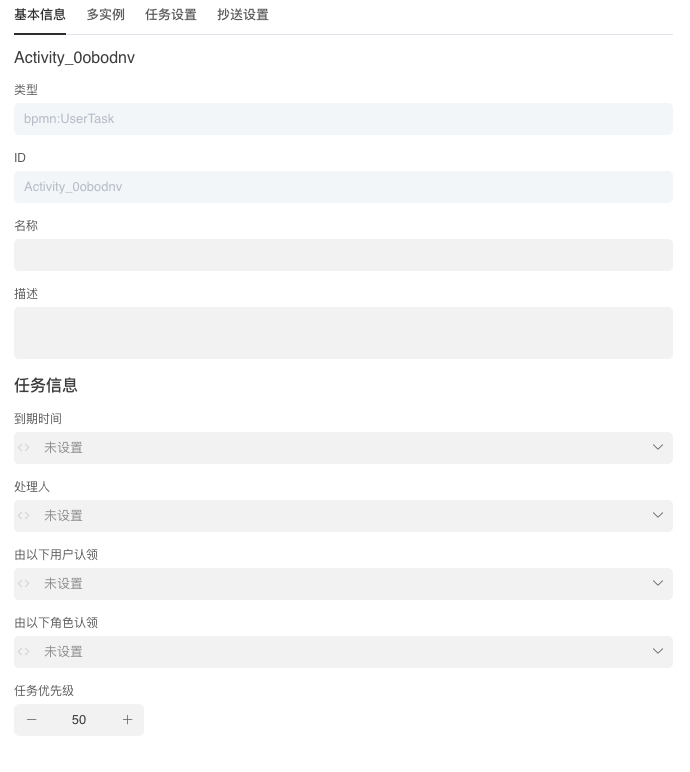
| Property | Description |
|---|---|
| Type | Activity Type |
| ID | Activity ID |
| Name | Activity Name |
| Description | Activity Description |
| Due Date | Due Date |
| Assignee | The task assignee, can specify fixed user ID, initiator, role, department head, and variables in multi-instance |
| Claimable by Users | The users who can claim this task, can be manually claimed under "To Claim" in the workflow module, can specify fixed user ID, initiator, role, department head, and variables in multi-instance |
| Claimable by Roles | The roles that can claim this task, return value should be an array of role identifiers |
| Task Priority | Smaller value means higher priority |
Multi-Instance
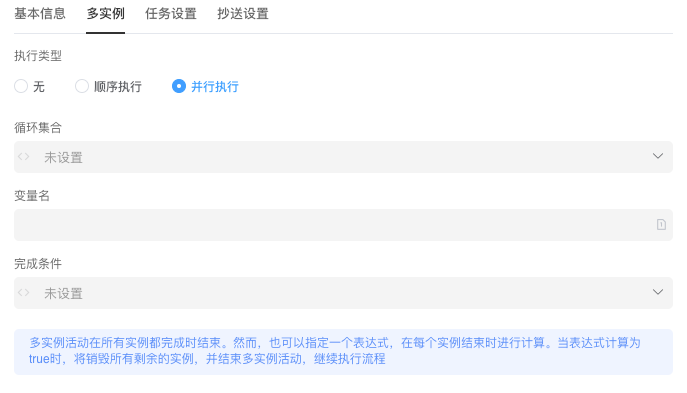
| Property | Description |
|---|---|
| Execution Type | None: Multi-instance not enabledSequential: Execute in order according to multiple task instances in assigneeParallel: Multiple task instances execute in parallel |
| Collection | User ID collection, generates multiple task instances based on this collection |
| Variable Name | Variable name of the collection, can be used to specify task assignee |
| Completion Condition | When the completion condition is met, all remaining instances will be destroyed and the multi-instance activity will end, continuing the process |
INFO
Multi-instance activities end when all instances are completed. However, you can also specify an expression that is evaluated when each instance ends. When the expression evaluates to true, all remaining instances will be destroyed and the multi-instance activity will end, continuing the process
Task Settings
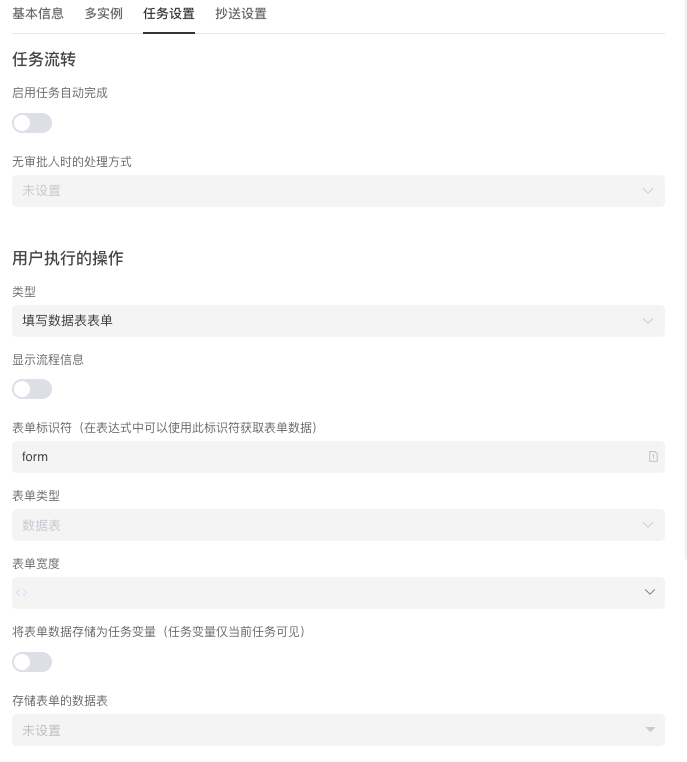
| Property | Description |
|---|---|
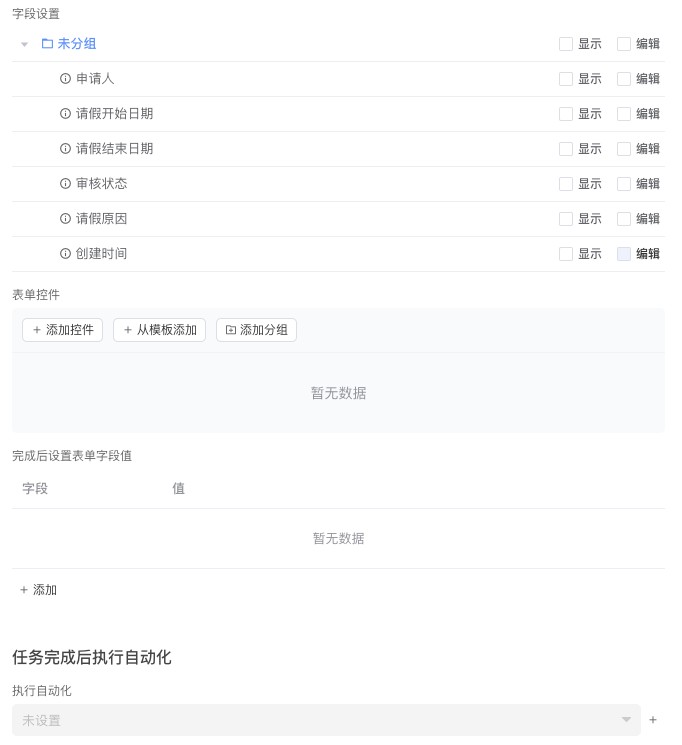
| Auto-complete on Task Start | When enabled, if this task was previously completed and then returns to this node through rejection or jump, it will be automatically completed |
| No Approver Handling Method | To Claim: Go to claim listSkip: Skip this nodeBlock Execution: End the process instance |
| Type | Fill Data Table FormExecute Automation Task |
| Display Process Info | When enabled, process information can be viewed on the task form |
| Form Type | Fill Data Table Form: Use data table as process form storageForm Designer Page: Use custom form Need to enable Startup Form. |
| Form Width | Set the width of the form |
| Form Storage Data Table | Data table for storing forms, form type must select Fill Data Table Form. |
| Field Settings | Set display and edit permissions for fields in the form, form type must select Fill Data Table Form. |
| Set Form Field Values After Completion | Set form values after process starts, form type must select Fill Data Table Form. |
| Form Designer Module | Select form designer module, form type must select Form Designer Page. |
| Form Designer Page | Select form designer page, form type must select Form Designer Page. |
| Execute Automation After Task Completion | Input parameter type is BpmnTaskArgs |
CC Settings
| Property | Description |
|---|---|
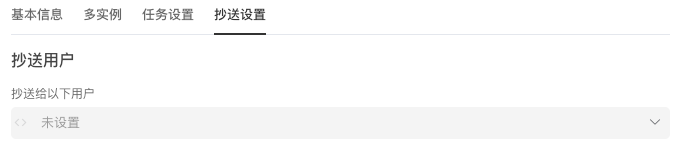
| CC Users | Users who need to be CC'd after task completion. If specified using expression, the expression should return an array of user IDs |
Service Task
Basic Information
| Property | Description |
|---|---|
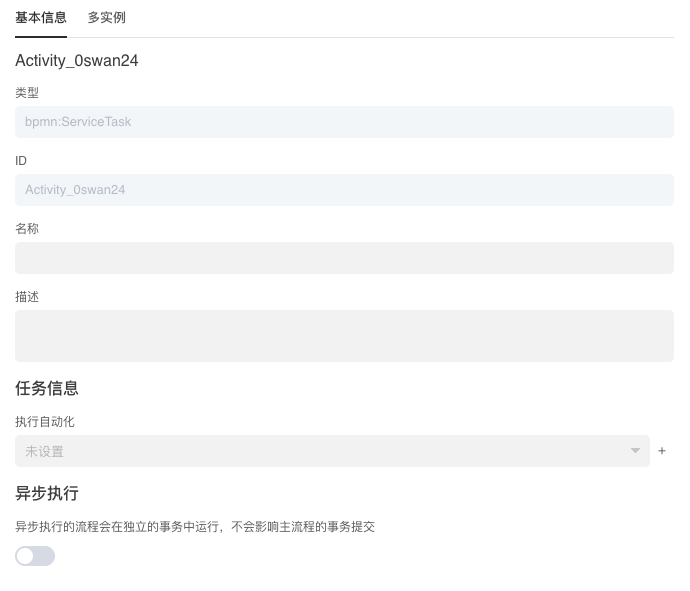
| Type | Activity Type |
| ID | Activity ID |
| Name | Activity Name |
| Description | Activity Description |
| Execute Automation | Input parameter type is BpmnTaskArgs. Automation programs can use steps like Set Workflow Variable Get Workflow Variable to operate process variables. |
| Async Execution | Run independently in new transaction |
Multi-Instance
| Property | Description |
|---|---|
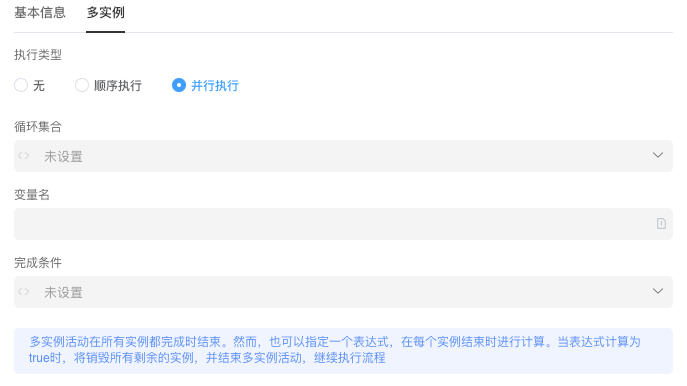
| Execution Type | None: Multi-instance not enabledSequential: Execute in order according to multiple task instances in assigneeParallel: Multiple task instances execute in parallel |
| Collection | User ID collection, generates multiple task instances based on this collection |
| Variable Name | Variable name of the collection, can be used to specify task assignee |
| Completion Condition | When the completion condition is met, all remaining instances will be destroyed and the multi-instance activity will end, continuing the process |
Script Task
Basic Information
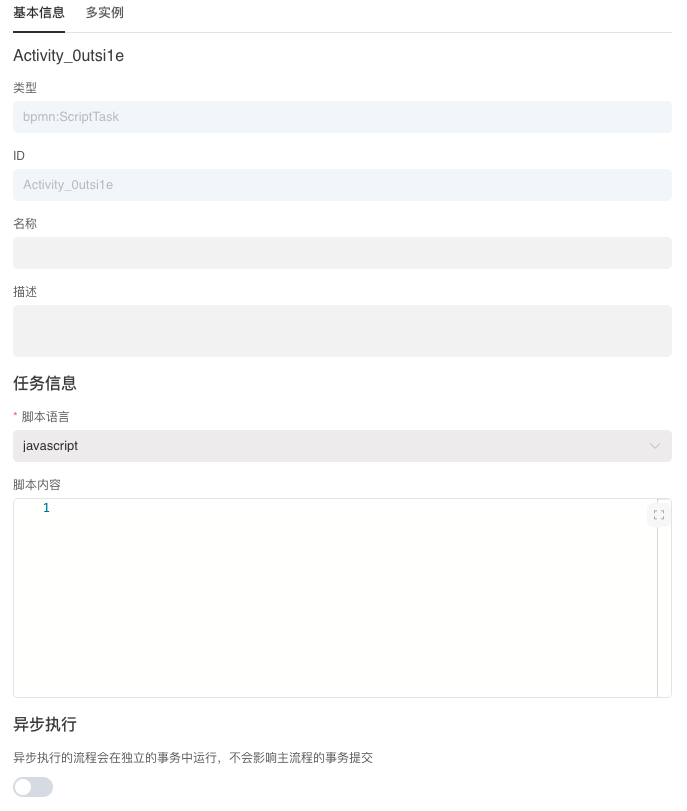
| Property | Description |
|---|---|
| Type | Activity Type |
| ID | Activity ID |
| Name | Activity Name |
| Description | Activity Description |
| Script Language | Default is javaScript |
| Script Content | Script content to be executed |
| Async Execution | Run independently in new transaction |
Multi-Instance
| Property | Description |
|---|---|
| Execution Type | None: Multi-instance not enabledSequential: Execute in order according to multiple task instances in assigneeParallel: Multiple task instances execute in parallel |
| Collection | User ID collection, generates multiple task instances based on this collection |
| Variable Name | Variable name of the collection, can be used to specify task assignee |
| Completion Condition | When the completion condition is met, all remaining instances will be destroyed and the multi-instance activity will end, continuing the process |