

3.1 Core Concepts: What are Data Tables, Records, and Fields?
Before we start, we must first understand three basic concepts. Let's use a tool that we're all very familiar with as an analogy: Excel spreadsheets.
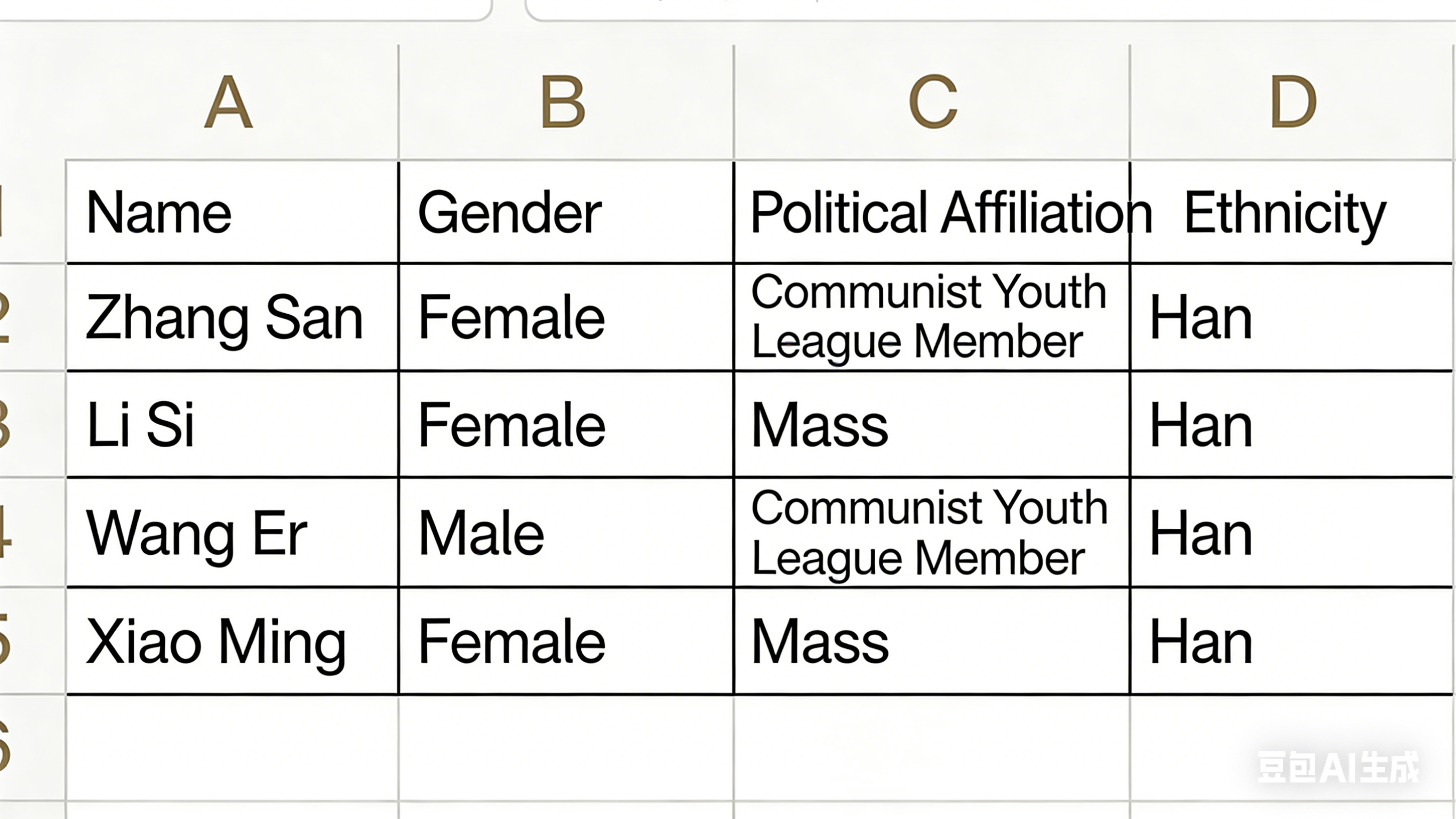
Imagine you're using Excel to manage your company's employee contact list.
- Data Table (Table): This is equivalent to the entire Excel file or one of its Sheet worksheets that you create. We might name this Sheet "Company Contact List". In Informat, the [Employee Table] and [Department Table] we create play the same role. A data table is a collection container for information on a specific topic.
- Record (Record): In the "Company Contact List" Sheet, each row represents a specific person, such as Zhang San or Li Si. The row for Zhang San contains all his information like name, gender, ethnicity, etc. In Informat, this row of data is called a "record". A record is a specific instance or entry in a data table.
- Field (Field): In the contact list, to record everyone's information in a standardized way, we set table headers, which are the titles of each column, such as "Employee ID", "Name", "Gender". These column titles are called "fields" in Informat. A field is a template or attribute that defines what information needs to be filled in for each record.
To summarize: We create a data table (such as [Employee Table]) to store employee information. This table consists of multiple fields (such as "Name", "Employee ID"), which define what information we need to record about employees. Each time we enter a new employee, we add a record to the table.
If needed, you can click this link: Data Tables to learn more about the rich usage details of data tables.