

Chapter 5 Expressions
This module provides a detailed explanation of Informat's expressions and introduces expression specifications.
5.1 Overview
Informat uses expressions with UEL (Unified Expression Language) syntax, which is similar to JavaScript expressions in terms of syntax and semantics:
- No type conversion required; conversions are usually done implicitly
- Double quotes and single quotes are used the same way in UEL, which enhances code readability and usability
object.propertyandobject['property']have the same meaning in UEL, providing flexibility in accessing object properties- Parts outside
${}are returned as strings
5.2 Expression Usage
5.2.1 Basic Usage
Use of different parameter types in expressions:
- Return the entire parameter directly:
${args} - Return a specific property from an object-type parameter:
${object.name} - Return a specific value from an array-type parameter:
${array[0]}
5.2.2 Combined Usage
- Splicing multiple
${}:${String.upper('abcd')}-${String.lower('ABCD')}- The output of the above expression is: ABCD-abcd
- Nesting methods within a single
${}:${String.contains(String.upper('aaaaa'),'AAAAA')}- The output of the above expression is: true
5.3 Type Returns
Expressions can directly declare and return variables
${ true } // Expression returns true
${ false } // Expression returns false
${ 1 } // Expression returns number 1
${ '123' } // Expression returns string '123'
${ [1,2,3] } // Expression returns integer array
${ ['str1','str2','str3'] } // Expression returns string array
${ {"prop1":1,"prop2":"str"} } // Expression returns object
${ [{"name":"item1"},{"name":"item2"}] } // Expression returns object array5.4 Operators in Expressions
- Arithmetic: + (addition), - (subtraction), * (multiplication), / (division), % (modulus)
- Logical: && (and), || (or), ! (not)
- Relational: == (equal to), != (not equal to), < (less than), > (greater than), <= (less than or equal to), >= (greater than or equal to)
- Null: null
- Conditional: A ? B : C, returns B or C; returns B if A is true, otherwise returns C
Note: If the divisor is 0 in division operations, an exception will be thrown
5.5 String Concatenation
Expressions in Informat are executed either on the client-side or server-side:
On the client-side, you can use + to concatenate strings with any objects into new strings, for example:
${'123'+'456'} // Returns '123456'
${'123'+4567} // Returns '123456'
${'a'+4567} // Returns 'a4567'
${1+''+2} // Returns '12'On the server-side, + for string concatenation is not supported:
${'123'+'456'} // Returns '579'If string concatenation is needed, use String.concat(s1,s2):
${String.concat('123','456')} // Returns '123456'5.6 Reserved Keywords in Expressions
The following reserved keywords cannot be used as variable names:
and、or、not、true、false、null、empty、div、mod、in、matches、eq、ne、lt、gt、le、ge、class5.7 Function Calls
Informat provides objects such as Math, Array, Date, Misc, String, User, Encode, and Record to handle function operations related to mathematics, arrays, dates, etc. If an exception occurs during function calls, the system will roll back the current transaction. Here is an example of a function call:
${Math.abs(-100)} // Returns 100The list of functions supported by the platform is as follows:
Function Name | Description | Usage |
|---|---|---|
Array-related functions | Array.methodName(args) | |
Date operation functions | Date.methodName(args) | |
Mathematical operation functions | Math.methodName(args) | |
String-related functions | String.methodName(args) | |
User-related functions | User.methodName(args) | |
Data table-related functions | Record.methodName(args) | |
Context-related functions | Context.methodName(args) | |
Utility functions | Misc.methodName(args) | |
String encoding/decoding functions | Encode.methodName(args) |
5.8 Differences Between Server-side and Client-side Execution
Interface distinction: The title bar of the expression editing window has a label indicating the execution environment.
Client-side environment: 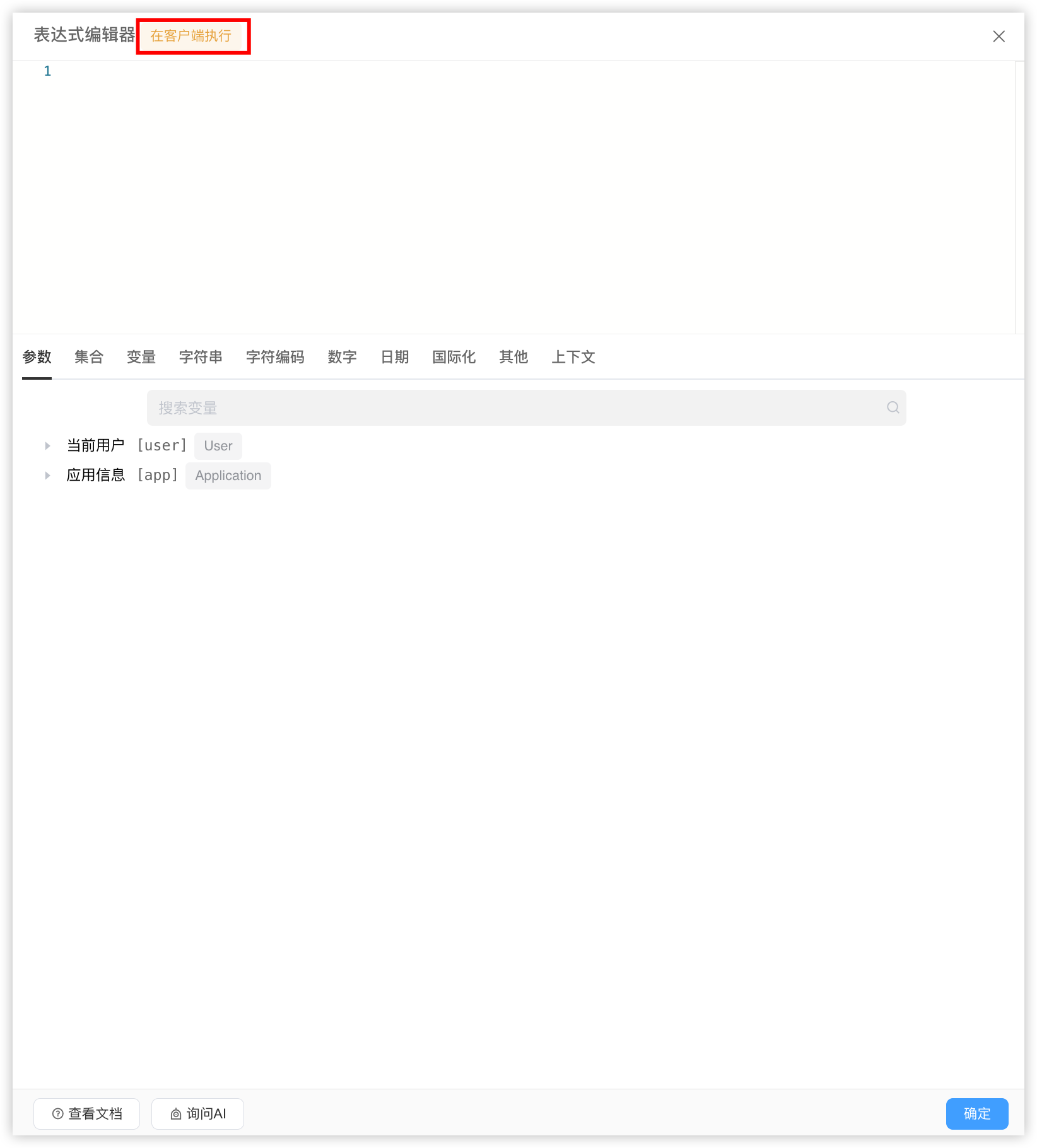 Server-side environment: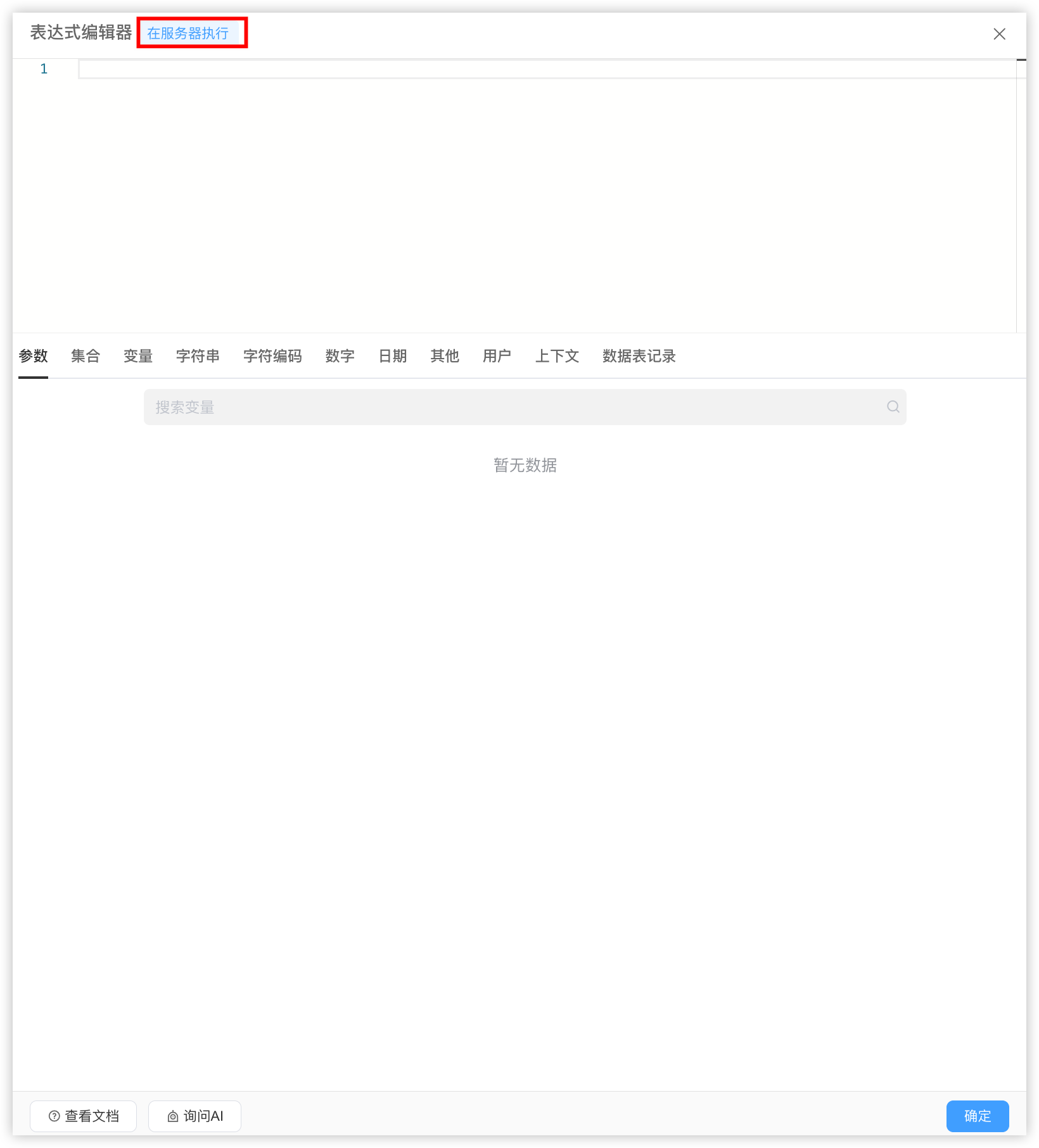
Functional differences:
- The client-side operates in the browser page and can only manipulate data on the page and parameters in the context
- Server-side expressions can access data table module data through the provided methods, but cannot access client-side context parameters
Function call differences:
- Expressions executed on the client-side can call 8 types of platform-provided functions: collections, strings, character encoding, numbers, dates, Misc utilities, internationalization, and Context
- Expressions executed on the server-side can call 9 types of platform-provided functions: collections, strings, character encoding, numbers, dates, Misc utilities, users, Context, and data table records
5.9 Case Studies
5.9.1 Return data collection with key 'name' from a list
${Array.map([{'name':'zhangsan','age':21}, {'name':'lisi','age':18}, {'name':'wangwu','age':23}], 'name')}Result: [zhangsan, lisi, wangwu]
5.9.2 Concatenate two collections
${Array.concat([1, 2, 3], [2, 3])}Result: [1,2,3,2,3]
5.9.3 Return specified part of a date
${Date.datePart('2023-11-01 13:10:12', 'year')}Result: 2023
5.9.4 Round a number to 2 decimal places
${Math.round(3.1415926, 2)}Result: 3.14
5.9.5 Concatenate strings 'Informat' and 'Informat'
${String.concat('Informat', 'Informat')}Result: Informat
5.9.6 Convert timestamp to string in specified format
${Misc.formatDate(1667278861000,'yyyy-MM')}Result: 2022-11
5.9.7 Encrypt 'hello world' with md5
${Encode.md5('hello world')}Result: 5eb63bbbe01eeed093cb22bb8f5acdc3